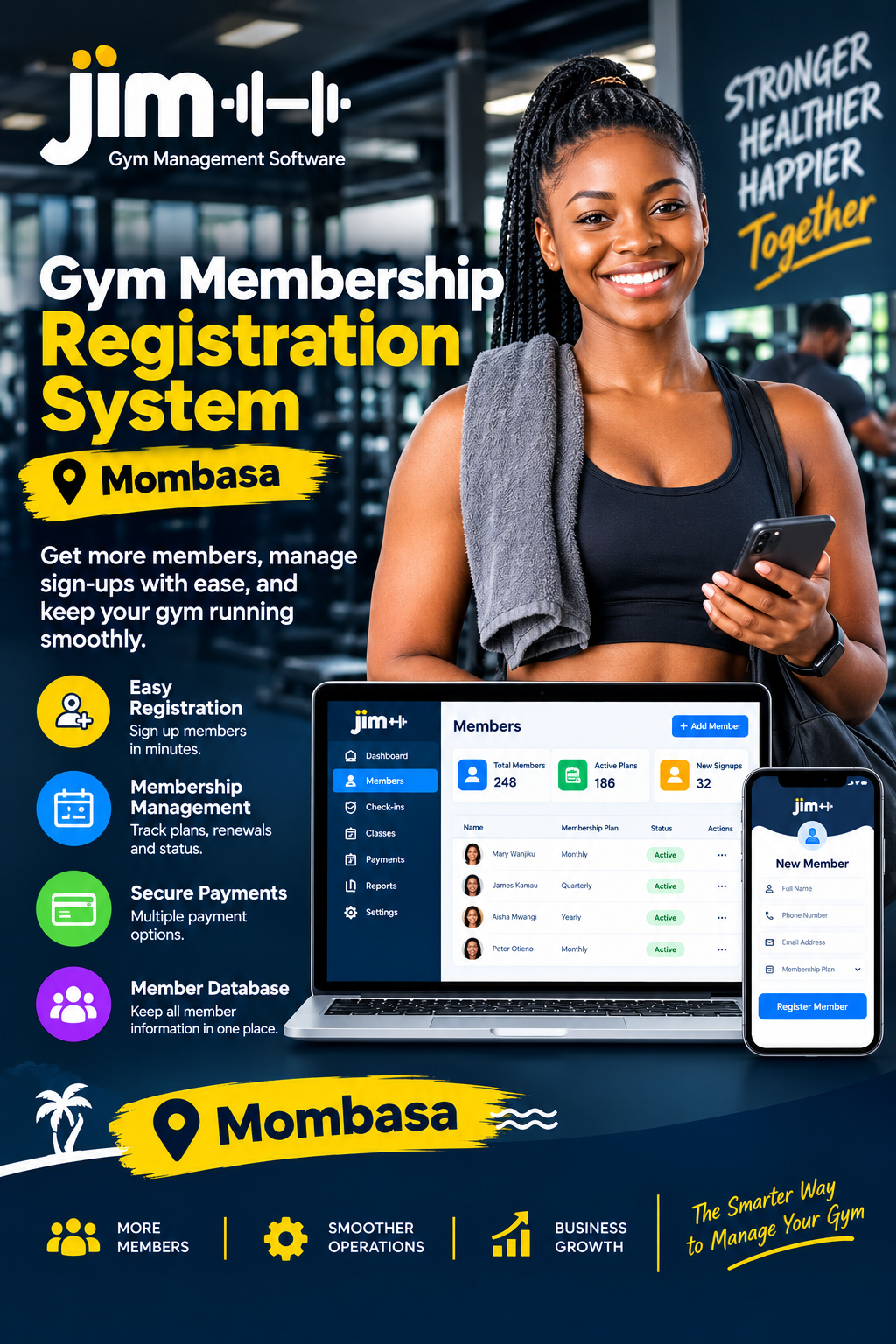
Gym membership expiry reminder system

Gym Membership Expiry Reminder System: A Practical Guide for Kenyan Gyms

Running a gym involves much more than providing equipment and fitness classes. A major part of the business is making sure members renew their memberships on time. A Gym membership expiry reminder system helps gym owners and managers track membership expiry dates, send timely reminders, organize follow-ups, and reduce the number of members who disappear simply because they forgot to renew. For Kenyan gyms, fitness studios, personal training facilities, and health clubs, this can turn membership follow-up from a manual administrative task into a structured process.

When expiry dates are managed using notebooks, spreadsheets, WhatsApp conversations, or memory, it is easy for staff to overlook members. A busy receptionist may remember to call some members but miss others. A manager may notice an expired membership only after the customer attempts to enter the gym. These gaps can result in missed revenue and unnecessary friction with customers.

This guide explains how automated membership expiry reminders work, why they matter, what features gym owners should look for, how reminders can support retention, and how Kenyan fitness businesses can use technology to create a more organized renewal process.

Why Membership Expiry Management Matters

Membership expiry is one of the most important dates in a gym’s customer lifecycle. When a membership approaches its end date, the gym has an opportunity to communicate with the member before the relationship becomes inactive.

A Gym membership expiry reminder system gives staff a structured way to identify memberships that are approaching expiry. Instead of searching through records every morning, staff can work from a list of upcoming expiries and focus their attention on customers who need a reminder.

The difference is important. A member who receives a reminder several days before expiry has time to plan a renewal. A member who receives no communication may simply assume that the gym will contact them later. By the time someone follows up, the customer may already have moved on to another routine.

For gym owners, expiry management is also connected to predictable revenue. Membership businesses depend on customers continuing their subscriptions. Every missed renewal creates a potential gap in cash flow.

A Gym membership expiry reminder system can organize reminders around the actual expiry date. Depending on the software configuration, a gym may create reminder stages such as:

  • A reminder before membership expiry
  • A reminder shortly before the final day
  • An expiry-day notification
  • A follow-up after expiry
  • A renewal confirmation after payment

This creates a consistent process instead of relying on individual staff members to remember what needs to be done.

The Cost of Forgotten Renewals

A customer does not always cancel because they are unhappy. Sometimes they simply forget.

For example, imagine a member whose three-month gym package ends on Friday. The customer has been attending regularly but is busy with work during the week. Nobody reminds them about the expiry. They miss Friday, then Saturday, and eventually stop coming. After several weeks, the gym may consider that person inactive.

A Gym membership expiry reminder system creates an opportunity to intervene before that happens. A simple reminder can bring the membership back to the customer’s attention while the gym is still fresh in their mind.

The reminder does not need to be aggressive. A useful message can state the expiry date, provide renewal instructions, and invite the member to contact the gym if they need assistance.

How an Expiry Reminder System Works

The basic concept behind a Gym membership expiry reminder system is straightforward: the software stores membership information and uses expiry dates to trigger relevant actions.

A typical process begins when a member joins the gym. The staff member records the customer’s information, membership plan, start date, expiry date, and other relevant details. The system then monitors the membership period.

As the expiry date approaches, the software identifies the account as requiring attention.

The gym can then use automated or scheduled communication to remind the member. Depending on the software and communication channels available, reminders may be sent through SMS, email, WhatsApp, or another supported communication method.

The process can be represented as follows:

  1. The customer registers for a membership.
  2. The membership start and expiry dates are recorded.
  3. The system monitors the expiry date.
  4. A reminder period is reached.
  5. The member receives a renewal reminder.
  6. Staff can follow up where necessary.
  7. The customer renews the membership.
  8. The new expiry date is recorded.

A Gym membership expiry reminder system makes this workflow easier to manage because the dates are stored centrally rather than being scattered across multiple records.

Automated Reminders Versus Manual Follow-Up

Manual follow-up can work for a very small gym with a limited number of members. As membership grows, however, the process becomes harder to maintain.

Suppose a gym has 100 active members. If every member requires a manual check before expiry, staff must repeatedly review records, identify upcoming dates, prepare messages, and track responses. With hundreds of members, this can become a significant administrative workload.

A Gym membership expiry reminder system can reduce this repetitive work. Staff can spend more time assisting customers, handling enquiries, maintaining the facility, and supporting sales instead of repeatedly checking spreadsheets.

Automation also improves consistency. Every member can be handled according to the same reminder process instead of depending on whether a particular employee remembers to make a call.

Key Features to Look For

Not every membership management platform handles expiry reminders in the same way. Gym owners should therefore consider the features that directly support their renewal workflow.

A useful Gym membership expiry reminder system should make it easy to see which memberships are active, which are approaching expiry, and which have already expired.

1. Membership Expiry Tracking

The most basic requirement is accurate expiry tracking.

The system should store each member’s expiry date and make it easy for staff to identify upcoming renewals. Ideally, managers should be able to filter members according to expiry periods such as today, this week, or the next 30 days.

A Gym membership expiry reminder system with clear expiry tracking gives managers better visibility into the membership pipeline.

2. Automated Notifications

The next important feature is notification automation.

Instead of requiring staff to remember every date, the software should support scheduled reminders. A gym could decide to communicate at several points during the membership lifecycle.

For example:

  • Seven days before expiry
  • Three days before expiry
  • One day before expiry
  • On the expiry date
  • Several days after expiry

The exact schedule should match the gym’s customer communication strategy.

A Gym membership expiry reminder system can make these workflows easier to organize when reminder rules are built into the platform.

3. Member Database

A strong member database should contain more than names and phone numbers.

Useful records can include:

  • Membership type
  • Start date
  • Expiry date
  • Payment status
  • Contact details
  • Membership history
  • Renewal history
  • Attendance information
  • Notes from staff

A Gym membership expiry reminder system becomes more useful when expiry information is connected to the broader member record.

4. Membership Plan Management

Gyms often sell different plans. A facility may offer daily access, weekly packages, monthly memberships, quarterly plans, annual memberships, personal training packages, or specialized classes.

The reminder process should account for different membership durations.

A Gym membership expiry reminder system can help staff distinguish between members whose plans expire at different times and ensure the correct renewal information is used.

5. Reporting

Reports can help managers understand how effectively the gym is managing renewals.

Useful reports may include:

  • Memberships expiring soon
  • Expired memberships
  • Renewed memberships
  • Members who did not renew
  • Revenue from renewals
  • Membership plan performance

A Gym membership expiry reminder system can support better decisions when renewal activity is visible through organized reports.

Why Automation Is Useful for Kenyan Gyms

Kenyan gyms operate in a competitive environment where customer convenience matters. A member may have several fitness facilities within reasonable travelling distance, particularly in major urban areas such as Nairobi, Mombasa, Kisumu, Nakuru, and Eldoret.

A Gym membership expiry reminder system gives a gym another way to maintain communication with existing customers.

The value is not simply sending more messages. The objective is sending useful messages at the right time.

For example, a member might receive a reminder saying that their membership expires in three days and explaining how they can renew. This is more useful than contacting the customer weeks after the membership has already ended.

Supporting M-Pesa-Based Renewals

M-Pesa is an important payment method for many Kenyan businesses. Gyms frequently use mobile payments because customers can complete transactions without carrying cash or visiting a bank.

A Gym membership expiry reminder system can fit into a payment workflow where the member receives renewal information and instructions for completing payment.

The software should not necessarily replace the payment provider. Instead, the membership platform can help organize the relationship between the member, membership expiry date, payment status, and renewal process.

For example:

Your gym membership expires in three days. Renew your membership to continue accessing your fitness plan. Contact the gym for renewal instructions.

Once payment is confirmed, staff can update the membership and issue the new expiry date.

A Gym membership expiry reminder system can therefore become part of a wider membership and payment management workflow.

Improving Member Retention Through Better Communication

Member retention is not achieved by reminders alone. Customers stay when they receive value, have a positive experience, see progress, and feel that the gym understands their needs.

However, communication is one part of the retention process.

A Gym membership expiry reminder system helps ensure that communication does not stop simply because staff are busy.

Consider two customers.

Customer A receives a reminder before expiry and renews immediately.

Customer B receives no reminder and allows the membership to lapse. Three months later, the gym contacts the customer again.

The difference is not necessarily the quality of the gym. It may simply be the timing of communication.

Using Different Messages for Different Situations

A reminder should match the customer’s stage in the membership lifecycle.

A pre-expiry message can be informative:

“Your membership expires on Friday. Please contact our reception team if you would like to renew.”

An expiry-day message can be more direct:

“Your gym membership expires today. Renew to continue your access.”

A post-expiry message can invite the customer back:

“Your membership has expired. Contact us if you would like to reactivate your membership.”

A Gym membership expiry reminder system can help a gym organize these different stages instead of sending one generic message to everyone.

Reducing Administrative Work

Gym staff have many responsibilities. Receptionists may register new members, answer calls, manage payments, check attendance, respond to enquiries, and assist customers at the front desk.

Expiry management can easily become another task that gets delayed.

A Gym membership expiry reminder system can reduce some of this workload by organizing expiry information automatically.

Instead of starting every morning by reviewing spreadsheets, staff can open the membership dashboard and see which customers require attention.

This creates a clearer daily routine.

For example, a gym manager might review:

Membership status Recommended action
Expires in 14 days Prepare early communication
Expires in 7 days Send renewal reminder
Expires in 3 days Send follow-up reminder
Expires today Send final expiry notice
Expired 1–7 days Follow up
Renewed Update membership

A Gym membership expiry reminder system can make these categories easier to monitor when the platform provides filtering and reporting.

Fewer Manual Errors

Manual records can contain errors. A date may be entered incorrectly, a spreadsheet row may be skipped, or a staff member may forget to update a renewal.

Centralized software can help reduce these problems by keeping membership information in one place.

A Gym membership expiry reminder system can also help ensure that staff work from the same member records.

Choosing the Right System for Your Gym

The best software for one gym may not be identical to the best choice for another. A small neighborhood gym may have different requirements from a multi-branch fitness business.

Before choosing a Gym membership expiry reminder system, gym owners should consider the size of the business, number of members, communication channels, payment processes, staff requirements, and expected growth.

Consider Ease of Use

Software should make work easier, not create another complicated administrative burden.

Staff should be able to:

  • Add members quickly
  • Record membership plans
  • See expiry dates
  • Find customer records
  • Send or schedule reminders
  • Update renewals
  • Review reports

A Gym membership expiry reminder system should ideally have a straightforward interface that reception and management teams can use without extensive technical knowledge.

Consider Scalability

A gym may start with 50 members and eventually grow to several hundred or more.

The system should therefore support growth.

A Gym membership expiry reminder system that works only for a small number of records may become inconvenient as the business expands.

Ask whether the platform can support:

  • More members
  • Multiple membership plans
  • Multiple staff users
  • Multiple branches
  • Increased communication
  • More detailed reports

Consider Data Security

Membership systems contain customer information. Gym owners should therefore pay attention to account security, access controls, backups, and responsible handling of personal information.

A Gym membership expiry reminder system should be treated as part of the gym’s broader business information infrastructure.

Staff should only have access to the information necessary for their responsibilities, and management should establish clear processes for handling customer data.

Creating an Effective Reminder Strategy

Buying software is only the first step. The gym also needs a sensible communication strategy.

A Gym membership expiry reminder system works best when reminder timing and messaging are planned carefully.

Start Early

Waiting until the final day gives the customer little time to make a decision.

An earlier reminder allows members to plan their renewal and gives staff time to answer questions.

For monthly memberships, a gym might experiment with reminders at different intervals and monitor which approach generates the best customer response.

Keep Messages Short

Customers do not need a long paragraph.

A useful expiry reminder should generally communicate:

  1. The customer’s membership status
  2. The expiry date
  3. What action is required
  4. How to renew or contact the gym

A Gym membership expiry reminder system can help standardize these messages.

Personalize Where Appropriate

Using the customer’s name can make communication feel more direct.

For example:

“Hello Brian, your gym membership expires on 30 September. Please contact reception to renew your membership.”

This is more useful than an unclear generic message.

A Gym membership expiry reminder system can be particularly helpful if the software supports customer-specific information within notifications.

How Expiry Reminders Fit Into the Full Member Journey

Membership expiry should not be viewed as an isolated event.

A customer’s journey may look like this:

Enquiry → Registration → Payment → Gym Access → Attendance → Progress → Expiry Reminder → Renewal → Continued Membership

A Gym membership expiry reminder system sits near the renewal stage, but the information collected throughout the journey can help staff understand the customer better.

For example, if an active member has attended regularly and their membership is approaching expiry, staff have a strong reason to ensure that the renewal communication reaches them.

If a member has not visited recently, the gym may choose a different type of engagement before asking for renewal.

Connecting Attendance and Renewals

Attendance information can provide useful context.

Suppose a customer has not visited for several weeks. Sending only a payment-focused expiry reminder may miss an opportunity to understand why they stopped attending.

A Gym membership expiry reminder system can work alongside attendance management features to help staff identify members who may need more personal engagement.

The objective is not to overwhelm members with messages. It is to make communication more relevant.

Common Problems With Manual Expiry Tracking

Many gyms start with simple systems because they are inexpensive and familiar. A spreadsheet can be useful in the early stages, but problems often emerge as the customer base grows.

A Gym membership expiry reminder system can address several common weaknesses.

Problem 1: Missed Dates

Staff may forget to check a spreadsheet every day.

Problem 2: Duplicate Work

Two employees may contact the same member because there is no clear record of who already followed up.

Problem 3: Outdated Information

A member may renew, but the spreadsheet may not be updated immediately.

Problem 4: Poor Visibility

Management may struggle to see how many memberships are expiring in the next seven or thirty days.

Problem 5: Limited Reporting

Manual records can make it difficult to identify renewal patterns.

Problem 6: Staff Dependency

The process may depend heavily on one employee who understands the spreadsheet.

A Gym membership expiry reminder system provides a more structured environment for managing these activities.

Measuring Whether Your Reminder Process Works

A gym should not assume that reminders are effective simply because messages are being sent.

Management should monitor useful business indicators.

A Gym membership expiry reminder system can support reporting that helps managers examine renewal activity over time.

Potential metrics include:

  • Number of memberships approaching expiry
  • Number of members contacted
  • Number of renewals
  • Number of expired memberships
  • Renewal revenue
  • Average time between expiry and reactivation
  • Number of inactive members

These measurements can help identify weaknesses.

For example, if many members receive reminders but few renew, the issue may not be the reminder itself. Pricing, customer experience, attendance, facility quality, location, class schedules, or competing gyms may also influence renewal decisions.

A Gym membership expiry reminder system should therefore be viewed as a tool within a wider retention strategy.

Practical Example for a Nairobi Gym

Consider a hypothetical Nairobi gym with several hundred members.

The gym previously tracked expiry dates in a spreadsheet. Staff checked the spreadsheet whenever they remembered and contacted some members manually.

Management noticed that a number of customers returned after several weeks and asked whether they could reactivate their memberships. Other customers never came back.

The gym decides to implement a Gym membership expiry reminder system.

The manager creates a structured reminder process:

  • Seven days before expiry: first reminder
  • Three days before expiry: second reminder
  • One day before expiry: final pre-expiry reminder
  • After expiry: reactivation message

The system also provides a list of upcoming expiries.

Reception staff can therefore start each day by reviewing members who need attention.

A Gym membership expiry reminder system does not guarantee that every member will renew. What it does is create a consistent process for giving customers an opportunity to renew.

That distinction matters. Software supports execution; customer satisfaction and value still influence the final decision.

Supporting Different Types of Gyms

Expiry reminders can be useful across different fitness businesses.

Commercial Gyms

Traditional gyms with monthly or annual memberships can use reminders to organize recurring renewals.

Boutique Fitness Studios

Studios selling packages or class memberships can use expiry tracking to encourage customers to purchase their next package.

Personal Training Businesses

Personal trainers who sell sessions in packages can use similar concepts to remind customers when their package is approaching its end.

Corporate Fitness Programs

Organizations providing employee fitness memberships may need organized records to monitor active periods.

Multi-Branch Gyms

Businesses with several locations can benefit from centralized membership information and standardized communication.

A Gym membership expiry reminder system can support these different models when its features match the organization’s requirements.

Using Reminders Without Annoying Members

Automation should not become an excuse to send excessive messages.

A Gym membership expiry reminder system should be configured around useful communication rather than volume.

Too many reminders can make customers ignore future messages.

A sensible approach is to establish a clear sequence and evaluate the results.

For example:

Reminder 1: Inform the customer.

Reminder 2: Make renewal easy.

Reminder 3: Confirm the approaching expiry.

Post-expiry message: Invite the customer to reactivate.

Messages should also respect customer preferences and applicable communication requirements.

Make Renewal Convenient

A reminder is more useful when the customer knows what to do next.

The message could provide:

  • Reception contact details
  • Payment instructions
  • Renewal options
  • Membership plan information
  • A link or process for online renewal where available

A Gym membership expiry reminder system can become more effective when the communication is connected to a simple renewal process.

Combining Expiry Reminders With Other Gym Software Features

A modern gym management platform can do more than monitor expiry dates.

A Gym membership expiry reminder system can work alongside other functions such as:

  • Member registration
  • Membership management
  • Attendance tracking
  • Payment management
  • Invoicing
  • Staff management
  • Reporting
  • Customer communication
  • Access control

The advantage of combining these functions is that staff can work from connected information rather than separate systems.

For example, when a customer renews, the new membership period can be reflected in the member’s record. The next expiry date can then be used for future reminders.

A Gym membership expiry reminder system therefore becomes part of a repeatable membership cycle rather than a standalone messaging tool.

What Gym Owners Should Ask Before Buying Software

Before selecting a platform, prepare a list of practical questions.

A Gym membership expiry reminder system should be evaluated based on the gym’s actual workflow rather than on a long list of impressive-sounding features.

Ask:

  1. Can the system track different membership plans?
  2. Can staff see upcoming expiries?
  3. Can reminders be automated?
  4. Which communication channels are supported?
  5. Can staff update renewals easily?
  6. Can management view reports?
  7. Can multiple employees use the platform?
  8. Can the system support multiple branches?
  9. How is customer data protected?
  10. Can the software grow with the business?

These questions help prevent a gym from selecting software simply because it has a visually appealing interface.

A Gym membership expiry reminder system should solve a real operational problem.

The Role of Staff in an Automated Process

Automation does not eliminate the need for people.

A Gym membership expiry reminder system can identify members who need communication, but staff still play an important role in customer relationships.

If a member responds to a reminder with a question, someone needs to answer.

If a customer says they are unhappy with a class schedule, staff should listen.

If a member wants to change plans, the gym should explain the available options.

If a customer has stopped attending because of a specific issue, a conversation may be more valuable than another automated notification.

Technology should therefore remove repetitive administrative work while allowing staff to spend more time on situations requiring human attention.

A Gym membership expiry reminder system is most useful when it supports this balance.

Building a Simple Renewal Workflow

A gym does not need a complicated process to benefit from expiry reminders.

A practical workflow can be built around five stages.

Stage 1: Register

Record the member and membership plan.

Stage 2: Monitor

Track the start and expiry dates.

Stage 3: Remind

Send scheduled notifications before expiry.

Stage 4: Follow Up

Give staff a list of members who have not renewed.

Stage 5: Update

Record the renewal and establish the new expiry date.

A Gym membership expiry reminder system can help bring these stages together in one operational workflow.

The process should be simple enough for reception staff to follow consistently.

Why Consistency Matters

A gym may have excellent staff, but people are not perfect.

Employees take leave. Staff members change roles. Reception desks become busy. Phones ring. Customers arrive. Payments need to be processed.

A manual reminder process can easily be interrupted.

A Gym membership expiry reminder system creates a repeatable process that does not depend entirely on someone’s memory.

Consistency also makes management easier. If the gym has a standard reminder schedule, new staff members can understand the workflow faster.

This is especially useful for growing businesses.

Preparing Your Gym for Growth

When membership numbers increase, administrative complexity usually increases too.

A gym with 30 members may manage records manually. A gym with 300 members has a different operational requirement.

A Gym membership expiry reminder system can provide a foundation for more organized membership management as the customer base grows.

Growth can also create new needs, such as multiple staff accounts, branch-level reporting, different membership categories, and more detailed customer records.

The earlier a gym establishes clean membership processes, the easier it can be to scale those processes later.

Automating Reminders While Keeping Communication Personal

Automation and personalization do not have to conflict.

A Gym membership expiry reminder system can automate when a message is sent while the gym decides what type of communication customers should receive.

For example, automated messages can handle routine expiry notifications, while staff can personally contact high-value customers, long-term members, or people who have raised concerns.

This allows the gym to use automation for scale and people for relationship-building.

Example Communication Sequence

Seven days before expiry:

“Hello [Name], your gym membership will expire in seven days. Contact our team if you would like to renew.”

Three days before expiry:

“Hello [Name], your membership expires in three days. Please contact reception for renewal options.”

Expiry day:

“Your gym membership expires today. Renew to continue your fitness programme.”

After expiry:

“Your membership has expired. We would be happy to assist if you would like to reactivate it.”

A Gym membership expiry reminder system can help schedule a sequence such as this while keeping the actual message concise.

Frequently Asked Questions

1. What is a gym membership expiry reminder system?

A Gym membership expiry reminder system is software that helps a gym track membership expiry dates and communicate with members before or after their memberships expire. It can reduce the need for staff to manually check records and remember every renewal date.

2. Why are membership expiry reminders important?

Membership reminders help customers remember that their current membership is approaching its end. A Gym membership expiry reminder system gives gyms a structured way to communicate with members before they become inactive.

3. Can a gym automate expiry reminders?

Yes, depending on the software. A Gym membership expiry reminder system can support scheduled notifications based on membership expiry dates. The exact communication channels and automation options depend on the platform.

4. Can expiry reminder software support Kenyan gyms?

Yes. A Gym membership expiry reminder system can be useful for Kenyan gyms that need to manage membership records, expiry dates, customer communication, and renewals. The software should be selected according to the gym’s specific operating requirements.

5. Can expiry reminders work with M-Pesa payments?

A Gym membership expiry reminder system can be part of a workflow that includes M-Pesa-based renewal payments. Whether the software directly integrates with M-Pesa depends on the specific platform and its available payment features.

6. How often should a gym send expiry reminders?

There is no single schedule that works for every gym. A Gym membership expiry reminder system can support different reminder intervals, allowing the business to test an approach that is useful without overwhelming customers.

7. Can small gyms use expiry reminder software?

Yes. A Gym membership expiry reminder system can be useful for small gyms because it reduces repetitive manual tracking. The most important consideration is whether the software is simple enough for the team and offers features that match the gym’s size.

8. Does an expiry reminder guarantee membership renewal?

No. A Gym membership expiry reminder system improves the consistency of communication, but it cannot guarantee that customers will renew. Renewal decisions can depend on price, customer experience, attendance, location, fitness goals, service quality, and other factors.

9. What should a gym track besides membership expiry?

A Gym membership expiry reminder system is more useful when combined with other membership information. Gyms may also track attendance, payments, membership plans, renewal history, customer details, and other operational information.

10. How can a gym choose the right expiry reminder software?

Start by identifying the gym’s actual needs. A Gym membership expiry reminder system should make it easy to track members, identify upcoming expiries, manage renewals, communicate with customers, and review relevant reports.

Final Thoughts

Membership expiry is a routine part of running a fitness business, but the way a gym manages that process can have a meaningful effect on its daily operations. A Gym membership expiry reminder system gives gym owners and managers a structured way to monitor expiry dates, communicate with members, and organize renewal follow-ups.

The value goes beyond sending automated messages. Proper expiry management can reduce administrative work, improve visibility, support more consistent customer communication, and give staff more time to focus on the people inside the gym.

For Kenyan gyms, the approach can be particularly practical when membership management is connected with local payment processes, customer communication, attendance records, and clear renewal workflows.

A Gym membership expiry reminder system should therefore be viewed as one part of a broader gym management strategy. It works best when the gym combines timely communication with good service, useful fitness programmes, convenient payment options, and a positive customer experience.

If a gym currently relies on spreadsheets, notebooks, calendars, or staff memory to track expiry dates, moving to a structured software process can make the renewal workflow easier to manage.

The next step is to review how memberships are currently recorded, identify where expiry tracking fails, and determine which automated processes would save the team the most time.

With a clear workflow and the right technology, gyms can spend less time searching for expiry dates and more time building lasting relationships with their members.

Gym crm software Mombasa
Gym CRM Software Mombasa: A Complete Guide for Gyms and Fitness Businesses

Running a gym in Mombasa involves much more than providing equipment and fitness classes. Gym owners and managers have to attract new members, keep existing members engaged, collect payments, monitor memberships, communicate with customers, manage trainers and understand what is happening across the business. Gym crm software Mombasa brings these activities into a more organized digital workflow, making it easier for fitness businesses to manage customer relationships and day-to-day operations from one place. This guide explains what CRM software means for a gym, the features to look for, how it can support member retention, payment management, communication, reporting and growth, and what Mombasa gym owners should consider before choosing a system.

What Is Gym CRM Software?

A customer relationship management system is designed to help a business organize information about its customers and interactions with them. For a gym, that customer relationship includes much more than a person’s name and phone number. It can involve membership details, registration dates, payment history, attendance, package information, communication records, renewal dates, personal training sessions and other information that helps staff serve members effectively.

When evaluating Gym crm software Mombasa, gym owners should therefore think beyond a simple customer database. A useful CRM solution should help staff understand each member’s relationship with the gym and make routine follow-up easier.

For example, a gym may have hundreds of members with different membership plans. Some may have active subscriptions, others may be approaching expiry, while some may have stopped attending regularly. Without a centralized system, staff may have to check different notebooks, spreadsheets, receipts or messaging conversations to understand each customer’s status.

Gym crm software Mombasa can provide a structured way to organize this information. Instead of treating every customer interaction as an isolated event, the gym can maintain a clearer history of the member relationship.

This is particularly useful for businesses that want to make customer service more consistent. A receptionist should be able to answer basic membership questions without searching through several records. A manager should be able to review business activity without manually combining information from different sources.

With Gym crm software Mombasa, the objective is not simply to add another software tool. The objective is to reduce unnecessary administrative work and give the gym better visibility into its members and operations.

Why Mombasa Gyms Need Better Customer Management

Mombasa has a diverse fitness market. Gyms can serve local residents, professionals, students, tourists, apartment residents, athletes and people who simply want to improve their health and fitness. Different customer groups can have different expectations regarding membership options, communication, convenience and service.

A gym may offer monthly memberships, longer-term packages, personal training, group classes or other fitness services. Managing all these relationships manually can become difficult as membership numbers increase.

Gym crm software Mombasa can help a gym organize these relationships around structured customer records rather than relying on scattered information.

Consider a member whose subscription expires at the end of the month. If the gym has no reliable reminder process, staff may only discover the issue after the customer stops attending. A CRM system can make renewal management more systematic.

Another member may have attended consistently for several months but suddenly become inactive. That change can be useful information for a gym manager. A follow-up message may help determine whether the member has a scheduling problem, has changed goals or is considering cancelling.

Gym crm software Mombasa can therefore support a more proactive approach to member management. Instead of waiting for customers to raise problems, staff can use available information to identify situations that deserve attention.

This does not mean software replaces personal service. Fitness remains a relationship-driven business. Instead, technology can help staff spend less time searching for information and more time interacting with members.

Key Features to Look For in Gym CRM Software

Not every CRM system is designed specifically for gyms. Before choosing a solution, owners should examine the features carefully and consider how they fit actual business processes.

Member Registration and Profiles

A gym CRM should make it easy to register members and maintain accurate customer profiles.

A useful profile can include:

  • Member name
  • Phone number
  • Email address
  • Membership type
  • Registration date
  • Membership start date
  • Expiry date
  • Payment information
  • Attendance information
  • Trainer or programme details
  • Communication history

Gym crm software Mombasa can be particularly useful when a gym has a growing customer base and needs a consistent way to organize member records.

The goal is to avoid duplicate or incomplete records. Staff should know where to look when a member asks about their subscription or payment.

Membership Management

Membership management is one of the most important areas for any gym.

A system should help staff understand which memberships are active, which are approaching expiry and which have already expired. This creates a more predictable renewal process.

With Gym crm software Mombasa, gym managers can approach membership administration as an ongoing process rather than a series of manual tasks.

The system should also make it easier to distinguish between different membership plans. For example, a gym might have different pricing for monthly, quarterly, half-yearly and annual packages.

Payment Tracking

Payment administration is another major consideration.

Gyms need to know which members have paid, which payments are pending and which subscriptions require follow-up. A reliable record can reduce confusion and make financial administration easier.

Gym crm software Mombasa can support gyms that want to connect customer information with payment and membership records.

For Kenyan businesses, payment convenience is particularly important. Many customers are familiar with mobile payment methods, including M-Pesa. A gym management platform should therefore be evaluated based on how well its payment workflow fits the gym’s actual collection process.

Automated Reminders

Membership expiry reminders are valuable because renewal opportunities can easily be missed when staff rely on memory.

A reminder workflow can help staff identify members whose subscriptions are nearing expiry. Depending on the system, communication may then be handled through appropriate channels.

Gym crm software Mombasa can help gym businesses think about reminders as part of a repeatable process rather than an occasional manual activity.

A good reminder should also be timely. Sending every customer the same message at the same time may not be as useful as communicating according to membership status.

How CRM Software Can Improve Member Retention

Acquiring a new member requires effort. Keeping that member engaged requires ongoing attention.

Member retention depends on many factors, including service quality, pricing, location, equipment, staff interaction, convenience and the customer’s personal fitness goals. Software cannot solve every retention challenge, but it can help staff identify opportunities to communicate with members.

Gym crm software Mombasa can provide a central place for customer information that helps staff follow up more consistently.

For example, imagine that a customer joins a gym on a monthly membership. During the first month, the member attends frequently. During the second month, attendance drops. A staff member who notices this pattern may decide to contact the customer.

The conversation does not have to be a sales pitch. It could simply ask whether the member needs assistance with their programme or schedule.

Gym crm software Mombasa can support this kind of structured customer follow-up by making member information easier to access.

Retention is also connected to renewal management. If a customer receives clear information before their membership expires, they have an opportunity to renew without unnecessary delays.

A gym can also use customer records to understand common reasons for inactivity. If many members stop attending after a particular period, management can investigate the underlying business issue.

Gym crm software Mombasa is therefore relevant to gyms that want to build more organized retention processes around their existing customer relationships.

Gym CRM Software and Customer Communication

Communication is central to gym operations.

Members may need information about membership expiry, payments, classes, schedules, promotions, events, facility changes or other updates. Sending these communications manually can consume staff time.

A CRM platform can make communication more structured.

Gym crm software Mombasa can help a gym maintain organized customer information that supports more relevant communication.

For example, a gym might need to communicate with:

  • Members whose subscriptions are expiring
  • Customers with pending payments
  • New members who recently registered
  • Members participating in a specific programme
  • Customers who have not recently engaged
  • Members affected by a schedule change

Sending the same message to every person may not always be appropriate. Segmented communication can make messages more relevant.

With Gym crm software Mombasa, the focus can be on organizing customer data so that staff can make better decisions about whom to contact and why.

The quality of communication still matters. Automated systems should support clear, useful messages rather than overwhelming members with unnecessary notifications.

Using CRM Data to Understand Gym Performance

A gym generates information every day.

Registrations, renewals, payments, attendance, membership expiries and customer interactions can all provide useful business insights.

Without reporting tools, however, information can remain scattered across individual records.

Gym crm software Mombasa can help illustrate the importance of centralized operational information for businesses that need to monitor customer activity.

A gym manager might want to know:

  • How many active members are currently registered?
  • How many memberships expire this month?
  • How much revenue has been collected?
  • Which payments are pending?
  • How many new members registered recently?
  • How many customers renewed?
  • Which membership plans are most commonly used?
  • How many members have become inactive?

These questions are difficult to answer consistently if records are incomplete.

Gym crm software Mombasa can be part of a broader digital-management approach where business information is organized for easier review.

Reports should be understandable. A dashboard filled with unnecessary numbers may not help a busy gym manager. Useful reporting focuses on information that supports decisions.

For instance, a list of upcoming membership expiries may be more actionable for a receptionist than a complicated chart containing dozens of metrics.

Gym crm software Mombasa can therefore be viewed as part of a practical information-management strategy rather than simply a database.

Managing Membership Expiry and Renewals

Membership expiry is one of the most important moments in the customer lifecycle.

A member who reaches expiry without receiving any communication may simply move to another gym or postpone returning. A timely reminder gives the business an opportunity to maintain the relationship.

A CRM system can help staff identify upcoming expiries in advance.

Gym crm software Mombasa can support a more organized renewal workflow by keeping membership information accessible.

A practical renewal process might look like this:

  1. The member registers for a selected plan.
  2. The membership start and expiry dates are recorded.
  3. The system tracks the active membership.
  4. Staff receive visibility into approaching expiries.
  5. The member receives an appropriate reminder.
  6. The customer renews or discusses their options.
  7. The updated membership information is recorded.

This workflow reduces reliance on memory.

Gym crm software Mombasa is especially relevant when a gym has enough members that manually tracking every expiry becomes difficult.

Renewal management should also be customer-friendly. A reminder should make it easy for the member to understand what is expiring and what they need to do next.

The gym can then spend less time searching through records and more time serving customers.

Supporting Sales and New Member Conversion

A gym CRM is not only useful after a customer becomes a member. It can also support the journey from enquiry to registration.

Potential members may contact a gym through phone calls, social media, messaging platforms, walk-ins or referrals. If enquiries are not recorded properly, staff can lose track of interested prospects.

Gym crm software Mombasa can help demonstrate why structured customer information is valuable across different stages of a business relationship.

A simple sales workflow might include:

  • Recording a new enquiry
  • Understanding the prospect’s fitness interests
  • Sharing membership options
  • Scheduling a gym visit or consultation
  • Following up after the initial conversation
  • Recording whether the prospect joined
  • Maintaining the customer record after registration

This approach gives gym management more visibility into the customer journey.

Gym crm software Mombasa can also support the idea that customer information should remain useful beyond the initial sales interaction.

For example, a person may enquire about gym membership but not immediately sign up. A structured follow-up process can prevent the enquiry from disappearing into an old WhatsApp conversation or notebook.

The objective should not be aggressive sales. Effective CRM is about organized communication and timely service.

Gym crm software Mombasa can therefore be considered when thinking about how gyms can maintain continuity from first contact to long-term membership.

M-Pesa and Payment Management for Kenyan Gyms

Payment collection is a major operational issue for Kenyan gyms.

Many customers are accustomed to mobile payment services, making convenient payment processes an important consideration when selecting gym software.

A gym should understand exactly how its preferred system handles payment recording, receipts, outstanding balances and membership updates.

Gym crm software Mombasa can be useful when evaluating the broader relationship between customer records and financial administration.

For example, a gym may receive payments throughout the day from different members. If payment information is not recorded consistently, staff may have difficulty confirming a customer’s status.

A centralized system can make it easier to associate a payment with the correct member and membership plan.

Gym crm software Mombasa should be evaluated in the context of the gym’s actual payment workflow, including how transactions are recorded and how staff confirm successful payments.

M-Pesa should not be treated as a feature that automatically solves financial management. The gym still needs clear internal processes for reconciliation, refunds, payment disputes and accounting.

However, connecting customer and payment information can reduce unnecessary duplication.

A manager can also benefit from seeing membership and payment information together. For example, a customer whose membership is active but whose payment status requires attention can be identified more easily when records are organized.

Gym crm software Mombasa can be part of the broader discussion about using software to organize business information and reduce manual administrative work.

Attendance Tracking and Member Engagement

Attendance provides useful context about member engagement.

A customer who registers but rarely attends may need a different type of follow-up from a customer who visits several times every week.

Attendance data can therefore complement membership information.

Gym crm software Mombasa can support the broader principle of connecting operational records so that customer activity is easier to understand.

For gym management, attendance can help answer practical questions. Are members using their memberships? Are certain classes consistently popular? Are some customers becoming less active? Are new members returning after their first visit?

These insights can inform customer-service decisions.

Gym crm software Mombasa can be useful for gyms looking to make member engagement more visible and easier to monitor.

Attendance tracking can also improve accountability. If staff members or trainers need to follow up with particular members, they can work from current information rather than assumptions.

It is important, however, to handle customer information responsibly. Gyms should limit access to information based on staff roles and follow applicable privacy and data-protection requirements.

Gym crm software Mombasa should therefore be evaluated not only for convenience but also for access controls, data handling and overall security practices.

How Trainers Can Benefit From Better Member Information

Trainers often interact with members more closely than other gym staff.

They may need to understand a member’s goals, programme, attendance pattern and previous interactions. A well-organized customer-management system can reduce the need to repeatedly ask members for information that has already been collected.

Gym crm software Mombasa can support the idea of centralized records that help different team members work from consistent information.

For example, when a member asks a trainer about their package or upcoming renewal, the trainer should be able to direct them to the appropriate staff or system rather than making assumptions.

CRM software can also support coordination between reception staff, managers and trainers.

Gym crm software Mombasa may be valuable to gym businesses that want to reduce information gaps between different roles.

The system should not replace the trainer’s professional judgment. Fitness programmes require human interaction and appropriate professional considerations.

Instead, software should handle administrative information so trainers can concentrate more on coaching, motivation and member support.

Improving the Front Desk Experience

The front desk is often where customers experience a gym’s administrative processes.

If staff have to search through multiple files to confirm a membership, customers may experience unnecessary delays.

A centralized CRM can make common front-desk activities more straightforward.

Gym crm software Mombasa can help illustrate the value of accessible customer information at the point of service.

A receptionist may need to:

  • Register a new member
  • Search for an existing customer
  • Confirm membership status
  • Check expiry dates
  • Confirm payment information
  • Update customer details
  • Answer basic membership questions
  • Identify upcoming renewals

These tasks become easier when the relevant information is organized.

Gym crm software Mombasa can therefore be considered when evaluating software for customer-facing gym operations.

The best systems should also be simple enough for staff to learn quickly. Complicated interfaces can create new administrative problems instead of solving old ones.

Before implementation, gym owners should identify the most common front-desk tasks and test how easily the software handles them.

Security and Responsible Customer Data Management

Gym software stores customer information, which means security should be part of the purchasing decision.

A gym may hold names, phone numbers, email addresses, payment records and membership information. Such data should be handled responsibly.

Gym crm software Mombasa should therefore be evaluated alongside questions about user permissions, account security, backups and access management.

Different employees may not need access to every type of information. For example, a receptionist may need membership information, while a manager may need access to broader business reports.

Role-based access can help reduce unnecessary exposure of information.

Gym crm software Mombasa can support the broader objective of managing customer information through a structured system rather than uncontrolled spreadsheets or informal records.

Gym owners should also ask how information is backed up and what happens if an employee leaves the organization.

Data management should be treated as an ongoing business responsibility.

Gym crm software Mombasa should be assessed with both operational convenience and responsible data management in mind.

A good implementation also involves training employees not to share passwords, leave accounts open on public computers or export customer information unnecessarily.

Choosing the Right CRM for a Gym in Mombasa

Choosing software should begin with the gym’s actual needs.

A small fitness studio may require a simpler system than a large facility with multiple branches, many trainers and several membership categories.

Gym crm software Mombasa can be evaluated based on whether the platform matches the gym’s size, workflow and customer-management requirements.

Before purchasing, create a list of daily tasks. Include registration, payment tracking, membership renewal, attendance, customer communication and reporting.

Then compare the software against those tasks.

Questions worth asking include:

  1. Can staff register members easily?
  2. Can the system track membership expiry?
  3. Can payments be recorded accurately?
  4. Can staff search customer records quickly?
  5. Can the system provide useful reports?
  6. Does it support appropriate communication workflows?
  7. Can different staff members have different permissions?
  8. Is the system easy to learn?
  9. Can the gym access information when needed?
  10. Does the solution fit the gym’s budget and operational model?

Gym crm software Mombasa should be considered as part of this practical evaluation rather than selected simply because it has a long list of features.

A feature is valuable only when it solves a real problem.

Common Mistakes When Selecting Gym CRM Software

One common mistake is choosing software based entirely on price.

The cheapest option may not necessarily provide the workflow a gym needs. At the same time, a more expensive platform may include features that a small gym never uses.

Gym crm software Mombasa should therefore be assessed according to value and practical usefulness rather than price alone.

Another mistake is failing to involve staff in the evaluation process. Receptionists and managers may use the software every day, so their feedback can reveal usability issues that are not obvious during a sales demonstration.

A third mistake is importing poor processes into a new system. Software cannot automatically fix unclear membership policies, inconsistent payment procedures or weak customer communication.

Gym crm software Mombasa can be more effective when the gym first defines its processes and then configures the system around them.

Another mistake is trying to automate everything immediately. A gym may benefit from starting with essential functions such as member registration, membership tracking and payments before introducing more advanced workflows.

Gym crm software Mombasa should therefore be introduced with a realistic implementation plan.

Staff training matters as well. If employees do not understand how to use the software correctly, the gym may continue maintaining parallel manual records.

How to Implement a Gym CRM Successfully

Buying software is only the beginning.

Successful implementation requires preparation, staff involvement and consistent usage.

Gym crm software Mombasa can provide the foundation for a more organized workflow, but the gym still needs to establish clear internal procedures.

A practical implementation plan can follow these steps.

Step 1: Identify Existing Problems

Write down the problems the gym wants to solve.

Examples include:

  • Missed membership renewals
  • Difficult payment reconciliation
  • Lost customer information
  • Slow registration
  • Poor follow-up
  • Limited reporting
  • Inconsistent communication

Step 2: Clean Existing Data

If the gym already has spreadsheets or other customer records, review them before importing information.

Remove duplicates and update incomplete records where possible.

Gym crm software Mombasa can become much more useful when the underlying customer data is accurate.

Step 3: Train Employees

Every employee who uses the system should understand their responsibilities.

Receptionists, managers and trainers may need different levels of training.

Step 4: Start With Core Workflows

Do not attempt to automate every process immediately.

Begin with the functions that matter most, such as registration, membership management and payment records.

Gym crm software Mombasa can then become part of a gradual operational improvement process.

Step 5: Monitor Results

After implementation, review whether the software is actually solving the problems identified at the beginning.

Ask staff what is working and where customers still experience friction.

Gym CRM Software for Small and Growing Fitness Businesses

A small gym may initially believe that CRM software is unnecessary because the owner knows most members personally.

That can change quickly as membership grows.

A business with dozens of members may manage customer information manually, but a larger membership base can make manual processes increasingly difficult.

Gym crm software Mombasa can help create a more scalable administrative foundation.

Growth also creates additional communication requirements. More customers mean more membership expiries, payments, enquiries and follow-ups.

A structured system helps prevent administrative workload from growing at exactly the same rate as membership.

Gym crm software Mombasa can therefore be useful for businesses planning for growth rather than waiting until manual processes become unmanageable.

The same principle applies to gyms operating multiple locations. Each branch may need access to consistent customer information while management requires an overview of the wider business.

Gym crm software Mombasa should be considered in relation to the gym’s future requirements as well as its current size.

CRM Software and Customer Experience

Customer experience is influenced by hundreds of small interactions.

A member expects staff to recognize their account, answer questions quickly and provide accurate information.

When customer records are organized, staff can respond more confidently.

Gym crm software Mombasa can help support consistent service by giving staff access to relevant information.

Imagine a customer arriving at reception to ask about their membership. Instead of searching through paper records, the receptionist can locate the customer’s account and confirm the relevant details.

That small improvement can make the interaction smoother.

Customer experience also involves communication outside the gym. Renewal reminders, payment confirmations and important announcements should be timely and clear.

Gym crm software Mombasa can help organize these interactions as part of the wider customer relationship.

The result is not simply more automation. It is greater consistency.

Comparing Manual Management With CRM-Based Management

Manual processes are not automatically bad. They may work for very small gyms with limited membership and simple operations.

The problem appears when manual methods no longer provide enough visibility.

Area Manual Approach CRM-Based Approach
Member records Files or spreadsheets Centralized digital records
Membership expiry Manual checking Organized expiry tracking
Payments Receipts and separate records Structured payment records
Communication Individual follow-ups More organized workflows
Reporting Manual compilation Digital reports and dashboards
Customer history Scattered information Centralized customer profile
Renewal follow-up Staff memory System-supported reminders
Data access Depends on records available Controlled digital access

Gym crm software Mombasa can therefore be part of a transition from fragmented administration to more structured management.

The right choice depends on the gym’s size, budget, processes and operational needs.

Questions to Ask Before Buying Gym CRM Software

Before committing to a platform, gym owners should ask detailed questions.

Gym crm software Mombasa should be evaluated through practical demonstrations rather than assumptions about what a software product can do.

Ask the provider to demonstrate the actual workflows your staff will use.

For example:

  • Show how to register a new member.
  • Show how to search for an existing member.
  • Show how to update a membership.
  • Show how to identify expiring memberships.
  • Show how payments are recorded.
  • Show how reports are generated.
  • Show how staff permissions are managed.
  • Show how customer information can be corrected.
  • Show what happens if a payment is reversed or disputed.

Gym crm software Mombasa should also be assessed for usability on the devices staff actually use.

A system that looks impressive during a demonstration may still be inconvenient if ordinary employees find it difficult to navigate.

Ask about onboarding and support as well. Staff may need assistance during implementation or when processes change.

Gym crm software Mombasa should therefore be considered as part of a complete business solution rather than simply a piece of software.

Cost Considerations for Mombasa Gyms

Cost is an important part of any technology decision.

However, gym owners should consider total value rather than looking only at the subscription price.

A system may reduce administrative work, improve renewal follow-up, reduce record errors and provide better business visibility. These potential benefits should be considered alongside the actual costs.

Gym crm software Mombasa should be compared with alternatives based on the specific operational problems it can solve.

Questions to consider include:

  • Is there a setup fee?
  • Is pricing monthly or annual?
  • Are there limits on users?
  • Are additional branches charged separately?
  • Are important features included?
  • Is staff training provided?
  • Is customer support available?
  • Are integrations charged separately?
  • What happens if the gym cancels the service?

Gym crm software Mombasa should ultimately be assessed against the business value it provides.

A gym does not need every possible feature. It needs the features that support its actual customer and operational workflows.

Practical Example: A Mombasa Gym Improving Its Workflow

Consider a hypothetical mid-sized gym in Mombasa with a growing membership base.

Before implementing structured CRM processes, the gym records some customer information in a spreadsheet, keeps payment confirmations in messaging conversations and relies on staff reminders for membership expiry.

The process works when membership is low. As the gym grows, however, staff begin missing renewal opportunities.

Gym crm software Mombasa could help the gym centralize member information and create a more consistent process.

The gym first cleans its existing customer records. Staff then register members using standardized information.

Membership dates are recorded consistently. Payments are associated with the relevant customer records. Staff can review upcoming expiries and contact members before their subscriptions end.

Gym crm software Mombasa can therefore support the gym’s transition from reactive administration to more organized customer management.

The gym can also review reports periodically. Management may notice that certain membership packages are more popular or that many customers become inactive after a particular period.

Those findings can then lead to business discussions.

Gym crm software Mombasa does not make those decisions automatically. Instead, it gives the business more organized information with which to make them.

Future-Proofing Gym Operations

A gym’s needs can change over time.

A small fitness business may begin with one location and a limited number of employees. Later, it may introduce additional services, employ more trainers or open another branch.

Choosing flexible software can make growth easier to manage.

Gym crm software Mombasa should therefore be evaluated not only according to current needs but also according to reasonable future requirements.

The system should ideally make it possible to expand without forcing the gym to rebuild its customer records from scratch.

Scalability also involves staff.

A growing business may have receptionists, trainers, administrators, accountants and managers. Each role can require different information.

Gym crm software Mombasa should be able to support an organized division of responsibilities.

Future-proofing does not mean buying the most complicated system available. It means choosing a solution that can accommodate realistic growth without creating unnecessary complexity.

Benefits of Using Gym CRM Software in Mombasa

When implemented correctly, a CRM system can support several areas of gym management.

Gym crm software Mombasa can help centralize customer information and make routine administrative work more structured.

Potential benefits include:

  • Better member record organization
  • Easier membership tracking
  • More consistent renewal follow-up
  • Improved payment visibility
  • Faster access to customer information
  • More organized communication
  • Better reporting
  • Reduced dependence on paper records
  • Improved coordination between staff
  • Greater visibility into member activity

The value of each benefit depends on how the gym uses the software.

Gym crm software Mombasa will not automatically improve operations if staff continue relying on disconnected manual processes.

The gym needs clear procedures and consistent data entry.

When those foundations are in place, software can become an important part of the business’s daily operations.

Frequently Asked Questions

1. What does gym CRM software do?

Gym CRM software helps fitness businesses organize customer information, membership records, payments, communication, renewals and other customer-management activities. Gym crm software Mombasa can be relevant to gyms that want to centralize these processes.

2. Is CRM software useful for a small gym?

Yes, particularly when a gym is growing and manual customer records are becoming difficult to maintain. Gym crm software Mombasa can support structured member management without requiring a business to wait until administrative problems become severe.

3. Can gym CRM software track membership expiry?

Membership expiry tracking is an important feature to look for. Gym crm software Mombasa should be evaluated based on how clearly it helps staff identify upcoming expiries and manage renewals.

4. Can CRM software help with gym payment management?

A suitable system can help organize payment records and associate transactions with member accounts. Gym crm software Mombasa should be assessed according to the gym’s specific payment workflow, including its use of Kenyan payment methods.

5. Can CRM software improve member retention?

CRM software can support retention by helping staff identify expiring memberships, organize follow-ups and maintain better customer records. Gym crm software Mombasa is most useful when combined with good customer service and consistent staff follow-up.

6. Is M-Pesa integration important for Kenyan gyms?

For many Kenyan businesses, convenient mobile payments are an important consideration. Gym crm software Mombasa should be evaluated according to how its payment workflow fits the gym’s actual collection and reconciliation process.

7. What should gym owners check before buying CRM software?

Gym owners should check member management, payment tracking, expiry reminders, reporting, communication, security, user permissions, usability, support and pricing. Gym crm software Mombasa should be judged according to whether it solves real operational problems.

8. Does gym CRM software replace gym employees?

No. CRM software is a management tool. Gym crm software Mombasa can reduce administrative workload, but staff remain responsible for customer service, coaching, sales, communication and business decisions.

9. Can gym CRM software help with customer communication?

Yes. A structured CRM can help staff organize customer information and identify which members need particular communications. Gym crm software Mombasa should be assessed according to the communication workflows it supports.

10. How should a gym introduce CRM software?

Start by identifying current problems, cleaning customer data, training staff and introducing the most important workflows first. Gym crm software Mombasa can become more effective when implementation is planned carefully rather than treated as a simple software installation.

Final Thoughts

Managing a successful fitness business requires attention to both the customer experience and the administrative systems supporting it. As membership numbers increase, relying entirely on memory, paper records and scattered spreadsheets can make routine tasks harder to control.

Gym crm software Mombasa gives gym owners a way to think about customer management as a connected process involving registration, membership tracking, payments, communication, renewals, attendance and reporting.

The right system should fit the gym’s real workflow. It should be easy enough for staff to use consistently, provide useful information to management and support customers without creating unnecessary complexity.

For a Mombasa gym, the evaluation should include practical considerations such as membership types, customer communication, mobile payments, reporting, staff roles, data security and future growth.

Gym crm software Mombasa can be part of a broader strategy for moving from fragmented administration toward more organized digital operations.

Most importantly, technology should serve the business rather than the other way around. Gym owners should identify their biggest operational challenges, define the workflows they want to improve and then select software that addresses those specific needs.

When customer information is accurate, staff processes are consistent and members receive timely service, the gym is in a stronger position to manage its day-to-day operations and build lasting customer relationships.

Gym crm software Mombasa is therefore best understood not simply as a software search term, but as a practical business-management solution for fitness businesses seeking greater organization, visibility and consistency.

For gyms serving customers in Mombasa, the goal should be straightforward: make membership management easier, keep customer information organized, reduce avoidable administrative work and give staff the tools they need to deliver a better experience.

Gym crm software Mombasa can support that objective when the software is selected carefully and implemented around clearly defined business processes.

Gym crm software Mombasa can also form part of the discussion when comparing digital tools for managing members and gym operations.

A well-planned CRM strategy ultimately gives gym management better visibility into what is happening across the customer lifecycle.

Gym crm software Mombasa should therefore be considered alongside the gym’s wider goals for customer service, operational efficiency and sustainable growth.

Finally, gym owners should avoid choosing software simply because it has many features. The strongest implementation is one that staff actually use, customers benefit from and management can understand.

Gym crm software Mombasa can be evaluated against that practical standard: does it make the gym easier to manage and the customer relationship easier to maintain?

Gym crm software Mombasa remains relevant throughout that evaluation because effective CRM is ultimately about creating organized, useful and accessible customer information.

The final decision should be based on the gym’s requirements, workflows, budget, staff capabilities and expected growth.

Gym crm software Mombasa can then become part of a structured approach to managing the modern fitness business.

Gym crm software Mombasa also reinforces the importance of treating customer relationships as an ongoing process rather than a single registration transaction.

When registration, payment, membership, communication and renewal information work together, gym management becomes easier to organize.

Gym crm software Mombasa can support that connected approach and help businesses build more consistent administrative routines.

A gym’s success will still depend on its people, services, facilities and customer experience. Software is one part of that wider operation.

Gym crm software Mombasa should therefore be viewed as a tool that supports good management rather than a substitute for it.

Member retention software for gyms

Member retention software for gyms: A Practical Guide for Kenyan Gyms

Running a gym is about more than signing people up. The harder job is giving members enough value, attention, convenience, and motivation that they continue paying and attending. That is where Member retention software for gyms can become an important part of a gym’s operating system. It helps gym owners and managers organize member information, monitor engagement, identify members who may be drifting away, and create more consistent follow-up processes.

For a Nairobi fitness centre, a boutique studio in Mombasa, a neighborhood gym in Kisumu, or a growing fitness business in another Kenyan town, retention is closely connected to the member experience. A member may leave because payments are difficult, classes are inconvenient, communication is inconsistent, progress is not recognized, or nobody notices when attendance suddenly drops. A structured system gives staff a way to see these patterns earlier.

This guide explains what Member retention software for gyms means in practical terms, why retention matters, which features to look for, how automation can support staff, and how a Kenyan gym can build a repeatable retention strategy without turning every customer interaction into a sales message. It is intended for gym owners, managers, administrators, fitness entrepreneurs, and teams that want a clearer view of the member journey.

What Is Member Retention Software for Gyms?

Member retention software is a digital system designed to help a gym manage the activities that influence whether members remain active and continue their memberships. Instead of keeping attendance information, membership dates, payment records, communication notes, and follow-up tasks in separate places, the gym can bring important information into one workflow.

The value is not simply storing data. The useful part is turning that data into action. If a member has not checked in for several weeks, the system can help staff notice the change. If a membership is approaching expiry, the team can plan a reminder. If a payment is overdue, the administrator can follow up before the issue becomes a reason for cancellation.

A retention platform can therefore support several connected jobs:

  • recording member profiles and membership plans
  • tracking attendance and visit patterns
  • monitoring membership expiry dates
  • organizing payment and billing information
  • creating reminders and follow-up tasks
  • supporting member communication
  • identifying inactive or less-engaged members
  • producing reports for management
  • maintaining a consistent renewal process

For a small gym, these functions can reduce the amount of information staff have to remember manually. For a larger facility, they can make responsibilities easier to distribute among administrators, trainers, and managers.

The goal is not to replace personal service. A good system gives staff better information so that personal service becomes more timely and consistent.

Why Retention Deserves Attention

Acquiring a new member is only the beginning of the relationship. Once someone has joined, the gym has to deliver a reason to keep coming back. That reason may be progress, community, convenience, coaching, equipment, classes, accountability, or a combination of several factors.

Member retention software for gyms can help a gym turn retention from an informal activity into a measurable process. Instead of waiting until a member announces that they are cancelling, staff can watch for earlier signs of disengagement.

Consider a simple example. A member normally visits four times a week but suddenly stops checking in. If the only record is a paper register, that change may be easy to miss. If attendance is recorded digitally and staff can review trends, the drop becomes visible. A manager can then decide whether a friendly check-in is appropriate.

Another member may attend regularly but have a membership expiring soon. A reminder sent at the right time can make renewal easier. The important point is that the reminder is based on a known event rather than someone remembering the date by chance.

Retention also affects planning. When management understands how members behave, it becomes easier to evaluate class demand, peak attendance, membership plans, staffing requirements, and promotional activity.

Member retention software for gyms can support this visibility, but software alone does not create loyalty. Retention still depends on service quality, a safe and welcoming environment, useful programming, reasonable communication, and a member experience that matches what was promised.

How the Member Journey Affects Retention

A member usually experiences a gym through several stages: discovery, registration, onboarding, regular attendance, payment or renewal, engagement, and either continued membership or cancellation. Problems at any stage can affect the next one.

With Member retention software for gyms, a gym can organize information around these stages rather than treating registration and renewal as isolated administrative events.

1. Registration

The first experience sets expectations. The gym should capture accurate contact details, membership type, start date, expiry date, and any relevant preferences or notes. A clean record helps staff avoid repeatedly asking the member for information they have already provided.

2. Onboarding

Joining a gym does not automatically mean a person knows what to do next. Staff can explain equipment, classes, schedules, rules, and available support. A structured onboarding process gives the member a clear starting point.

3. Engagement

Attendance is one of the clearest operational signals available to a gym. It does not explain everything about a member, but changes in attendance can prompt a useful conversation.

4. Renewal

A member should not discover that a membership has expired only when they arrive at the gym. Advance reminders create a smoother experience and give the customer time to decide.

5. Re-engagement

Some inactive members can be encouraged to return with a personal message, a progress conversation, a schedule suggestion, or a check-in from a trainer. The approach should fit the reason for disengagement rather than sending the same message to everyone.

Member retention software for gyms helps staff keep these stages visible and organized.

Attendance Tracking and Early Warning Signs

Attendance tracking is one of the most useful components of a retention strategy because it gives a gym an objective record of visits. A single missed session does not necessarily mean a member is leaving. People travel, become busy, change routines, or take planned breaks.

The useful signal is often a pattern.

For example, imagine a member who has attended three or four times every week for months. Their visits then fall to once a week, followed by two weeks without a visit. That pattern deserves attention even if the membership has not expired.

Member retention software for gyms can help administrators organize attendance information so that these changes are easier to notice.

A gym can create practical follow-up categories such as:

Member pattern Possible action
Regular attendance Continue normal engagement
Attendance declining Consider a friendly check-in
No visits for a short period Review recent interaction and contact appropriately
Membership nearing expiry Send renewal reminder
Expired membership Start a structured reactivation process
Payment issue Confirm the member’s preferred payment or billing status

These categories should not be treated as automatic judgments. A system can identify a pattern, but staff still need context. Someone who stops attending because of travel is different from someone who is unhappy with the gym.

The best workflow is therefore a combination of automation and human judgment. Member retention software for gyms provides the operational visibility; the staff member decides what response is appropriate.

Membership Expiry Reminders and Renewal Workflows

Membership expiry is a predictable event, which makes it suitable for reminders. The challenge for many gyms is not knowing that memberships expire. It is remembering every date, checking every record, and contacting members consistently.

Member retention software for gyms can support a structured renewal workflow around expiry dates. A gym might decide to send a reminder several days before expiry, another message close to the expiry date, and a follow-up after expiry if the member has not renewed.

The exact timing should match the gym’s membership model and communication preferences. A customer on a monthly plan may need a different approach from someone who purchased a six-month package.

A useful renewal workflow can include:

  1. Identify memberships approaching expiry.
  2. Confirm that contact details are accurate.
  3. Send a clear reminder with the relevant renewal information.
  4. Record the communication or follow-up status.
  5. Update the membership once payment is confirmed.
  6. Follow up with expired members according to the gym’s reactivation process.

This reduces dependence on spreadsheets, diaries, and individual memory.

It also improves the member experience. A reminder is more helpful when it tells the customer what is expiring, when it expires, what renewal options exist, and how to complete the next step.

Member retention software for gyms should therefore be viewed as part of a renewal process rather than merely a notification tool. The system works best when the gym has clear membership rules and staff know how to respond to different member situations.

Payment Management and Retention

Payment friction can create unnecessary problems. A member may want to continue but be unsure whether a payment succeeded, forget an outstanding balance, or struggle to understand the status of their membership.

For Kenyan gyms, payment workflows may involve methods such as M-Pesa, bank transfers, cards, or other accepted channels. The exact payment setup varies by business. What matters operationally is that the gym can reconcile payments with member records and quickly identify unresolved issues.

Member retention software for gyms can help connect membership information with billing and follow-up processes. When an administrator can see a member’s plan, expiry date, payment status, and recent interactions in an organized system, it becomes easier to resolve questions.

A good payment workflow should answer practical questions:

  • Has the payment been received?
  • Which membership does the payment relate to?
  • Is the member active?
  • When does the current plan expire?
  • Is there an outstanding amount?
  • Has the member already been contacted?
  • What should the administrator do next?

Clear records also reduce repeated requests for proof of payment. That can save staff time and prevent confusion.

Payment automation should still be handled carefully. A gym should define who can confirm payments, how exceptions are handled, and how sensitive financial information is protected.

The broader lesson is simple: convenient administration supports a better member experience. Member retention software for gyms can help organize that administration while leaving final decisions and customer conversations with the gym team.

Communication That Supports Retention

Retention communication should be useful rather than constant. Members do not need a message every time they enter the gym. They need the right information at relevant moments.

Member retention software for gyms can support communication workflows such as membership reminders, welcome messages, attendance-related follow-ups, renewal notices, class information, and reactivation campaigns.

However, automation should not make every message sound identical. A person who has been attending consistently may respond well to progress recognition or a new class suggestion. Someone who has stopped attending may need a simple check-in. Someone whose membership is expiring needs clear renewal information.

Good retention communication usually has five characteristics:

  • Relevant: It relates to the member’s current situation.
  • Clear: The member understands why they are receiving it.
  • Brief: The main action or information is easy to identify.
  • Timely: It arrives when it can still be useful.
  • Respectful: It does not pressure the member unnecessarily.

For example, instead of sending a generic promotional message to every customer, a gym can create a targeted reminder for members whose memberships are approaching expiry.

Member retention software for gyms makes segmentation and follow-up easier when the underlying member records are accurate. It should support better conversations, not replace the human relationship between a gym and its members.

Personalization Without Losing Efficiency

Personal service is a major part of the gym experience, but personal service becomes difficult to maintain when a facility has hundreds or thousands of members.

The answer is not necessarily to choose between manual work and automation. A better approach is to automate repetitive administration while preserving human interaction where it matters.

Member retention software for gyms can give staff access to member information that helps them make conversations more relevant. A trainer might see that a member has not attended recently. An administrator may see that a membership is approaching expiry. A manager may notice that a particular membership category has higher inactivity.

Personalization can be simple. Staff can ask:

  • How is your current routine going?
  • Is the class schedule working for you?
  • Have you been able to use the facilities as expected?
  • Is there anything making it difficult to attend?
  • Would a different training time be more convenient?

These questions can reveal issues that attendance data cannot explain.

The system should also make it possible to record useful follow-up notes without creating unnecessary bureaucracy. If a member says they will be away for two weeks, staff should not treat that absence in the same way as unexplained disengagement.

Member retention software for gyms is most useful when the data supports informed human decisions. The objective is to make service more consistent while allowing staff to treat members as individuals.

Reports That Help Gym Managers Understand Retention

A manager cannot improve what the business never reviews. Reports turn operational records into information that can guide decisions.

Member retention software for gyms can support reporting around memberships, attendance, payments, expiry dates, and other activity captured by the gym’s management process.

Useful reports may include:

Active membership report

This gives management a current view of active members and the plans they hold. It can help with capacity planning and renewal planning.

Expiring membership report

This focuses attention on memberships that need action soon. Staff can use it to organize reminders and follow-ups.

Attendance report

Attendance trends can show changes in member engagement. Managers can compare periods and investigate unusual changes.

Payment report

Payment information can help identify outstanding balances, completed transactions, and administrative exceptions.

Inactive member report

This can help staff create a list for appropriate re-engagement. Inactivity should be interpreted carefully rather than treated as proof that a member intends to cancel.

Reports become more useful when they are reviewed regularly. A manager might hold a short weekly retention review where staff check upcoming expiries, recent attendance changes, unresolved payment issues, and follow-up tasks.

Member retention software for gyms can make this review process more systematic by reducing the need to assemble information manually from different records.

Using Member Segmentation

Not every member needs the same retention strategy. A gym can group members according to relevant characteristics such as membership type, attendance behavior, expiry status, training preferences, or engagement level.

With Member retention software for gyms, segmentation can help staff organize follow-up more efficiently.

For example:

Segment Useful focus
New members Onboarding and habit formation
Regular members Progress, community, and continued value
Low-attendance members Friendly engagement and support
Expiring members Renewal information
Recently expired members Reactivation
High-engagement members Recognition and community participation

Segmentation should not become a reason to treat customers mechanically. It is simply a way to make operational work manageable.

A new member might need a welcome process. A long-term member might need recognition. A low-attendance member might need a conversation about scheduling. A recently expired member might simply need a clear reminder.

The more useful the member record, the more relevant the communication can become.

Member retention software for gyms can also help managers understand which segments require the most staff attention. That can influence how time is allocated between front-desk work, trainer follow-ups, sales activity, and member support.

Retention Strategies for Kenyan Gyms

Kenyan gyms operate in different environments. A premium fitness club in Nairobi may have different member expectations from a community gym in a smaller town. A facility near offices may experience weekday peaks, while a residential-area gym may have stronger evening and weekend demand.

The technology should therefore support the gym’s actual operating model.

Member retention software for gyms can be used alongside practical retention strategies such as:

Make joining simple

Reduce unnecessary friction during registration. Capture accurate details and explain membership terms clearly.

Create a clear first-week experience

New members should know how to use the facility, where to find schedules, and who to ask for help.

Track attendance

Review patterns rather than relying only on intuition.

Follow up before expiry

Give members enough information to make renewal decisions without last-minute confusion.

Ask for feedback

Short, relevant feedback can reveal service issues before they become cancellation reasons.

Build community

Challenges, group sessions, events, and member recognition can create reasons to remain engaged.

Respond to complaints

A complaint should be treated as useful information. Record the issue, assign responsibility, and follow up where appropriate.

Keep communication relevant

Do not overwhelm members with messages that have nothing to do with their needs.

A gym can combine these practices with Member retention software for gyms to create a retention workflow that is both organized and human.

Member Retention Software for Gyms vs. Spreadsheets

Spreadsheets can be useful when a gym is very small. They are inexpensive, familiar, and flexible. The problem appears when the amount of information and the number of daily transactions grow.

A spreadsheet-based process can become difficult when staff need to coordinate attendance, payments, expiry dates, follow-ups, membership plans, and reports.

Member retention software for gyms offers a more structured approach by bringing related processes into a dedicated gym management environment.

Here is a practical comparison:

Area Spreadsheet-based process Dedicated retention software
Member records Manual rows and columns Structured member profiles
Attendance Manual entry or separate tools Integrated tracking workflow
Expiry reminders Calendar or manual checks Automated or organized reminders
Follow-ups Notes and personal memory Task and status-based workflows
Reporting Manual filtering and formulas Purpose-built reports
Access File sharing and permissions Role-based access options, depending on system
Scalability Requires increasing manual work Designed for growing member volumes

A spreadsheet is not automatically wrong. The right choice depends on the gym’s size, workflow complexity, budget, and operational needs.

The key question is whether the current process allows staff to notice problems and act quickly. If the answer is no, a dedicated system such as Member retention software for gyms may be worth evaluating.

Features to Look for Before Choosing a System

A gym should not buy software simply because it has a long feature list. The better approach is to start with operational problems and then check whether the system solves them.

When evaluating Member retention software for gyms, look at the following areas.

Member management

Can the system maintain accurate profiles, membership plans, contact details, and status information?

Attendance

Can staff record and review visits easily? Can managers see useful patterns?

Expiry tracking

Can the system identify memberships that are approaching expiry?

Notifications

Can staff send or schedule relevant reminders without creating unnecessary manual work?

Payment records

Can the system help the business track payment status and connect transactions to member accounts?

Reporting

Can managers obtain the information needed for weekly or monthly reviews?

Ease of use

A powerful platform is less useful if front-desk staff find it confusing. Ask the people who will use the software every day to test the workflow.

Mobile accessibility

Gym teams often move around the facility. Depending on the product, mobile-friendly access may be important for checking information away from a desk.

Data security

Ask how user access, passwords, backups, and member information are handled. Access should be limited according to staff responsibilities.

Support and training

Consider how quickly staff can get help when they encounter a problem. Training and onboarding can affect whether the system is actually adopted.

Integration

If the gym already uses payment, communication, accounting, or access-control tools, check whether the systems need to work together.

A careful evaluation helps prevent a common mistake: buying software for its feature list rather than for the problems the business actually needs to solve.

How to Introduce a Retention System Without Disrupting Operations

Switching from manual processes to software can feel disruptive if everything changes at once. A staged approach is often easier.

Member retention software for gyms can be introduced through a practical sequence.

Step 1: Map the current process.
Write down how registration, attendance, payment recording, expiry reminders, and follow-ups currently work.

Step 2: Identify the biggest gaps.
Look for missed reminders, duplicated records, slow reporting, payment confusion, or inconsistent follow-up.

Step 3: Clean member data.
Before importing information, remove duplicates and correct obvious errors. Accurate data improves every workflow that follows.

Step 4: Define roles.
Decide who can register members, edit records, confirm payments, send communications, and access reports.

Step 5: Train the team.
Staff should know the basic daily workflow before the system becomes the main source of truth.

Step 6: Start with essential processes.
Registration, membership status, attendance, payments, and expiry tracking are usually more important than advanced features.

Step 7: Review after implementation.
After several weeks, ask staff what is working, what remains manual, and where members are still experiencing friction.

A system should simplify operations over time. If staff create complicated workarounds for ordinary tasks, management should review the process.

The purpose of Member retention software for gyms is to make retention work more consistent, not to add another layer of administration.

Common Mistakes That Reduce Member Retention

Technology cannot compensate for poor processes. Some gyms invest in software but continue practices that create avoidable member frustration.

Here are common mistakes to avoid.

Ignoring declining attendance

A member who stops attending may need help, schedule flexibility, or simply a check-in. Waiting until cancellation can mean missing the opportunity to understand the issue.

Sending the same message to everyone

Mass communication may be efficient, but irrelevant messages can reduce engagement. Use member information to make communication more appropriate.

Making renewal confusing

A renewal message should explain what the member needs to do. Unclear payment instructions can create unnecessary delays.

Failing to record follow-ups

If one staff member talks to a customer but nobody records the outcome, another employee may repeat the same conversation. Consistent notes can prevent this.

Measuring only new sign-ups

New memberships are important, but they do not tell the whole story. Management should also review renewals, attendance, inactive members, and customer feedback.

Treating software as a substitute for service

A reminder cannot fix broken equipment, poor cleanliness, unhelpful staff, or a weak class schedule. Operational problems still require operational solutions.

Collecting unnecessary data

Only collect information that the gym genuinely needs and can manage responsibly. More data is not automatically better.

Member retention software for gyms is most effective when the underlying service is strong and the software is used to make good processes easier to repeat.

Cost Considerations When Choosing Gym Software

Price is naturally part of the buying decision, but the cheapest option is not always the lowest-cost option over time.

When reviewing Member retention software for gyms, consider the total operational value. A system may save staff time, reduce missed renewal opportunities, improve reporting, and make payment follow-up more organized. Those benefits should be considered alongside the subscription or implementation cost.

Ask potential providers:

  • What is included in the subscription?
  • Are there limits on members or users?
  • Are setup or onboarding fees charged?
  • Is training included?
  • How is customer support provided?
  • Are updates included?
  • Does the system require additional integrations?
  • What happens if the gym grows?
  • How is member data exported if the business changes systems?

The answer should fit the gym’s actual scale.

A small independent facility may prioritize affordability and simplicity. A multi-branch operation may need more advanced reporting, permissions, and centralized management.

The most useful evaluation is therefore not simply “How much does the software cost?” It is “What operational problems does the software solve, and what does that improvement mean for the business?”

Member retention software for gyms should be evaluated against those practical questions rather than against a feature checklist alone.

Measuring Whether Retention Efforts Are Working

A gym should define the measures it will review before launching a retention initiative. Otherwise, management may collect large amounts of information without learning anything useful.

Member retention software for gyms can support a review framework built around practical indicators.

Renewal rate

Look at how many memberships renew within a defined period. The time period and membership type should be consistent when making comparisons.

Attendance consistency

Review whether members are maintaining their usual visit patterns or becoming less active.

Expiry follow-up completion

Measure whether staff are actually contacting members according to the gym’s process.

Reactivation activity

Track how many expired or inactive members return after appropriate follow-up.

Payment resolution

Monitor unresolved payment issues and how quickly they are addressed.

Member feedback

Quantitative data should be combined with direct feedback. A member may renew while still being dissatisfied, so renewal alone does not explain the entire experience.

A monthly review can be enough for a small facility, while a larger gym may benefit from weekly operational checks and monthly management reporting.

The important point is consistency. If the same definitions and time periods are used, management can compare changes more meaningfully.

Member retention software for gyms can provide the records needed for this process, while managers decide which indicators matter most for their particular business.

A Practical Retention Workflow for a Kenyan Gym

A simple workflow can connect the different ideas in this guide.

Imagine a member joins a gym in Nairobi on a monthly plan. Their profile is created during registration. Their membership start and expiry dates are recorded. Each visit is tracked.

During the first few weeks, the gym focuses on onboarding and helping the member establish a routine.

Later, the manager reviews attendance. If the member’s visits decline sharply, staff can decide whether a friendly check-in is appropriate. The purpose is to understand the situation, not to pressure the customer.

As the expiry date approaches, the gym sends a clear renewal reminder. If the member renews, the new membership period is recorded. If they do not, the team follows the gym’s reactivation process.

This sequence illustrates how Member retention software for gyms can connect several routine activities:

  1. Registration creates the member record.
  2. Attendance provides engagement information.
  3. Expiry tracking creates a timely renewal trigger.
  4. Payment records help confirm membership status.
  5. Communication supports follow-up.
  6. Reports help managers review the overall process.

The same approach can work for gyms in Mombasa, Kisumu, Nakuru, Eldoret, and other Kenyan locations, with adjustments for local operating conditions.

The strength of the workflow comes from consistency. Staff should know what happens when a member joins, becomes inactive, approaches expiry, fails to renew, or returns after a period away.

How Trainers and Front-Desk Staff Can Work Together

Retention is rarely the responsibility of one employee. Trainers may notice changes in motivation or attendance. Front-desk staff may handle memberships and payments. Managers may review reports and decide on operational changes.

Member retention software for gyms can help these roles work from the same member information, provided the system has suitable user access and permissions.

A useful division of responsibilities might look like this:

  • Front desk: registration, membership updates, basic payment status, and routine reminders.
  • Trainers: member engagement, progress conversations, and feedback.
  • Managers: reporting, process review, service quality, and retention planning.
  • Owners: business performance, investment decisions, and strategic priorities.

Clear responsibilities prevent the common problem where everyone assumes someone else is following up.

The system should also support accountability without creating unnecessary monitoring. A follow-up status can show whether a task is pending, completed, or needs escalation.

For members, the result should feel simple: they receive the right assistance at the right time.

Internally, the gym gains a clearer workflow.

Member retention software for gyms can provide the shared operational record that connects these roles, but the gym should decide which employees need access to which information.

Data Quality and Privacy Considerations

Retention software depends on accurate information. Incorrect phone numbers, duplicate profiles, wrong expiry dates, or outdated membership statuses can undermine otherwise good workflows.

Member retention software for gyms should therefore be introduced alongside basic data-management rules.

For example:

  • Verify contact details during registration.
  • Update records when members change information.
  • Avoid duplicate profiles.
  • Review unusual or inconsistent records.
  • Restrict access according to staff responsibilities.
  • Use strong account credentials.
  • Train staff to handle member information responsibly.
  • Maintain appropriate backups and recovery procedures.

A gym should also understand the provider’s data practices before adopting any platform. Ask what information is collected, where it is stored, who can access it, how it is protected, and how the business can retrieve its data if it later changes systems.

Privacy is not just an IT issue. Front-desk teams and trainers interact with member information every day, so staff behavior matters too.

The goal is to use data for legitimate operational purposes while avoiding unnecessary collection and careless sharing.

Member retention software for gyms can be part of a responsible retention strategy when the gym combines software controls with clear internal procedures.

Frequently Asked Questions

1. What is Member Retention Software for Gyms?

Member retention software for gyms is software that helps fitness businesses organize member information and processes related to continued engagement. Depending on the platform, it may support membership records, attendance, expiry reminders, payment tracking, communication, follow-ups, and reporting.

2. Can retention software help reduce membership cancellations?

Member retention software for gyms can help staff identify situations that may require attention, such as declining attendance or approaching membership expiry. It cannot guarantee that members will stay because cancellations can have many causes outside the gym’s control.

3. Is this type of software useful for a small gym?

Yes. A small gym may benefit from having registration, attendance, membership dates, payment records, and follow-up tasks organized in one place. The appropriate system should match the gym’s size and workflow.

4. Can a Kenyan gym use M-Pesa with gym management software?

This depends on the specific platform and its available payment integrations. A gym should confirm the supported payment methods and reconciliation process before choosing a system.

5. How does attendance tracking support retention?

Attendance can reveal changes in engagement. If a normally active member stops visiting, staff can review the situation and decide whether an appropriate check-in is needed.

6. Should every inactive member receive the same message?

No. Inactivity can have different causes. A good retention process uses available context so communication is relevant and respectful.

7. Can software replace personal interaction?

No. Software can organize information and automate repetitive tasks, but trainers and staff remain important to the member experience.

8. What should a gym check before buying retention software?

Review member management, attendance, expiry tracking, payments, communication, reporting, ease of use, security, support, integrations, and total cost. Most importantly, test whether the system solves the gym’s real operational problems.

9. How often should a gym review retention information?

The right frequency depends on the business. A small gym may perform a weekly operational review and a monthly management review. Larger facilities may need more frequent monitoring.

10. Is Member Retention Software for Gyms only useful for renewals?

No. Member retention software for gyms can support the wider member journey, including onboarding, attendance monitoring, communication, payment follow-up, reactivation, and management reporting.

Final Thoughts

Member retention is built through hundreds of small experiences: a smooth registration, a helpful trainer, clean facilities, reliable equipment, clear communication, convenient payments, timely renewal reminders, and a staff member who notices when something has changed.

Member retention software for gyms can help a gym organize the operational side of those experiences. It can make member information easier to access, help staff monitor attendance and expiry dates, structure follow-ups, and provide reports for management.

The technology should remain a means to an end. The real objective is a better member experience and a more consistent business process.

For a Kenyan gym considering a digital approach, start with the problems that are already visible. Are expiry reminders being missed? Are attendance patterns difficult to track? Are payment records scattered? Do staff struggle to know which members need follow-up? Are management reports taking too long to prepare?

Once those questions are clear, evaluate software against them.

A strong retention process combines organized data, timely communication, useful reporting, reliable administration, and genuine member service. With the right workflow, gym teams can spend less time searching through records and more time helping members stay engaged with their fitness goals.

Member retention software for gyms is therefore best understood not as a replacement for relationships, but as an operational tool that helps a gym manage those relationships more consistently.

Building a Sustainable Retention Routine

A sustainable process is one that staff can follow even on busy days. Member retention software for gyms can help make routine actions visible instead of leaving them to memory.

The first priority should be consistency. Every new member should receive the same essential onboarding information, while staff retain flexibility to personalize the interaction.

A second priority is timing. Member retention software for gyms can help the team identify upcoming events such as membership expiry, but the gym should define when reminders are appropriate and who is responsible for responding.

A third priority is follow-through. Sending a reminder is only one part of the process. Member retention software for gyms can support status tracking so staff know whether a member has renewed, requested assistance, or still requires follow-up.

A fourth priority is review. Managers can use Member retention software for gyms to examine recurring patterns rather than reacting to isolated incidents.

A fifth priority is service recovery. If a member reports a problem, the gym can record the issue and assign responsibility. Member retention software for gyms may help keep the follow-up visible until the matter is resolved.

A sixth priority is member education. Some customers leave simply because they do not understand how to get the most from a facility. Member retention software for gyms can help staff maintain the records needed for structured onboarding and follow-up.

A seventh priority is communication discipline. Member retention software for gyms can help reduce forgotten reminders, but staff should still review messages before using them in sensitive situations.

An eighth priority is management visibility. When information is centralized, Member retention software for gyms can help managers see where administrative work is accumulating.

A ninth priority is branch coordination. For a gym business with multiple locations, Member retention software for gyms may provide a more consistent framework for membership and retention processes, depending on the system’s capabilities.

A tenth priority is continuous improvement. Staff can review feedback, attendance patterns, payment issues, and renewals to identify processes that need adjustment. Member retention software for gyms can provide the records that make such reviews easier.

The best retention strategy is rarely a single campaign. It is a repeatable operating rhythm. Member retention software for gyms can support that rhythm by connecting the records and tasks that staff already need to manage.

For example, a weekly meeting can review upcoming expiries, members with significant attendance changes, unresolved payment issues, recent complaints, and completed reactivation follow-ups. Member retention software for gyms can make these categories easier to organize when the relevant information is captured consistently.

A monthly review can go further. Managers can compare membership activity, renewal activity, attendance patterns, and feedback. Member retention software for gyms can support the underlying reporting process without dictating what decisions the business should make.

Finally, the gym should listen to members. Technology can show what happened, but customers can explain why it happened. Member retention software for gyms is most useful when operational data and direct feedback are considered together.

That combination gives a Kenyan fitness business a practical foundation for improving consistency, communication, and member experience without turning retention into a purely automated exercise.

A final review should ask whether Member retention software for gyms is actually saving staff time and improving visibility rather than simply adding another login.

The implementation should be revisited as the gym grows, because Member retention software for gyms needs may change when membership volume, branches, staff roles, and services expand.

Above all, Member retention software for gyms should support a clear business process that staff understand and members experience as helpful, timely, and professional.

For ongoing operational review, a gym can also use Member retention software for gyms as part of its broader management routine.

Gym billing software mombasa
Gym Billing Software Mombasa: A Practical Guide to Smarter Gym Payments and Membership Billing

Running a gym in Mombasa involves more than getting members through the door. You need to register members, sell plans, collect recurring payments, track balances, issue receipts, manage renewals, and keep accurate financial records. Gym billing software mombasa can bring these tasks into one organised workflow, helping gym owners, managers, and front-desk teams reduce manual billing work while giving members a clearer payment experience. This guide explains what gym billing software should do, how it can fit Kenyan payment habits, what features matter, and how to choose a system that supports daily operations without creating unnecessary complexity.

Why gym billing deserves its own system

Billing is one of the areas where a small administrative mistake can quickly become a business problem. A member may have paid but remain marked as unpaid. A receptionist may forget to record a cash transaction. A renewal may be missed because the expiry date was written in a notebook. A discounted package may be charged at the normal rate. When these issues accumulate, staff spend valuable time checking messages, receipts, spreadsheets, and payment statements instead of serving members.

A dedicated billing platform gives the gym a central place to manage these transactions. Gym billing software mombasa can help structure the process from the moment a member selects a package to the point where payment is confirmed and a receipt is recorded.

For a gym in Mombasa, the practical value is especially clear when the business has a growing membership base, multiple package types, several staff members, or a mixture of payment methods.

The difference between billing and accounting

Gym billing software is not necessarily a replacement for a full accounting package. Billing focuses on operational transactions: what a member owes, what they have paid, which plan they have purchased, when the next payment is due, and whether a membership is active.

Accounting covers a broader financial picture, including expenses, assets, liabilities, taxes, payroll, reconciliation, and financial reporting.

A gym may use billing software as the operational layer and accounting tools for wider financial management. Gym billing software mombasa can therefore be valuable even when the business already has an accountant or accounting process.

What gym owners in Mombasa need from billing software

For a busy facility, Gym billing software mombasa can make these checks easier to manage.

The right system should solve actual problems rather than simply provide a long list of features. Before choosing a platform, identify where your current billing process creates delays or errors.

Common pain points include:

  • Manually calculating membership expiry dates.
  • Searching through notebooks for previous payments.
  • Forgetting to follow up on overdue balances.
  • Maintaining separate spreadsheets for different membership plans.
  • Sending payment confirmations manually.
  • Finding it difficult to see daily collections.
  • Losing track of discounts and special offers.
  • Spending too much time preparing routine reports.
  • Having no quick view of active, expired, and unpaid members.
  • Relying on one employee to know how the billing process works.

A useful system addresses these issues with clear workflows. Gym billing software mombasa should make common actions easy enough that a receptionist can use them confidently after basic training.

Core features to look for

A clear workflow is one reason Gym billing software mombasa matters at the reception desk.

There is no single feature that makes billing software suitable for every gym. The better approach is to assess the complete workflow.

1. Member billing profiles

Each member should have a clear record showing relevant billing information. Depending on the system, this may include the selected membership package, price, payment history, outstanding balance, payment date, and membership status.

A central member profile reduces the need to search across multiple documents. Gym billing software mombasa becomes more useful when billing information is connected to the member record rather than stored separately.

For example, if a member asks, “When did I last pay?” the staff member should be able to answer from the system instead of checking a receipt book.

2. Membership package management

Gyms rarely have one universal price. They may offer monthly memberships, quarterly packages, annual plans, student rates, corporate packages, personal training packages, or promotional offers.

The software should allow the gym to configure its actual packages and prices. Gym billing software mombasa should support flexible package management rather than forcing every member into the same billing structure.

Before implementation, list all current packages and identify:

  • Standard price.
  • Duration.
  • Start and expiry rules.
  • Discount rules.
  • Renewal conditions.
  • Whether payment is one-off or recurring.
  • Whether the package includes additional services.

This simple exercise can expose inconsistencies that software alone cannot solve.

3. Payment recording

A billing system should make it easy to record payments accurately. The process should capture enough information to identify who paid, how much was paid, when it was paid, and what the payment relates to.

For Kenyan gyms, payment workflows should fit the methods members actually use. Gym billing software mombasa can be particularly helpful when staff need a consistent process for recording mobile-money, bank, card, or cash payments.

The exact integration options will depend on the software selected and the gym’s payment providers. The important principle is that every payment should end up in a reliable record.

4. Receipts and payment confirmation

Members often want evidence that a payment has been received. A digital receipt or clear payment confirmation can reduce disputes and make record keeping easier.

A good system should allow staff to identify the transaction quickly and provide appropriate confirmation. Gym billing software mombasa becomes especially useful when a gym processes many transactions during peak hours.

A practical receipt should identify the member, amount, date, service, and transaction reference.

5. Outstanding balance tracking

A gym can lose revenue simply because outstanding balances are not visible. A member might pay part of a package, promise to clear the remainder, and then become difficult to track.

A billing dashboard should make unpaid or partially paid accounts visible. Gym billing software mombasa can support this by turning billing follow-up from a memory-based activity into a defined process.

Useful categories include:

  1. Paid in full.
  2. Partially paid.
  3. Due soon.
  4. Overdue.
  5. Membership expired with an outstanding balance.

This categorisation allows staff to prioritise follow-up.

Automating membership renewals

Used properly, Gym billing software mombasa can reduce missed renewal opportunities.

Renewal management is closely connected to billing. A member whose plan expires may stop visiting simply because nobody reminded them to renew.

Automation can help the gym identify upcoming expiries and trigger appropriate reminders. Gym billing software mombasa can be part of a broader membership workflow where billing status and membership status are viewed together.

Consider a simple renewal sequence:

  • Seven days before expiry: send a friendly reminder.
  • Three days before expiry: send a second reminder.
  • On expiry: notify the member that the plan has ended.
  • After expiry: follow up according to the gym’s retention policy.

M-Pesa and Kenyan payment workflows

For Kenyan gyms, Gym billing software mombasa should fit the payment process already in use.

For many Kenyan businesses, mobile money is an important part of daily collections. Gym billing should therefore accommodate the reality that payments may happen through different channels.

The software does not need to make every payment method identical. It needs to provide a reliable way to associate each transaction with the correct member and service. Gym billing software mombasa can help create a consistent payment-recording workflow around the methods the gym accepts.

When assessing payment capabilities, ask:

  • Can staff record mobile-money payments?
  • Can transaction references be stored?
  • Can payments be matched to a member?
  • Can partial payments be recorded?
  • Can staff distinguish payment methods?
  • Can the gym produce collection reports by payment method?
  • Is an integration available for the payment provider the gym uses?

Reducing billing errors at the front desk

Simple steps make Gym billing software mombasa easier for new staff to learn.

Front-desk staff often work under pressure. Peak hours can involve new registrations, member check-ins, enquiries, calls, and payment requests happening at the same time.

A good workflow reduces the number of decisions staff must make for routine transactions. Gym billing software mombasa should help standardise the steps.

For example:

  1. Search for the member.
  2. Confirm the membership package.
  3. Review the amount due.
  4. Select the payment method.
  5. Record or confirm the transaction.
  6. Issue confirmation.
  7. Verify the updated balance or membership status.

The fewer times staff need to switch between tools, the lower the chance of transcription errors.

Managing discounts and promotions

Consistent pricing rules make Gym billing software mombasa more reliable across the team.

Promotions can attract new members, but they also introduce billing complexity. A gym may offer an opening discount, referral discount, student rate, family package, or seasonal promotion.

Without clear controls, staff may apply different prices to similar customers. Gym billing software mombasa can help the business establish a consistent approach to discounted billing.

Before creating promotions, define:

  • Who qualifies.
  • Which package qualifies.
  • Discount amount or percentage.
  • Start and end date.
  • Whether the discount applies to renewals.
  • Whether multiple discounts can be combined.
  • Who is authorised to approve exceptions.

The system should support the policy rather than replace it.

Billing reports gym managers should monitor

Good reporting gives Gym billing software mombasa a practical role in weekly management.

Reports turn transaction records into information that managers can act on. A gym does not need hundreds of reports. It needs reports that answer practical questions.

Useful reports may include:

Report Question it answers
Daily collections How much was collected today?
Payment method report Which payment channels were used?
Outstanding balances Who still owes money?
Membership revenue How much revenue came from memberships?
Renewal report Which memberships are due to expire?
Package report Which plans are being sold?
Transaction history What payments were recorded for a member?
Staff activity Which transactions were entered by staff?

Gym billing software mombasa can help make these reports part of routine management rather than a month-end scramble.

Daily reconciliation

At the end of a shift, the gym should be able to compare recorded transactions with actual collections. This is particularly important when several staff members handle payments.

A basic reconciliation process can include:

  • Total transactions recorded.
  • Cash collected.
  • Mobile-money collections.
  • Card or bank collections.
  • Refunds or reversals.
  • Outstanding amounts.
  • Differences requiring investigation.

A clear audit trail makes it easier to investigate discrepancies without accusing staff based on assumptions.

Security and staff permissions

Access controls are important when Gym billing software mombasa is used by several employees.

Billing information should be handled carefully. Not every staff member needs access to every administrative function.

When evaluating Gym billing software mombasa, ask whether the platform provides appropriate user roles or permissions. A front-desk employee may need to register members and record payments but should not necessarily be able to change system-wide pricing or delete financial records.

Useful permission categories can include:

  • Reception.
  • Manager.
  • Accountant.
  • Administrator.
  • Owner.

Why a cloud-based workflow can help

Remote visibility can add value when Gym billing software mombasa supports authorised access.

Many gyms want staff to access information from more than one device or location. A cloud-based system can support this model, subject to the platform’s design and internet requirements.

For a gym owner who is not always at the facility, remote visibility can be useful. Gym billing software mombasa may support a workflow in which authorised users can review membership and billing information without relying on a single office computer.

However, cloud access should not be evaluated in isolation. Ask about:

  • Account security.
  • User permissions.
  • Data backups.
  • Internet dependency.
  • Device compatibility.
  • Support arrangements.
  • Data export options.

Billing software and member experience

A smoother payment process is one practical benefit of Gym billing software mombasa.

Members rarely care which software a gym uses. They care whether paying is straightforward.

A good billing process should make it easy for members to understand:

  • What they are paying for.
  • How much they owe.
  • When their membership ends.
  • Whether their payment has been received.
  • When they need to renew.
  • Whether a balance remains.

Gym billing software mombasa can contribute to this experience by making internal billing information more organised.

Imagine two experiences. In the first, a member asks about their account and the receptionist checks a notebook, a spreadsheet, and a mobile-money message before giving an answer. In the second, the receptionist opens the member profile and sees the relevant transaction history immediately. The difference is not just technical; it affects the member’s confidence in the business.

Supporting multiple gym branches

Central visibility can make Gym billing software mombasa useful as a gym expands.

A gym business that expands from one facility to several locations needs stronger controls around billing. Different branches may have different staff, members, and daily collections.

If the software supports multi-branch operations, Gym billing software mombasa can be assessed for its ability to separate branch activity while maintaining central visibility.

Important questions include:

  • Can members be associated with a specific branch?
  • Can managers view branch-level collections?
  • Can head office see consolidated figures?
  • Can staff permissions be limited by location?
  • Can packages be shared across branches?
  • Can a member use the same account at more than one location?

Handling refunds, reversals, and corrections

A documented correction process makes Gym billing software mombasa safer to operate.

Billing systems should account for situations where a transaction needs correction. A payment may be entered against the wrong member, a member may qualify for a refund, or a transaction may be reversed by the payment provider.

A strong process should preserve an audit trail rather than simply deleting the original transaction. Gym billing software mombasa should be evaluated for how corrections are handled.

Staff should know:

  • Who can approve refunds.
  • How incorrect payments are corrected.
  • How reversals are recorded.
  • Whether original transaction information remains visible.
  • How corrected balances affect reports.

Choosing software for a small or growing gym

The best fit for Gym billing software mombasa depends on the gym’s actual workflow.

The right solution for a small independent gym may differ from the needs of a large fitness centre.

A smaller gym might prioritise:

  • Easy member registration.
  • Simple package billing.
  • Payment recording.
  • Expiry reminders.
  • Basic reports.
  • Low training requirements.

A growing gym may additionally need:

  • Multiple staff accounts.
  • Advanced permissions.
  • Detailed reporting.
  • Branch management.
  • Automated communications.
  • More extensive payment workflows.

Gym billing software mombasa should be evaluated against the gym’s current needs and likely growth, rather than buying features that will never be used.

Questions to ask before purchasing

A live demonstration is the best way to test Gym billing software mombasa in context.

A product demonstration should be treated as a working session, not just a presentation.

Ask the provider to demonstrate real scenarios:

  1. Register a new member.
  2. Sell a membership package.
  3. Record a payment.
  4. Record a partial payment.
  5. Issue a receipt.
  6. Find a member’s payment history.
  7. Show an overdue balance.
  8. Process a renewal.
  9. Generate a daily collection report.
  10. Correct a mistaken transaction.

Gym billing software mombasa should perform these workflows in a way your staff can understand and repeat.

Also ask about onboarding, training, support, upgrades, data export, and what happens if your internet connection is interrupted.

Implementation: moving from manual billing to software

Good preparation helps Gym billing software mombasa deliver consistent results after launch.

Buying software is only the beginning. A poorly planned implementation can create confusion even when the platform itself is capable.

Start by cleaning existing records. Remove duplicate member profiles and identify incomplete payment information.

Then establish standard rules for:

  • Membership names.
  • Package prices.
  • Discounts.
  • Payment methods.
  • Refunds.
  • Renewals.
  • Staff permissions.
  • Reporting periods.

Gym billing software mombasa works best when the gym has already decided how its billing process should operate.

Train staff with real examples

Do not train staff only by showing menus. Give them scenarios that resemble normal work.

For example:

Scenario A: A new member buys a monthly package and pays in full.

Scenario B: An existing member renews early.

Scenario C: A member pays half now and promises to clear the balance later.

Scenario D: A payment was recorded against the wrong member.

Scenario E: A manager needs the previous day’s collection report.

Practising these cases helps staff understand the complete workflow.

Common mistakes when selecting billing software

Avoiding unnecessary complexity keeps Gym billing software mombasa practical for everyday use.

Choosing based only on price

A low subscription cost may appear attractive, but the real cost includes staff time, training, errors, support, and migration work. Gym billing software mombasa should be judged by the value of the workflow it provides, not only by the monthly fee.

Buying too many features

More features do not automatically mean a better fit. A system with a complicated interface can slow down a small reception team.

Ignoring data ownership

Ask how you can access or export your records if you later change systems. Your member and transaction information is operationally important.

Skipping a practical trial

A sales demonstration may look smooth because an experienced presenter is driving it. Let actual staff test the workflow.

Failing to define permissions

If everyone can change prices, delete transactions, or access sensitive administrative functions, errors become harder to control.

Not planning for growth

A system that works for 100 members may become restrictive when the gym reaches 500 or operates several branches.

How billing software can support cash-flow visibility

Clear balances give Gym billing software mombasa a stronger operational purpose.

A gym’s revenue is not the same thing as cash collected. A membership may be sold with a partial payment, an outstanding balance may remain, or a payment may be reversed.

This distinction matters when planning expenses.

Gym billing software mombasa can help managers separate recorded sales from actual payment status when the system provides appropriate transaction and balance information.

A manager can then ask more useful questions:

  • How much was billed?
  • How much was actually collected?
  • How much remains outstanding?
  • Which members are overdue?
  • Which packages generated collections?
  • What payments are expected soon?

Building a repeatable monthly billing process

A monthly routine helps Gym billing software mombasa remain useful beyond the initial setup.

A simple monthly routine can keep billing records clean.

Week 1: Review active accounts

Check newly registered members, renewals, discounts, and outstanding balances.

Week 2: Follow up on overdue accounts

Prioritise accounts based on age and amount while applying the gym’s communication policy consistently.

Week 3: Review package performance

Look at which packages are being purchased and renewed.

Week 4: Reconcile and report

Review transactions, payment methods, refunds, corrections, and outstanding amounts.

Gym billing software mombasa can fit into each stage when billing, membership, and reporting information are connected.

A practical example for a Mombasa fitness centre

This example shows how Gym billing software mombasa can fit into normal gym operations.

Consider a medium-sized gym serving members with monthly, quarterly, and annual packages. The reception team currently records payments in a notebook and later enters totals into a spreadsheet.

At first, the process appears manageable. As membership grows, problems emerge. Some receipts are difficult to match to members. Staff forget to follow up on expiring memberships. Management spends time calculating daily collections manually.

The gym introduces a central billing workflow. Gym billing software mombasa is used as part of that process, with member records, package details, payment entries, and membership dates maintained in one system.

The change is not about removing staff. Staff still welcome members, answer questions, and handle payments. The system simply reduces repetitive administration.

After implementation, management can establish a routine:

  • Review daily collections.
  • Check outstanding balances.
  • Review upcoming expiries.
  • Follow up with members.
  • Reconcile payment records.
  • Review monthly package performance.

How to calculate the value of automation

Measure actual results so Gym billing software mombasa can be judged on operational value.

Gym owners can evaluate software using time and error reduction rather than vague promises.

Suppose two employees each spend 30 minutes a day on repetitive billing administration. Across 26 working days, that is roughly 26 staff-hours per employee per month.

If software reduces some of that work, the recovered time can be redirected to member service, sales follow-up, retention activities, or other operational tasks.

The calculation should use your own numbers. Gym billing software mombasa does not need to promise a particular saving; the gym can measure the difference before and after implementation.

Track:

  • Time spent recording payments.
  • Time spent preparing reports.
  • Number of billing corrections.
  • Number of unresolved balances.
  • Time spent finding transaction records.
  • Number of missed renewal follow-ups.

Integrating billing with membership management

Connected member records make Gym billing software mombasa more useful than isolated payment logs.

Billing becomes more useful when it connects to membership status. A payment should not exist as an isolated transaction; it should relate to a member and, where appropriate, a package.

Gym billing software mombasa can therefore be assessed alongside membership management features.

For example, when a member pays for a renewal, the workflow should ideally make it clear:

  • Which member paid.
  • Which package was purchased.
  • When the new membership period begins.
  • When it expires.
  • What amount was paid.
  • Whether anything remains outstanding.

This connection reduces duplicate data entry and makes customer support easier.

Gym billing software and retention

Billing is not just a financial function. It touches retention because payment friction can influence the member experience.

A member who receives a clear renewal reminder has more opportunity to continue their membership. A member whose payment is recorded correctly is less likely to face an unnecessary dispute. A member who can quickly receive a receipt gets confidence that the transaction was processed.

Gym billing software mombasa can therefore support retention indirectly by making routine financial interactions more reliable.

Retention still depends on many other factors, including service quality, equipment, coaching, cleanliness, location, pricing, and member experience.

Preparing for future growth

Planning ahead helps ensure Gym billing software mombasa remains suitable as complexity increases.

A gym should choose software that fits its present operation without making reasonable growth difficult.

If the business plans to add classes, trainers, branches, or new membership products, consider whether the billing workflow can accommodate those changes.

Gym billing software mombasa should be assessed for scalability in practical terms:

  • More members.
  • More staff.
  • More payment transactions.
  • More packages.
  • More locations.
  • More reporting needs.

Scalability is not simply the maximum number of users advertised. It is the ability to keep daily operations manageable as complexity increases.

A checklist for gym owners in Mombasa

Use this checklist when comparing systems:

Member management

  • Member profiles.
  • Membership status.
  • Package assignment.
  • Start and expiry dates.
  • Search and filtering.

Billing

  • Invoices or billing records.
  • Payment recording.
  • Partial payments.
  • Outstanding balances.
  • Receipts.
  • Refunds and corrections.

Payments

  • Mobile-money workflow.
  • Bank payment recording.
  • Card payment recording where applicable.
  • Transaction references.
  • Payment-method reporting.

Automation

  • Expiry reminders.
  • Payment reminders.
  • Renewal workflows.
  • Recurring billing where supported.

Reporting

  • Daily collections.
  • Monthly collections.
  • Outstanding balances.
  • Transaction history.
  • Package performance.
  • Staff activity.

Administration

  • User roles.
  • Permissions.
  • Data export.
  • Backups.
  • Support.

Gym billing software mombasa should be compared against this checklist so the gym can identify genuine gaps before purchase.

When should a gym move away from spreadsheets?

Spreadsheets can be useful for a small operation when membership numbers and transactions are simple. The problem begins when the spreadsheet becomes the central system for processes it was never designed to manage.

Warning signs include:

  • Multiple versions of the same file.
  • Frequent duplicate entries.
  • Staff unsure which figures are current.
  • Manual expiry calculations.
  • Difficulties tracing payments.
  • Reports taking hours to prepare.
  • No reliable user permissions.
  • Increasing billing disputes.

Gym billing software mombasa may become appropriate when the administrative burden starts affecting daily operations.

The decision does not have to be based on membership size alone. Complexity matters just as much as volume.

A decision framework for gym owners

When comparing billing platforms, score each option internally against your own requirements, but do not assume that a long feature list means better fit.

Start with five questions:

  1. Does it solve our main billing problems?
  2. Can staff use it without excessive training?
  3. Does it fit our payment workflow?
  4. Can it provide the reports management actually needs?
  5. Can it support our expected growth?

Gym billing software mombasa should be considered in this practical context.

Then test the system using real transactions and real staff. Ask for clarification on anything that is unclear before committing.

Final implementation checklist

Before going live, confirm:

  • Member records are cleaned.
  • Packages and prices are configured.
  • Staff accounts are created.
  • Permissions are assigned.
  • Payment workflows are tested.
  • Receipts are tested.
  • Renewal reminders are configured if supported.
  • Reports are checked.
  • Data backup procedures are understood.
  • Staff training is complete.
  • A temporary outage procedure exists.
  • Support contacts are available.

Gym billing software mombasa should be ready for normal operations before the gym depends on it for all billing activity.

Frequently Asked Questions

1. What is gym billing software used for?

It is used to organise membership charges, payment records, balances, receipts, renewals, and billing reports. Gym billing software mombasa can be part of a broader gym management workflow that connects billing with member records.

2. Can gym billing software support M-Pesa payments?

This depends on the specific product and integration. A gym should confirm whether the provider supports the M-Pesa workflow it requires rather than assuming every billing platform has direct integration. Gym billing software mombasa can be assessed by asking the provider to demonstrate the exact payment process.

3. Can billing software track expired memberships?

Many gym management platforms include membership expiry tracking, but capabilities vary. Confirm whether the system can identify upcoming expiries and whether it supports automated reminders.

4. Can a gym track partial payments?

A suitable billing workflow should make it possible to record the amount received and identify the remaining balance, but the exact functionality depends on the product.

5. Is gym billing software suitable for small gyms?

It can be, particularly when manual billing is creating errors or consuming too much staff time. The key is choosing a system whose complexity matches the size and needs of the business.

6. Can billing software manage multiple gym branches?

Some platforms support multi-branch operations. Ask the provider to demonstrate branch-level reporting, permissions, member assignment, and consolidated management.

7. How should a gym choose billing software?

Start with the problems you need to solve, then test the software using real billing scenarios. Check payment workflows, reporting, permissions, support, data export, and scalability.

8. Does billing software replace an accountant?

Not necessarily. Billing software primarily supports operational transaction management. A gym may still need accounting expertise for broader financial reporting, compliance, tax matters, and financial planning.

Conclusion

A gym in Mombasa can have excellent trainers, good equipment, and loyal members and still lose time through an inefficient billing process. Payment recording, membership renewals, outstanding balances, receipts, and reporting all need dependable systems if the business is going to grow without adding unnecessary administrative work.

Gym billing software mombasa should be treated as an operational tool rather than a magic solution. The value comes from connecting billing records with membership information, creating consistent payment workflows, improving visibility, and giving staff a clear process to follow.

Identify where errors occur, where staff lose time, and where members experience confusion. Then test potential software against those real situations. Look closely at payment recording, M-Pesa workflows, receipts, outstanding balances, renewal reminders, reports, permissions, data export, support, and scalability.

For a growing fitness business, organised billing is more than keeping a payment list. It creates a reliable record that supports daily operations and better customer service. The right system can help a gym team spend less time searching for information and more time serving the people who keep the business running.

Gym membership registration system mombasa
Gym Membership Registration System Mombasa: Complete Guide for Modern Gyms

Introduction

A gym can lose a prospective member before that person ever reaches the workout floor. A confusing registration form, slow manual data entry, missing payment confirmation, or an unclear membership start date can turn a ready buyer into a lost lead. A Gym membership registration system mombasa helps gyms replace fragmented registration work with a structured digital process. It is especially useful for fitness clubs in Mombasa that need to register walk-in customers, capture member details accurately, confirm plans and payments, and make new members ready for their first visit.

This guide is written for gym owners, managers, reception teams, fitness studio operators, and entrepreneurs running facilities in Mombasa. It explains what a digital registration system should do, how it can improve the member journey, which features matter, how to handle payments and records, and what to check before choosing software. The aim is practical: you should be able to evaluate a system based on the daily work your team actually performs rather than choosing software because it has a long feature list.

For a reception team, a Gym membership registration system mombasa should make the first member record quick to create and easy to retrieve.

The main purpose of a Gym membership registration system mombasa is to give the gym one reliable place for membership information.

A Gym membership registration system mombasa can be particularly useful when several reception staff handle registrations during busy hours.

What a Gym Membership Registration System Actually Does

Registration is more than typing a person’s name into a spreadsheet. A complete process begins when a prospect decides to join and continues until the member has an active account, a confirmed package, a payment record, and the information staff need to provide service.

A Gym membership registration system mombasa should bring these steps into one workflow. Depending on the software, staff may create a member profile, record contact details, select a membership package, capture the start and expiry dates, record payment information, assign a membership status, and provide confirmation. The system can also make it easier to retrieve a member’s record later.

For a busy facility, this matters because registration happens alongside many other tasks. A receptionist may be answering calls while welcoming a new customer. A trainer may need to check whether a member is active. A manager may want to know how many new memberships were created during a particular period. When the registration data sits in separate notebooks, spreadsheets, receipts, and messaging apps, simple questions can take unnecessary time to answer.

Digital registration creates a central record. Instead of asking staff to remember what happened, the business can refer to the member account. That creates a more consistent process and makes it easier to keep information current.

Choosing a Gym membership registration system mombasa should therefore start with the daily tasks your team performs most often.

A Gym membership registration system mombasa can help a facility establish a repeatable process from initial registration through membership activation.

A Gym membership registration system mombasa is most useful when the information collected during registration remains accessible for later customer service.

Why Mombasa Gyms Need a Smoother Registration Process

Mombasa has gyms serving different customer groups, from people training for general fitness to clients seeking weight management, strength training, group classes, personal training, and sports conditioning. Their registration needs can therefore vary, but the operational problems are often similar.

A Gym membership registration system mombasa can help a facility standardize the first stage of the member relationship without making every gym operate in the same way. A small neighbourhood gym may want a simple registration screen and payment record. A larger fitness club may need multiple membership plans, staff accounts, attendance tools, renewals, and reporting.

The local context also makes payment convenience important. Many Kenyan businesses use mobile money as part of their payment workflows. A gym should therefore consider whether its chosen system can record or support the payment methods its customers already use. The important point is not to assume that every product offers the same integration. Ask the vendor exactly which payment methods are supported, what is automated, and what staff still have to do manually.

Another issue is customer expectations. Someone who has decided to join usually wants the process completed quickly. If the receptionist has to search through old records, calculate a package manually, write a receipt, and then create another record in a spreadsheet, the experience can feel disorganized. A digital process can reduce unnecessary steps and help staff concentrate on welcoming the new member.

For Mombasa facilities, a Gym membership registration system mombasa should support a workflow that staff can understand without lengthy technical training.

A well-configured Gym membership registration system mombasa can reduce repeated data entry when a customer moves from registration to other gym services.

Managers can use a Gym membership registration system mombasa as a foundation for cleaner membership reporting.

Key Benefits for Gym Owners and Managers

The value of registration software is not limited to saving a few minutes at the front desk. A well-designed workflow can improve accuracy, visibility, and consistency across the business.

1. Faster Member Onboarding

A Gym membership registration system mombasa can give reception staff a defined sequence for creating a member profile and activating a plan. When the fields and steps are standardized, staff spend less time deciding what information to capture.

2. More Accurate Records

Manual records can contain inconsistent spellings, missing phone numbers, duplicate entries, or unclear payment notes. A structured registration form can make important fields easier to capture and review.

3. Better Visibility of Membership Status

A manager should be able to distinguish active members from expired, pending, or inactive accounts. Clear status information makes follow-up easier and can reduce confusion at reception.

4. Easier Payment Tracking

Registration and payment are closely connected. The member needs to know what they paid for, while the business needs a record of the transaction. A good system can connect the selected plan with the relevant payment record.

5. Better Customer Service

When staff can retrieve a member’s account quickly, they can answer questions without searching through several files. This becomes particularly valuable when a customer returns after several weeks or asks about a previous package.

6. More Useful Reporting

Managers need to know what is happening in the business. Registration data can support reports on new members, membership types, active accounts, and other operational measures supported by the software.

7. A Stronger Foundation for Retention

Registration is the first step in a longer relationship. Once a clean member record exists, the gym can build other processes around it, including attendance tracking, renewal reminders, communication, and engagement activities.

A Gym membership registration system mombasa can also make it easier to standardize the information collected from every new member.

When evaluating a Gym membership registration system mombasa, test the process with the busiest reception scenario you normally experience.

The best Gym membership registration system mombasa for one facility may not be the right fit for another, so requirements should come first.

Features to Look for Before Buying

Not every product described as gym management software provides the same registration experience. When evaluating a Gym membership registration system mombasa, focus on features that solve actual front-desk problems.

Member Profile Management

Member profile management should allow staff to capture the information the gym genuinely needs. Avoid collecting unnecessary information simply because a form allows it. Useful fields may include name, phone number, email address, membership plan, start date, expiry date, and relevant notes.

Membership Package Setup

Membership package setup is equally important. The system should make it clear which plans are available and how long each plan lasts. If a gym sells monthly, quarterly, annual, student, corporate, or class-based packages, the software should represent those options clearly.

Payment Recording

Payment recording should connect naturally with registration. Staff should be able to see whether a new member has paid, what amount was recorded, and which package the payment relates to. If the software advertises an integration, ask whether it is a live integration or simply a field where staff type a transaction reference.

Search and Member Lookup

Search is another practical feature. A receptionist should be able to locate an existing member without scrolling through hundreds of records. Search by name, phone number, membership ID, or another appropriate identifier can reduce waiting time.

User Permissions

User permissions matter as a gym grows. A receptionist, trainer, accountant, and manager may not need identical access. Role-based permissions can help the business control who can view or edit certain information.

Security, Backups and Support

Finally, consider backups, security, exports, and support. Registration data is valuable business information. Ask how it is stored, how accounts are protected, whether data can be exported, and what happens if staff need assistance.

Staff should be able to understand the basic workflow of a Gym membership registration system mombasa after practical training.

A Gym membership registration system mombasa should support clear membership dates so staff know when a plan begins and ends.

Payment records become more useful when they are connected to the member account in a Gym membership registration system mombasa.

Designing the Registration Workflow

Good software cannot fix a badly designed process. Before implementing a Gym membership registration system mombasa, map the journey from prospect to active member.

A practical workflow may look like this:

  1. Welcome the prospect and understand the membership they want.
  2. Confirm the selected plan and price.
  3. Create or locate the customer profile.
  4. Capture the required contact and membership details.
  5. Record or process the payment.
  6. Confirm the membership start and expiry dates.
  7. Activate the membership according to the gym’s rules.
  8. Give the customer clear confirmation and any relevant instructions.
  9. Make the account available to staff who need it.
  10. Schedule appropriate follow-up or renewal reminders.

The exact workflow will depend on the gym. The important principle is that every step should have a clear owner and outcome.

A Gym membership registration system mombasa is most useful when the software mirrors this real process. If staff have to leave the registration screen to complete several unrelated tasks, the system may create more work instead of less.

It is also worth deciding what should happen when a member returns. Staff should not create a duplicate account simply because the person is joining for another period. A mature workflow distinguishes between a new member and an existing member buying or renewing a plan.

Gyms should document exceptions too. What happens if someone pays a deposit? What if a customer changes plans? What if a payment is reversed? What if a person registered but never started? Clear procedures make software easier to use consistently.

A Gym membership registration system mombasa should make it straightforward to correct legitimate data-entry mistakes without creating a second member profile.

Gyms can use a Gym membership registration system mombasa to build a consistent process for walk-in and returning customers.

The value of a Gym membership registration system mombasa increases when the information captured during registration is used by other operational processes.

M-Pesa and Payment Considerations in Kenya

Payment is one of the most important parts of membership registration in Kenya. Customers may expect convenient mobile payment options, while gym owners need reliable records that show what was paid and why.

When evaluating a Gym membership registration system mombasa, ask specific questions about payments. Can staff record M-Pesa payments? Can the system connect a payment to a particular member? Does it support transaction references? Can a payment be matched to the selected package? Can the business identify unpaid registrations? If automation is advertised, what exactly happens automatically?

Do not assume that the presence of a payment field means the software has a payment integration. There is a meaningful difference between typing a transaction code into a form and having a connected payment workflow.

A simple payment process might involve selecting a membership package, displaying the amount due, receiving payment, confirming the transaction, and activating the account. If a system supports automation, some of those steps may happen with less manual intervention.

Payment records should also be easy to audit. If a customer disputes a charge, staff need a clear trail showing the package, date, amount, and relevant transaction information. This is one reason a registration system should not treat payments as an unrelated spreadsheet.

Gyms should also establish internal controls. Staff should know who can edit payment records, how refunds are documented, and how corrections are made. Software can support these controls, but the business still needs sensible procedures.

A Gym membership registration system mombasa should fit the gym’s actual membership packages instead of forcing staff into confusing workarounds.

Before choosing a Gym membership registration system mombasa, ask the vendor to demonstrate a complete registration rather than isolated features.

A Gym membership registration system mombasa can support better front-desk organization when staff follow the same process for every new account.

Improving the Customer Experience

The registration process is a customer’s first practical interaction with the gym after deciding to join. It should therefore feel organized.

A Gym membership registration system mombasa can support a cleaner experience by reducing repetitive questions and unnecessary waiting. Once staff capture information correctly, they can focus on explaining the gym’s services, showing the facilities, and helping the customer understand the selected membership.

Clear communication is important. The customer should know what plan they purchased, when it starts, when it expires, what the payment covered, and what to do if they need assistance.

Digital registration can also reduce situations where customers have to repeat information. If a person returns for another service and the account is already available, staff can verify the existing record rather than starting from scratch.

The system should not make registration feel robotic. Technology should handle repetitive administration while staff continue to provide the human welcome that matters in a fitness business.

Consider the physical environment too. If registration is done on a reception computer, the interface should be quick and readable. If customers complete forms on a phone or tablet, the mobile experience should be tested before launch. A process that works on a desktop but is frustrating on a small screen can still create delays.

Reliable records are one of the main reasons a Gym membership registration system mombasa can improve administrative work.

An effective Gym membership registration system mombasa should make it easy to find an existing member before creating a new record.

Managing Member Data Responsibly

Registration software stores personal information, so gyms should treat data management as an operational responsibility rather than an afterthought.

A Gym membership registration system mombasa should make it clear what information is collected and who can access it. Staff should only collect information that is necessary for legitimate business purposes and should avoid exposing customer details unnecessarily.

Strong account security practices are important. Use individual staff accounts where supported, protect passwords, limit permissions, and remove access when employees leave. If the software offers audit logs, understand what actions are recorded.

Data quality also matters. Duplicate member profiles can make reporting unreliable. Set a procedure for searching for an existing member before creating a new record.

Regularly review records for obvious errors. A wrong phone number can prevent a customer from receiving an important reminder. An incorrect expiry date can create a dispute. A duplicated payment record can complicate reconciliation.

Ask vendors about backups and recovery. A business should know what happens if a device is lost, an account is compromised, or a service experiences downtime. Also ask how data can be exported if the gym changes systems later.

These are practical questions, not merely technical details. The quality of member data directly affects the gym’s ability to serve customers and manage operations.

A Gym membership registration system mombasa should provide useful information without requiring staff to maintain several parallel records.

Managers should review how a Gym membership registration system mombasa performs after launch and adjust procedures where necessary.

Registration Data and Member Retention

Getting a customer to register is only the beginning. The bigger commercial objective for many gyms is to build a relationship that encourages members to keep using the facility.

A Gym membership registration system mombasa can provide the starting data for retention processes. For example, the membership start date and expiry date can support renewal reminders. The selected package can help staff understand which services a member uses. A complete profile can make customer communication more consistent.

Retention should not become a flood of messages. Useful communication is timely and relevant. A member approaching the end of a paid period may need a renewal reminder. A new member may need onboarding information. Someone who has not attended for a while may benefit from an appropriate check-in if the gym’s policies and tools support that activity.

Attendance data can add another layer, but registration software should not be expected to solve every retention problem by itself. Staff, trainers, service quality, pricing, cleanliness, equipment availability, and the overall customer experience all influence whether people continue.

The role of registration technology is to give the gym reliable records and a structured base for the next processes. That foundation can make follow-up more organized.

A Gym membership registration system mombasa can help a growing gym maintain consistent registration standards as the number of members increases.

How to Choose the Right System for a Mombasa Gym

Choosing software should start with operational requirements, not a vendor’s feature list.

Write down how registration currently works. How long does it take? Where are member details stored? How are payments recorded? How do staff check whether a membership is active? How are new members followed up? Which reports does the manager need?

Then identify the most important improvements.

A Gym membership registration system mombasa should be evaluated against those needs. Consider ease of use, registration speed, membership package management, payment recording, reporting, user permissions, customer support, data security, and integration options.

Request a demonstration. Ask the vendor to show the exact workflow for registering a new customer rather than giving a general presentation. A useful demonstration should cover a realistic scenario from start to finish.

Test edge cases too. Ask what happens when an existing member registers for a new plan, when a payment needs correction, when a member’s phone number changes, and when a membership expires.

Pricing deserves attention, but price alone is not enough. A low-cost tool that creates extra work can be more expensive operationally than a system that saves time and improves accuracy. At the same time, a gym should avoid paying for features it will never use.

Support is another consideration. Find out how staff receive help, what onboarding looks like, and whether there are clear support channels. A system is only useful if the team can operate it confidently.

The practical test for a Gym membership registration system mombasa is whether it solves real reception problems rather than simply offering many features.

A Gym membership registration system mombasa should make the member’s first administrative experience clear and predictable.

Common Registration Mistakes Gyms Should Avoid

Several avoidable mistakes can reduce the value of digital registration.

The first is collecting too much information. Long forms can frustrate customers and slow down reception. Capture what the gym genuinely needs.

The second is creating duplicate profiles. Staff should search before registering someone who may already exist in the database.

The third is activating memberships without confirming the payment or package details. The business should define the conditions for activation.

The fourth is relying on one employee to understand the entire system. At least the staff members responsible for registration should receive practical training.

The fifth is ignoring data quality after implementation. A new system can still become messy if staff enter inconsistent names, phone numbers, or package details.

The sixth is choosing software without testing the real workflow. A polished demonstration may not reveal the small steps that create daily friction.

The seventh is failing to plan for downtime. Staff should know what procedure to follow if the internet or software is temporarily unavailable.

The eighth is treating registration as an isolated activity. The best workflow connects registration with payments, membership status, communication, attendance, and reporting where those functions are available.

A Gym membership registration system mombasa should simplify these areas rather than add another layer of administration.

A Gym membership registration system mombasa should make the registration process faster without compromising record accuracy.

Practical Example: A New Member Joining a Mombasa Gym

Imagine a customer visits a gym in Mombasa after seeing its membership offer online. The person wants a monthly plan and is ready to pay.

With a manual process, reception may write the customer’s details in a notebook, prepare a receipt, record the payment somewhere else, and later enter the information into a spreadsheet. If the employee becomes busy, one of those steps may be delayed.

With a Gym membership registration system mombasa, the receptionist can create the profile, select the monthly plan, record the payment, confirm the start date, and activate the membership in one structured workflow.

The customer receives clear confirmation. The receptionist can find the record later. The manager can see the new registration in the system’s available reports. If the software supports reminders, the expiry date can become part of the next communication process.

This example does not mean every gym needs identical automation. A small facility may use fewer steps, while a larger club may have more approval and payment controls. The point is consistency: the same important information should not have to be recreated in several places.

A Gym membership registration system mombasa should make package selection and membership dates visible before the account is activated.

Every Gym membership registration system mombasa should be evaluated for security, permissions, backups, and data export before adoption.

Measuring Whether the System Is Helping

After implementation, do not judge the software only by whether staff can log in. Measure operational outcomes.

Track how long a typical registration takes before and after implementation. Review the number of duplicate profiles. Check whether payment records are complete. Ask reception staff which steps still cause delays.

A Gym membership registration system mombasa should ideally make basic questions easier to answer. How many new members joined this month? Which plans are being sold? How many active memberships are there? Which registrations are incomplete? The exact reports depend on the software.

Customer feedback can also reveal problems. Ask new members whether the registration process was clear and whether they understood their membership terms.

Review the workflow after a few weeks. Staff often discover practical improvements only after using the system during busy periods. Adjust required fields, procedures, and responsibilities where appropriate.

The goal is not to digitize every action. The goal is to create a process that is accurate, efficient, understandable, and useful to both staff and customers.

A Gym membership registration system mombasa can provide a useful starting point for renewal reminders when expiry dates are recorded accurately.

Good training helps a Gym membership registration system mombasa deliver consistent results across different members of the reception team.

Implementation Checklist

A simple implementation plan can prevent many problems.

Before Launch

  • List the membership packages the gym currently sells.
  • Define the information required for each member.
  • Decide who can register members.
  • Decide who can edit payment information.
  • Confirm payment workflows.
  • Prepare staff accounts and permissions.
  • Clean existing member data where practical.
  • Decide how duplicate profiles will be handled.
  • Test registration on the devices staff will use.
  • Prepare a backup procedure.

During Launch

  • Start with a controlled group of registrations.
  • Check that membership dates are correct.
  • Confirm that payments are recorded properly.
  • Ask staff to report confusing steps.
  • Monitor customer waiting time.
  • Correct data-entry problems early.

After Launch

  • Review reports regularly.
  • Remove or correct duplicate records.
  • Train new staff.
  • Review permissions.
  • Check whether renewal and expiry processes are working as intended.
  • Keep documentation for common exceptions.

A Gym membership registration system mombasa should become part of the gym’s standard operating procedure rather than something only one person knows how to use.

Cost Considerations

Software costs can be assessed from more than the subscription price. A gym should consider the total operational impact.

A Gym membership registration system mombasa may involve subscription fees, setup costs, payment-related charges, hardware requirements, training, or optional modules depending on the provider. These costs vary by product, so a gym should request current pricing directly from the vendor rather than relying on assumptions.

Also consider the cost of manual administration. If staff spend significant time entering the same information into several systems, that time has a business cost. Errors can create another cost through missed payments, incorrect dates, customer complaints, or reporting problems.

When comparing products, create a simple table with the features the gym actually needs. For example:

Requirement What to check
Member registration Required fields, speed, duplicate handling
Membership plans Package setup, start and expiry dates
Payments Recording, reconciliation, supported integrations
Search Name, phone, ID, or other identifiers
Reporting New registrations, active members, payments
User access Roles and permissions
Support Training, response channels, documentation
Data Backup, export, security controls

The cheapest option is not automatically the best fit, and the most expensive option is not automatically necessary. Compare the operational value against the actual needs of the facility.

A Gym membership registration system mombasa should support the gym’s procedures for new registrations, plan changes, corrections, and renewals.

The right Gym membership registration system mombasa can become a dependable part of the gym’s standard operating procedure.

Why Jim.co.ke Can Be Part of the Evaluation

For a gym considering a digital registration workflow, Jim.co.ke is a relevant platform to investigate alongside other options. The right approach is to assess the product against the gym’s actual requirements rather than making assumptions based on a name or feature list.

A Gym membership registration system mombasa should be tested from the perspective of the receptionist and manager. Can a new member be created without unnecessary steps? Can staff manage membership information? Can the business maintain useful records? Can the system support the broader operational workflow the gym needs?

Ask for a demonstration and use realistic examples from the facility. If the gym has monthly and annual plans, test both. If it uses M-Pesa, ask how payments are handled. If several staff members work at reception, ask about user access. If management needs monthly reports, ask to see the reporting workflow.

This practical approach makes software selection more objective. The goal is to find a tool that fits the business process and can be adopted by the team.

A Gym membership registration system mombasa can ultimately make joining easier for customers and managing memberships easier for staff.

Frequently Asked Questions

1. What is a Gym membership registration system mombasa?

It is software used to organize the process of registering gym members, recording their membership details, managing plans and dates, and maintaining customer records. Depending on the product, it may also connect registration with payments, attendance, reminders, and reporting.

2. Can a registration system record M-Pesa payments?

Some systems can record M-Pesa payments, while others offer direct integrations. The exact capability depends on the provider. Ask whether the product supports automated payment confirmation or only manual transaction recording.

3. Is digital registration useful for a small gym?

Yes, if it solves a real administrative problem. A small gym can benefit from organized member records, faster searches, clearer membership dates, and more consistent payment records. The system should be simple enough that staff can use it without unnecessary complexity.

4. Can the software prevent duplicate member records?

Some systems provide search or duplicate-detection features, but the exact behavior varies. Gyms should also train staff to search for an existing profile before creating a new one.

5. What information should a gym collect during registration?

Collect only information that the business genuinely needs. Common fields include the member’s name, contact details, selected membership plan, dates, payment information, and relevant operational notes.

6. Can registration software help with membership renewals?

It can provide the records needed for renewal workflows, and some systems offer expiry reminders or automated communication. Confirm which reminder features are included in the specific product.

7. How quickly can a gym implement registration software?

Implementation time varies with the product, the size of the gym, the amount of existing data, and the complexity of the workflow. A small gym with clean records may start quickly, while a larger facility may need data cleanup, staff training, and testing.

8. Should a gym replace spreadsheets immediately?

Not necessarily. The safest approach is to plan the transition, test the new process, verify existing data, and establish a clear cutover procedure. Keep appropriate backups during the transition.

9. What should I test during a software demonstration?

Test a complete registration from start to finish. Include member creation, plan selection, payment recording, date handling, search, editing, reporting, permissions, and an exception such as a changed membership plan.

10. Is a registration system enough to manage a gym?

Registration is one part of gym management. A gym may also need attendance, billing, renewals, customer communication, staff management, reporting, and other functions. Choose software based on the complete operational scope you need.

Conclusion

A smooth registration process gives a gym a stronger operational foundation. It reduces the chance that important member information will be scattered across notebooks, spreadsheets, receipts, and separate systems. More importantly, it creates a clear starting point for the relationship between the gym and its members.

A Gym membership registration system mombasa should make registration faster without making the customer experience impersonal. It should help staff capture accurate information, connect memberships with payments, manage dates, retrieve records, and support the processes that follow registration.

For a gym in Mombasa, the best choice will depend on its size, membership model, payment methods, staffing, reporting needs, and budget. Test the workflow using real scenarios. Ask direct questions about payments, security, support, data export, and user permissions. Train the team and review the process after launch.

The objective is simple: when someone decides to join, the gym should be ready to turn that decision into a clean, accurate, and well-managed membership record. That is where registration software can provide practical value.

Gym management system Kilifi


Gym Management System Kilifi: A Complete Guide for Modern Fitness Businesses

Running a fitness business in Kilifi requires more than quality equipment and motivated trainers. A reliable Gym management system Kilifi solution can help gym owners organise memberships, payments, attendance, staff responsibilities, schedules and business records from one place. This guide explains what gym management software should do, why it matters for fitness businesses in Kilifi, which features to consider, how M-Pesa payments can fit into the workflow, and how a gym can introduce software without disrupting daily operations.

Kilifi has a growing fitness and wellness market serving residents, professionals, students, visitors and businesses. A gym may have dozens or hundreds of members, several membership packages, personal trainers, classes, equipment sales and recurring payments to manage. When these activities are handled through notebooks, spreadsheets and separate payment records, small administrative problems can quickly become expensive.

The purpose of a Gym management system Kilifi fitness business chooses should therefore go beyond simply storing member names. Good gym software should connect the different activities that keep the business running. Reception staff should be able to identify members quickly. Managers should know which subscriptions are active or overdue. Owners should be able to review revenue and attendance without waiting for manual reports.

For a gym owner, this creates a more organised operating environment. Instead of spending hours searching through records, the team can concentrate on member service, training and business development.

What Is a Gym Management System?

A Gym management system Kilifi businesses use is essentially a central software platform for managing the administrative and operational side of a fitness facility. It can bring member profiles, membership plans, payments, check-ins, staff access, scheduling, inventory and reporting together in one workspace.

Traditional gym administration often involves several disconnected processes. A receptionist may keep member information in a notebook, payment confirmations in a phone, attendance in a paper register and membership expiry dates in a spreadsheet. None of these records automatically communicate with the others.

Gym software changes that workflow.

For example, when a new member joins, staff can create a profile, select a membership plan and record the payment. The same member record can then be used when the person checks into the gym. When the membership approaches expiry, the information is available for renewal follow-up. Management can also use accumulated data to understand attendance, revenue and membership activity.

A Gym management system Kilifi businesses can adopt should therefore be viewed as an operational tool rather than just a database.

What Does Gym Software Usually Manage?

Depending on the platform, the system may include:

  • Member registration and profiles
  • Membership packages
  • Subscription expiry tracking
  • Payment records
  • Invoices and balances
  • M-Pesa payment workflows
  • Gym attendance
  • Check-ins
  • Class schedules
  • Trainer assignments
  • Staff accounts
  • Roles and permissions
  • Inventory
  • Point-of-sale activity
  • Workout information
  • Reports and dashboards
  • Branch management
  • Customer enquiries and follow-ups

A Gym management system Kilifi gym chooses should match the actual size and operating model of the facility. A small neighbourhood gym may need membership management, payments and attendance first, while a larger fitness centre may require scheduling, inventory, multiple staff roles and branch reporting.

Why Gyms in Kilifi Need Better Administrative Systems

The need for organised gym software is not limited to large fitness centres. Small and medium-sized gyms can also benefit from reducing repetitive administrative work.

A Gym management system Kilifi fitness business uses can help create a consistent process for handling members from registration through renewal.

1. Manual Records Take Time

Paper records may appear simple when a gym has only a few members. As membership grows, however, searching for information becomes increasingly difficult.

Staff may need to look through pages to determine when a member joined, whether their package is active or whether a payment was received. If records are spread across several notebooks, the process becomes even slower.

Digital member records make information easier to retrieve and update.

2. Expired Memberships Can Be Missed

Membership renewals are an important part of gym operations. If staff do not have a clear view of expiry dates, follow-ups can be delayed.

A Gym management system Kilifi gym uses can organise membership statuses and renewal information so the team knows which accounts require attention.

Instead of relying entirely on memory, managers can use the system’s records to identify upcoming expiries and follow up with members.

3. Payment Reconciliation Becomes Easier

Kenyan gyms frequently receive payments through mobile money and other channels. When payment information is stored separately from member records, staff may spend unnecessary time matching transactions to customers.

A connected Gym management system Kilifi solution can link billing information to the relevant member record, creating a clearer payment history.

This is especially useful when the gym offers monthly, quarterly, half-yearly or annual packages.

4. Attendance Data Becomes More Useful

A paper attendance book records visits, but it can be difficult to turn those entries into useful management information.

Digital check-ins can help a gym understand:

  • How often members visit
  • Which memberships are active
  • Which periods are busiest
  • Which members may need engagement
  • How attendance changes over time

A Gym management system Kilifi platform can connect attendance with membership information, giving owners more context than a simple sign-in sheet.

Important Features to Look For

Not every gym requires the same software configuration. However, certain features are particularly useful for fitness businesses.

Member Management

A Gym management system Kilifi gym adopts should make member information easy to create, update and retrieve.

A useful member profile can contain information such as:

  • Name
  • Contact details
  • Membership plan
  • Membership status
  • Branch
  • Registration information
  • Payment history
  • Attendance
  • Relevant notes
  • Emergency information where appropriate

The goal is to create one reliable record instead of storing different pieces of information in different locations.

Membership Plan Management

Gyms often offer multiple packages. For example:

Membership type Typical use
Daily pass Casual visitors
Weekly membership Short-term users
Monthly membership Regular members
Quarterly membership Longer commitments
Annual membership Long-term members
Personal training One-to-one coaching
Class package Group fitness

A Gym management system Kilifi fitness centre uses can help staff associate members with the appropriate plan and monitor status.

The exact packages and prices should be configured according to the gym’s business model rather than forcing every customer into the same arrangement.

M-Pesa and Gym Payments

Payment management is one of the areas where Kenyan gyms can gain significant operational value from software.

A Gym management system Kilifi platform can help organise payment records and billing workflows around the way a local fitness business collects money.

For many Kenyan businesses, M-Pesa is an important payment channel. Jim’s current platform information states that its billing workflow can support M-Pesa STK Push and payment confirmation when the relevant ZivoPay integration is configured.

Why Payment Integration Matters

Suppose a member pays for a monthly package. With a disconnected process, staff may need to:

  1. Receive the payment.
  2. Check the transaction.
  3. Identify the member.
  4. Update a spreadsheet.
  5. Write a receipt.
  6. Change the membership status.
  7. Remember the next renewal date.

A connected workflow can reduce the number of separate administrative steps.

A Gym management system Kilifi business uses can connect payment information with membership and billing records, depending on the features and configuration available.

Payment Records and Accountability

Clear payment records can also help owners understand:

  • Total billed amounts
  • Payments received
  • Outstanding balances
  • Membership revenue
  • Payment dates
  • Member payment histories

The objective is not simply to collect money faster. It is to create a reliable record of what has been billed and paid.

Attendance and Check-In Management

A gym can have excellent equipment and trainers but still struggle operationally if its attendance process is slow.

A Gym management system Kilifi gym implements can make check-ins part of the same workflow as membership management.

Jim’s documented functionality includes reception search as well as QR member-number check-ins, with membership access validation and attendance recording.

A Simple Check-In Workflow

A practical process could look like this:

  1. Member arrives at reception.
  2. Staff search for the member or use the available check-in method.
  3. The system identifies the member.
  4. Membership status is checked.
  5. Access is recorded.
  6. Attendance becomes part of the member’s history.

This reduces the need for staff to maintain separate attendance records.

A Gym management system Kilifi platform can also make attendance information more useful for management because visits can be considered alongside membership status and other records.

Staff Management and Permissions

Gym operations involve different employees with different responsibilities.

Receptionists may need access to member profiles and check-ins. Trainers may need access to workout or class information. Managers may require broader reporting access. Owners may need a complete view of the business.

A Gym management system Kilifi solution with role-based permissions can help separate these responsibilities.

Jim states that its platform supports owner, administrator and staff roles, as well as branch-level permissions and audit controls.

Why Staff Permissions Matter

Without defined permissions, businesses may rely on shared passwords or give every employee access to every record.

A better structure can allow:

  • Owners to see overall business information
  • Managers to oversee operations
  • Receptionists to manage front-desk activities
  • Trainers to access relevant member or training information
  • Branch teams to access the records appropriate to their location

A Gym management system Kilifi business uses should support the principle of giving employees the access they need without unnecessarily exposing unrelated information.

Gym Scheduling and Classes

Many fitness businesses offer more than open-gym access.

A facility may run:

  • Group fitness classes
  • Personal training
  • Strength sessions
  • Yoga
  • Pilates
  • Boxing
  • Aerobics
  • Cycling
  • Special programmes

A Gym management system Kilifi platform can help organise these activities when scheduling features are included.

Jim’s scheduling functionality includes class capacity, instructor assignment, attendance records and branch-aware timetables.

Why Scheduling Matters

Without a central schedule, staff may rely on whiteboards, notebooks or WhatsApp messages. That can create confusion when a class changes time or a trainer becomes unavailable.

Digital scheduling can provide a shared reference for the team.

Members also benefit when information about classes is accurate and easy to manage.

Inventory and Point-of-Sale Management

Gyms increasingly sell products and accessories in addition to memberships.

Examples include:

  • Bottled water
  • Protein products
  • Gym clothing
  • Gloves
  • Towels
  • Resistance bands
  • Shakers
  • Training accessories

A Gym management system Kilifi solution that includes inventory functionality can help staff track products and stock movement.

Jim’s published feature set includes product categories, suppliers, stock movements, purchases and point-of-sale activity.

Why Inventory Control Matters

Poor inventory management can result in:

  • Products running out unexpectedly
  • Overstocking
  • Missing sales records
  • Difficulty identifying fast-moving products
  • Unclear purchase history

A digital stock record gives managers a clearer picture of what is available.

Reports and Business Visibility

One of the biggest differences between manual administration and connected gym software is the ability to turn operational records into reports.

A Gym management system Kilifi gym adopts can provide management with a central view of information such as memberships, billing, attendance and other operational activities, depending on the platform configuration.

Jim specifically lists reporting for membership, revenue, attendance, invoices and operational trends.

Useful Gym Reports

Management may want to review:

Report Why it matters
Active memberships Shows current member base
Expired memberships Identifies renewal opportunities
Attendance Shows usage patterns
Revenue Helps monitor financial performance
Outstanding balances Highlights unpaid accounts
Class attendance Helps evaluate programmes
Inventory Supports stock decisions
Branch performance Helps compare internal operations

Reports should support decisions rather than simply create more paperwork.

Managing Membership Renewals

Retention starts with good member administration.

A Gym management system Kilifi fitness business uses can help the team identify members approaching expiry and maintain clearer membership histories.

Consider a gym with 300 members. If expiry information is maintained manually, staff may need to check records individually. A software platform can make it easier to filter members by status or expiry date where those functions are available.

A Practical Renewal Process

A gym could establish the following workflow:

Before expiry: identify upcoming renewals.

During follow-up: contact members through the gym’s preferred communication channel.

After payment: update the membership record.

After renewal: maintain the new expiry information.

The software does not replace good customer service. It provides the organisational foundation for delivering it consistently.

Using Customer Data Responsibly

Gym software can contain personal information, so businesses should treat member data responsibly.

A Gym management system Kilifi platform should be evaluated for access controls, account permissions, data handling practices and the ability to restrict information to authorised users.

Staff should also receive clear instructions on:

  • Password security
  • Account access
  • Member confidentiality
  • Device security
  • Appropriate use of customer information
  • Reporting suspicious access

Businesses should independently review the legal and contractual requirements that apply to their particular operations.

How Software Helps Small Gyms

Some owners assume gym management software is only appropriate for large facilities.

That is not necessarily the case.

A Gym management system Kilifi solution can be useful even when the gym has one location and a relatively small team.

Jim currently describes its Starter package as being designed for a single-location gym, with a stated starting price of KSh 1,500 per month at the time of writing. Pricing and package limits can change, so prospective customers should confirm current terms directly with Jim.

Benefits for a Small Gym

A small gym can use software to:

  • Reduce paperwork
  • Organise member records
  • Track renewals
  • Record payments
  • Monitor attendance
  • Produce reports
  • Control staff access
  • Build more consistent workflows

The key is choosing a system whose features match the current business rather than paying for complexity that will not be used.

How Software Supports Growing Gyms

Growth introduces a different set of challenges.

A Gym management system Kilifi fitness business uses may eventually need to manage more members, staff, classes, equipment and locations.

As the business grows, manual systems become increasingly difficult to maintain consistently.

Signs Your Gym Has Outgrown Manual Management

You may need a more structured system if:

  • Staff frequently ask each other about member status.
  • Payment records are difficult to reconcile.
  • Members complain about incorrect expiry information.
  • Renewals are regularly missed.
  • Reports take hours to prepare.
  • Multiple employees maintain different spreadsheets.
  • Attendance records are incomplete.
  • You cannot quickly determine outstanding balances.
  • The owner depends on one employee for important information.

These problems do not automatically mean the business is performing poorly. They indicate that the administrative process may need to scale alongside the business.

Choosing Software for a Gym in Kilifi

Selecting software should be based on actual operational requirements.

A Gym management system Kilifi business chooses should be easy enough for staff to use while providing the controls management needs.

1. List Your Current Problems

Before comparing platforms, identify the biggest administrative problems.

For example:

  • Membership tracking
  • Payment reconciliation
  • Attendance
  • Class scheduling
  • Staff permissions
  • Inventory
  • Reporting

This creates a practical evaluation checklist.

2. Consider Your Member Volume

A small gym with 80 members may have different requirements from a fitness centre with 1,000 members.

Consider current and expected membership levels.

3. Review Payment Workflows

If M-Pesa is important to your business, confirm exactly how the platform handles:

  • Payment initiation
  • Payment confirmation
  • Member matching
  • Invoices
  • Outstanding balances
  • Payment history

A Gym management system Kilifi platform should fit your real payment workflow rather than requiring staff to create unnecessary manual steps.

4. Test the Staff Experience

Ask employees to perform common tasks.

Can they register a member quickly?

Can they locate a membership?

Can they record a payment?

Can they check attendance?

Can a manager find a report?

A system can have many features and still be difficult to use. The everyday workflow matters.

5. Ask About Growth

A Gym management system Kilifi business adopts should not become unusable when the gym adds staff, members or branches.

Ask about:

  • Membership limits
  • Staff limits
  • Branches
  • Data import
  • Reporting
  • Additional modules
  • Support
  • Upgrades

Moving From Spreadsheets to Gym Software

Changing systems can feel difficult, especially when a gym has accumulated years of records.

A structured migration can make the process easier.

A Gym management system Kilifi implementation can begin with data cleaning.

Step 1: Review Existing Records

Remove duplicates and identify incomplete member records.

Step 2: Standardise Information

Use consistent formats for:

  • Names
  • Phone numbers
  • Membership plans
  • Dates
  • Statuses
  • Payment information

Step 3: Export the Data

If the existing records are stored electronically, prepare them for import according to the new platform’s requirements.

Step 4: Validate Before Importing

Check that the information is complete and correctly structured.

Jim provides a CSV member import workflow with a template, validation and an error report according to its published product information.

Step 5: Train Staff

Do not introduce the system without showing employees how to use it.

Training should cover the tasks staff perform every day.

Training Your Gym Team

Technology only improves operations when people use it correctly.

A Gym management system Kilifi rollout should include practical training rather than a single demonstration.

Reception Training

Reception staff should understand:

  • Member registration
  • Membership lookup
  • Payments
  • Check-ins
  • Renewals
  • Basic reporting

Trainer Training

Trainers may need training on:

  • Member information
  • Assigned sessions
  • Classes
  • Workout records
  • Attendance

Manager Training

Managers may require broader knowledge of:

  • Reports
  • Billing
  • Staff access
  • Membership performance
  • Inventory
  • Branch operations

The training plan should reflect each person’s responsibilities.

Common Mistakes When Choosing Gym Software

Buying software without understanding the business workflow can create new problems.

A Gym management system Kilifi solution should be assessed carefully before implementation.

Mistake 1: Choosing Based Only on Price

The cheapest package is not automatically the lowest-cost option over time.

Consider the value of:

  • Reduced administrative work
  • Better records
  • Faster payments
  • Easier reporting
  • Improved staff accountability

Mistake 2: Buying Too Many Features

More features do not automatically mean better results.

A small gym may not need every advanced function available.

Mistake 3: Ignoring Staff Usability

If employees find the system confusing, they may return to manual workarounds.

Mistake 4: Forgetting Data Migration

Ask how existing members will be moved into the new platform before signing up.

Mistake 5: Not Defining Permissions

Every employee should understand what they are responsible for and which information they can access.

Mistake 6: Failing to Review Reports

Installing software without using its reporting capabilities means missing one of its major management benefits.

Gym Management for Multi-Branch Businesses

A fitness business may eventually expand beyond one location.

A Gym management system Kilifi platform with multi-branch functionality can help create a shared operating structure.

Jim states that its platform supports multiple branches with branch-specific staff, members, attendance, inventory and consolidated reporting.

For example, a business could have locations in Kilifi, Mombasa and another town while maintaining central oversight.

Benefits of Centralised Management

Centralised systems can help owners:

  • Monitor branches
  • Standardise membership processes
  • Review consolidated information
  • Control staff access
  • Compare internal operational data
  • Maintain consistent procedures

The exact functionality depends on the software and package selected.

Gym Software and Member Experience

Software should not make the gym feel less personal.

Instead, the purpose should be to remove administrative friction so staff have more time to interact with members.

A Gym management system Kilifi gym implements can support a smoother experience when members can be registered efficiently, payments are recorded accurately and check-ins do not require lengthy searches.

What Members Notice

Members may not care which database the gym uses. They care about practical outcomes.

They notice when:

  • Registration is quick.
  • Staff know their membership status.
  • Payments are recorded correctly.
  • Check-in is smooth.
  • Classes are organised.
  • Renewal information is clear.
  • Staff can answer questions without searching through paperwork.

Good software works behind the scenes to support these experiences.

Using Gym Data for Better Decisions

A gym generates information every day.

Members join. Some renew. Some stop attending. Payments arrive. Classes fill up. Products sell. Staff work different shifts.

A Gym management system Kilifi solution can bring these records together so management can review them systematically.

For example, if attendance consistently falls during certain periods, the owner may investigate scheduling, member engagement or class availability.

If a particular membership plan has strong uptake, management can examine what makes it attractive.

The software does not make the business decision automatically. It gives management better-organised information to consider.

Gym Management Software and Marketing

Marketing does not happen entirely inside the management system, but customer records can support better follow-up.

A Gym management system Kilifi platform may help a gym organise enquiries and member information where CRM or lead-management functionality is available.

Potential members can come from:

  • Walk-ins
  • Referrals
  • Social media
  • Website enquiries
  • Events
  • Corporate partnerships
  • Existing members

A structured lead process helps staff know who has been contacted and what action is required next.

Jim’s CRM functionality includes lead stages such as new, contacted, trial booked, trial completed, converted and lost.

Measuring the Success of a New System

After implementing a Gym management system Kilifi solution, the gym should monitor whether the new process is actually improving operations.

Useful indicators include:

  • Time spent on administration
  • Payment reconciliation workload
  • Membership renewal follow-up
  • Check-in speed
  • Reporting time
  • Data accuracy
  • Staff adoption
  • Member complaints related to administration

The goal is not to collect metrics simply because software makes them available.

Instead, management should identify whether the system is solving the problems that motivated the purchase.

Cost Considerations

Gym software pricing can vary considerably depending on the platform, number of members, branches, users and enabled features.

A Gym management system Kilifi business considers should be evaluated against its operating requirements.

When reviewing pricing, ask:

  1. Is pricing monthly or annual?
  2. How many members are included?
  3. How many staff accounts are available?
  4. Are multiple branches supported?
  5. Is billing included?
  6. Is M-Pesa integration available?
  7. Are reports included?
  8. Is inventory included?
  9. Is support included?
  10. Are there additional setup or integration costs?

Jim currently publishes Starter, Growth and Custom package options, with capacity and features differing by plan.

Because software packages can change, always confirm current pricing directly before making a purchasing decision.

Security and Access Control

A Gym management system Kilifi business adopts should be treated as an important operational system.

The platform may contain member contact details, payment records, staff information and business data.

Good operational practices include:

  • Individual staff accounts
  • Strong passwords
  • Role-based access
  • Prompt removal of former employees
  • Secure devices
  • Regular review of permissions
  • Careful handling of exported reports

The specific security features of any platform should be reviewed during the buying process.

Why Cloud-Based Software Can Help

Cloud-based software can allow authorised users to access the system through supported devices and internet connections.

This can be useful when a gym owner needs to review information away from the reception desk.

A Gym management system Kilifi platform hosted as a cloud service can also make centralised management more practical for businesses with multiple locations, depending on its architecture and connectivity requirements.

However, internet availability should still be considered. Gyms should understand what happens if the internet connection is temporarily unavailable and what operational fallback procedures are available.

Practical Example: A Gym in Kilifi

Consider a hypothetical gym with 180 active members.

Before adopting software, the business keeps:

  • Member information in Excel
  • Attendance in a notebook
  • Payment confirmations on a phone
  • Renewal dates in a diary
  • Product stock on paper
  • Staff schedules in WhatsApp

The owner wants a clearer process.

A Gym management system Kilifi platform can consolidate many of these activities.

A new member can be registered digitally. Their membership package can be recorded. A payment can be associated with the account. The member can then be checked in during future visits. When the membership approaches expiry, staff can identify the account for follow-up.

The owner can also review available reports instead of manually combining information from several sources.

The important point is not that software eliminates every task. It creates a structured workflow around the tasks that already exist.

A Practical Implementation Checklist

Before going live with a Gym management system Kilifi platform, work through this checklist:

Business preparation

  • Define the problems the software should solve.
  • Identify all current membership plans.
  • List staff responsibilities.
  • Document payment methods.
  • Review existing member records.

Data preparation

  • Remove duplicate records.
  • Correct incomplete information.
  • Standardise phone numbers.
  • Confirm membership statuses.
  • Prepare payment information appropriately.

System setup

  • Create membership packages.
  • Configure staff roles.
  • Configure branches where applicable.
  • Set up billing.
  • Configure payment integrations.
  • Set up check-in procedures.
  • Add products and inventory where required.

Training

  • Train reception staff.
  • Train trainers.
  • Train managers.
  • Provide simple operating procedures.
  • Test common workflows.

Launch

  • Start with a controlled rollout.
  • Monitor errors.
  • Collect staff feedback.
  • Correct configuration issues.
  • Review reports regularly.

Questions to Ask a Gym Software Provider

Before selecting a Gym management system Kilifi solution, ask the provider specific questions rather than relying only on a feature list.

About members

  • How many members can the system support?
  • Can existing member records be imported?
  • Can membership status be tracked?
  • Can records be updated by authorised staff?

About payments

  • Does the platform support M-Pesa?
  • How are payments matched to members?
  • Can invoices be generated?
  • Can outstanding balances be tracked?

About staff

  • Can employees have individual accounts?
  • Can access be restricted by role?
  • Can access differ by branch?

About reporting

  • What reports are available?
  • Can reports be filtered?
  • Can data be exported?
  • Can owners view consolidated information?

About support

  • What support channels are available?
  • Is onboarding provided?
  • How are software updates handled?
  • What happens if the business needs more capacity?

These questions help move the buying process from general promises to practical requirements.

Gym Management Software for Different Fitness Businesses

Not every fitness business operates like a traditional gym.

A Gym management system Kilifi platform may also be relevant to:

  • Boutique fitness studios
  • Personal-training businesses
  • Yoga studios
  • Pilates studios
  • Wellness centres
  • Martial arts facilities
  • Corporate fitness centres
  • Hotel gyms
  • Residential fitness facilities
  • Multi-location fitness businesses

The relevant features will differ.

A personal-training studio may prioritise trainer schedules and client records. A large gym may need check-ins, inventory and branch reporting. A yoga studio may place greater importance on class capacity and scheduling.

When Should a Gym Start Using Software?

There is no universal member number at which software suddenly becomes necessary.

A Gym management system Kilifi platform can be considered when the current administrative process starts creating unnecessary work or uncertainty.

Common signals include:

  • Increasing membership
  • More payment transactions
  • More staff
  • Multiple membership plans
  • More classes
  • More products
  • A second location
  • Increasing reporting requirements
  • Frequent administrative errors

Starting early can also allow a business to establish consistent processes before operations become much more complicated.

The Long-Term Value of Better Gym Administration

A Gym management system Kilifi platform should ultimately help the business create repeatable processes.

That matters because growth becomes difficult when every new member creates another manual task.

A structured system can make registration repeatable. Payment recording becomes consistent. Attendance follows a standard process. Staff permissions can be defined. Reports can be generated from the same underlying records.

Over time, these improvements can make the business easier to manage.

Frequently Asked Questions

What is a gym management system?

A gym management system is software that brings activities such as member management, billing, attendance, scheduling, staff access and reporting into a central platform. The exact features depend on the provider and package.

Can a Gym management system Kilifi solution support M-Pesa?

Yes, some platforms support M-Pesa workflows. Jim states that M-Pesa STK Push and payment confirmation are available when its ZivoPay integration is configured.

Is gym management software suitable for a small gym?

Yes. Small gyms can use software to organise members, payments, check-ins and reports. Jim states that its Starter package is intended for a single-location gym.

Can existing members be imported into gym software?

Some systems provide data-import tools. Jim states that it supports CSV member import with a downloadable template, validation and error reporting.

Can gym software manage multiple branches?

Yes, some platforms support multi-branch operations. Jim’s published feature information describes branch-specific staff, members, inventory, attendance and reporting.

Can staff have different permissions?

Yes. Role-based permissions allow businesses to control which information and functions different employees can access. Jim lists roles and branch access as part of its platform.

Can gym software manage attendance?

Yes. Attendance management is a common gym software function. Jim describes check-in workflows that validate membership access and record visits.

Can gym software manage gym inventory?

Some systems include inventory and POS capabilities. Jim lists product stock, suppliers, receiving, transfers, purchases and valuation among its inventory capabilities.

How much does gym management software cost in Kenya?

Pricing varies by provider and package. Jim currently publishes a Starter package beginning at KSh 1,500 per month, with Growth and Custom options also listed. Prospective customers should confirm current pricing and package limits directly because commercial terms can change.

What should a gym check before buying software?

A gym should review member management, payments, M-Pesa integration, attendance, staff permissions, reporting, inventory, scheduling, data migration, support and pricing. The most important features are those that solve the gym’s actual operational problems.

Final Thoughts

A modern fitness business needs organised administration just as much as it needs good equipment and capable trainers. A well-selected Gym management system Kilifi solution can bring member records, payments, attendance, staff responsibilities, scheduling, inventory and reporting into a more structured workflow.

The biggest benefit is not simply replacing paper with software. It is creating a consistent way for the entire team to handle everyday activities.

For a small gym, that can mean spending less time searching through records. For a growing fitness centre, it can mean better control over memberships, payments and staff responsibilities. For a multi-location business, it can provide a central view of operations.

The right approach is to start with the problems your gym actually faces. Identify the processes that consume the most time, determine which information needs better organisation and then compare software based on those requirements.

A Gym management system Kilifi business chooses should be practical for its staff, appropriate for its membership size and capable of supporting its payment and reporting needs.

For gyms considering Jim, the platform currently brings memberships, billing, M-Pesa payment workflows, check-ins, staff roles, scheduling, workouts, inventory and reporting into one workspace.

As the fitness industry continues to develop across Kilifi and other Kenyan towns, having reliable administrative processes can help gym owners spend more time on the people and services that drive the business.

The goal is simple: accurate records, organised operations, easier payment tracking, clearer reporting and a smoother experience for both staff and members.

A Gym management system Kilifi solution can be part of that foundation when it is selected carefully and implemented around the gym’s actual workflow.

For a gym owner evaluating options, the next step is to document current processes, identify operational gaps, compare relevant features and test the system with the employees who will use it every day.

A Gym management system Kilifi platform should ultimately make the business easier to understand and easier to manage—not add another complicated administrative layer.

Gym management system Kilifi

Gym management software diani

Gym Management Software Diani: A Complete Guide for Modern Gyms and Fitness Centres

Running a gym in Diani involves much more than providing workout equipment and welcoming members. You need to manage memberships, payments, attendance, trainers, packages, renewals, customer records and daily finances without losing track of important details. Gym management software diani can bring these activities into one organized system, helping gym owners and managers understand what is happening in the business and where attention is needed. This guide explains how gym management systems work, the features worth considering, how they can support gyms in Diani, and what to look for before choosing a solution.

Diani has a distinctive business environment. Fitness centres may serve local residents, professionals, students, holidaymakers, hotel guests and people staying in the area for longer periods. That mix can create different membership patterns and payment preferences. A gym might have monthly members, short-term visitors, personal training clients and customers who purchase specific fitness packages.

Managing all of these customers manually can become difficult as the membership base grows. A spreadsheet may work for a small operation, but it can become increasingly inconvenient when several employees need access to customer information or when management wants accurate reports.

A well-designed system can make everyday administration more structured. Instead of relying on notebooks, separate spreadsheets and receipts, gym staff can maintain customer records, monitor membership status, record payments and review performance from a central platform.

The purpose is not simply to replace paperwork. The bigger opportunity is to create a consistent process for managing the gym from the first customer registration through payment, attendance, renewal and retention.

What Is Gym Management Software?

At its core, Gym management software diani is a digital platform designed to organize the administrative and operational activities of a gym, fitness centre or wellness facility.

Rather than using separate tools for membership records, payment tracking and attendance, management software can combine these functions into a single environment.

A typical system may help staff:

  • Register new members
  • Store customer profiles
  • Create membership packages
  • Track membership expiry dates
  • Record payments
  • Monitor attendance
  • Manage trainers
  • Schedule classes
  • Track active and inactive members
  • Generate business reports
  • Follow up on renewals
  • Maintain customer histories

The exact functionality depends on the software provider and the package selected.

For a gym owner, the main benefit is visibility. You can see how many memberships are active, which accounts require attention and how payments are progressing without manually checking several records.

For employees, the benefit is consistency. Staff can follow the same process when registering members, recording transactions and updating customer accounts.

For members, better administration can mean quicker registration, clearer membership information and fewer misunderstandings about payments or expiry dates.

Why Gyms in Diani Need Better Management Systems

The need for organized gym management becomes more obvious when a fitness business has several customers and recurring transactions.

A gym may receive payments through different channels, offer multiple membership packages and deal with customers whose plans expire at different times. If these records are maintained manually, errors can happen.

Gym management software diani can help centralize those records so that staff are not constantly switching between notebooks, spreadsheets and messaging applications.

Consider a gym with 150 members.

The owner may need to know:

  1. How many members are currently active?
  2. How many memberships expire this week?
  3. Which customers have outstanding balances?
  4. How much revenue was collected this month?
  5. Which membership package is most popular?
  6. How frequently are members attending?
  7. Which trainer handled particular sessions?
  8. How many new customers joined recently?
  9. How many members renewed?
  10. Which accounts have been inactive?

Without a structured system, answering these questions can require significant manual work.

A centralized platform can make the information easier to retrieve and organize.

This becomes particularly useful when the gym owner is not physically present every hour of the day. A digital management platform can provide a clearer operational record and make it easier for management to review the business.

Managing Gym Memberships

Membership management is one of the most important functions of a fitness business.

A member usually has information such as their name, phone number, membership package, registration date, payment history and expiry date. If these details are written in different places, employees may struggle to establish the correct status of an account.

Gym management software diani can provide a structured member profile for each customer.

A membership profile could include:

Information Purpose
Member name Identifies the customer
Phone number Supports communication
Membership type Shows the selected package
Start date Establishes membership period
Expiry date Helps identify renewal requirements
Payment history Tracks financial activity
Attendance history Shows gym usage
Trainer Connects the member to assigned services
Notes Stores relevant administrative information

This structure reduces the likelihood of important details being scattered across different documents.

It can also make onboarding easier. Instead of repeatedly writing the same information, staff can enter customer details once and use the record whenever the member returns.

For growing gyms, standardized member records can be particularly useful because multiple employees may interact with the same customer.

Membership Packages and Plans

Many gyms do not operate with a single membership price.

A fitness centre might offer:

  • Daily access
  • Weekly access
  • Monthly membership
  • Quarterly membership
  • Half-year membership
  • Annual membership
  • Personal training packages
  • Group classes
  • Special promotional packages

Gym management software diani can help organize these different plans.

When packages are properly configured, staff can select the appropriate membership instead of calculating everything manually.

This can reduce confusion when customers ask about their plan.

For example, a customer may purchase a three-month membership on 10 September. The system should record the applicable start and end dates according to the gym’s configuration.

The customer record then becomes a reference point for future interactions.

This also helps management compare packages. If most members choose monthly plans while very few select annual packages, that information may be useful when reviewing the gym’s pricing and marketing strategy.

The software itself does not determine which package is appropriate. Instead, it provides organized information that allows the business owner to understand purchasing patterns.

Payment Management for Gyms

Payments are central to gym operations.

A business needs accurate records of money received, outstanding balances and transactions associated with individual customers.

Gym management software diani can make payment recording part of the membership workflow rather than treating payments as a completely separate task.

For example, when a member renews a monthly package, staff can record the payment against the customer’s account.

The record can then show:

  • Amount paid
  • Date paid
  • Member
  • Membership package
  • Payment method
  • Transaction reference where applicable
  • Outstanding amount, if any

In Kenya, mobile money is an important consideration for many businesses. Safaricom provides M-PESA Business services that allow businesses to receive payments and perform other business transactions.

For gyms considering payment integration, the important question is not simply whether a system mentions M-PESA. Management should establish exactly what integration is available, how transactions are matched to customers and what reconciliation process is supported.

Safaricom’s Daraja platform also provides APIs for integrating M-PESA functionality with web and mobile applications.

Attendance Tracking

Attendance gives a gym another useful source of information.

A customer may have an active membership but rarely visit the facility. Another customer may attend several times every week.

Gym management software diani can help record attendance and make this information easier to review.

Depending on the system, attendance could be captured using:

  • Member numbers
  • Digital check-in
  • Staff-assisted registration
  • QR codes
  • Membership cards
  • Other configured identification methods

The exact method should depend on the gym’s size, budget and workflow.

Attendance information can help answer practical questions.

For example:

  • Are members using their memberships?
  • Which days are busiest?
  • What are peak visiting hours?
  • Are some customers becoming inactive?
  • Which packages generate frequent visits?

The information can also support customer engagement.

If a member who previously attended frequently stops visiting, the gym may choose to contact them and ask whether they need assistance.

That is different from automatically assuming why the customer stopped attending. The data simply identifies a change that may deserve attention.

Renewal Management

Membership expiry is one of the easiest areas to overlook when records are maintained manually.

A customer may pay for one month and then forget to renew. If staff do not notice the expiry date, the gym may lose an opportunity to retain that customer.

Gym management software diani can organize expiry dates and help staff identify memberships that require follow-up.

A useful renewal workflow might involve:

  1. Identifying memberships approaching expiry.
  2. Reviewing the customer’s account.
  3. Contacting the customer through the gym’s preferred communication channel.
  4. Recording the renewal or follow-up.
  5. Updating the membership period after payment.

The system should support the workflow rather than encourage indiscriminate messaging.

Customer communication should remain relevant and respectful.

For example, a simple reminder that a membership is approaching expiry may be more useful than repeatedly sending promotional messages.

Managing Personal Training Services

Many gyms earn additional revenue through personal training.

Personal training introduces another layer of administration because the business needs to track sessions, trainers and customers.

Gym management software diani can help organize this information when the selected platform includes trainer or session management.

A personal training record might include:

  • Customer name
  • Assigned trainer
  • Number of purchased sessions
  • Sessions completed
  • Remaining sessions
  • Scheduled appointments
  • Payment information
  • Notes

This can reduce disputes.

For example, if a customer purchases ten sessions, both the business and customer should have a clear understanding of how many sessions have been used.

A centralized record can make this easier to verify.

Trainers can also benefit because they can understand their assigned clients and upcoming sessions without relying entirely on informal communication.

Class and Schedule Management

Some fitness centres offer yoga, aerobics, strength training, dance fitness, spinning or other group sessions.

Managing these activities manually can become complicated when several classes happen throughout the week.

Gym management software diani can support class scheduling if the platform includes this capability.

A class management function may help staff organize:

  • Class names
  • Trainers
  • Dates
  • Times
  • Capacity
  • Registered participants
  • Attendance
  • Cancellations

Scheduling is especially useful when classes have limited capacity.

Instead of accepting unlimited registrations and then discovering that a session is overcrowded, staff can use the system to monitor participation.

A clear schedule can also improve internal coordination.

The trainer knows when they are expected to conduct a session, while front-desk staff can see what is happening at the facility.

Customer Records and Communication

Good customer service depends partly on knowing the customer’s history.

If a member asks when they joined, which package they purchased or whether a payment was recorded, staff should be able to find the relevant information quickly.

Gym management software diani can create a central record that reduces the need to search through old messages or paper documents.

A customer profile may show a timeline of interactions, depending on the platform.

This can be useful when different employees serve the same member.

For example, a member may speak to one receptionist in the morning and another employee in the evening. If the customer’s record is properly maintained, the second employee can understand the account without requiring the customer to repeat everything.

That improves continuity.

However, customer information should only be collected and used for legitimate business purposes. Kenyan organizations handling personal data need to consider their responsibilities under the Data Protection Act, 2019 and related regulations. The Office of the Data Protection Commissioner explains that the framework regulates personal-data processing and gives data subjects rights concerning their information.

Reporting and Business Visibility

A gym owner needs more than a list of members.

Management reports can help reveal what is happening financially and operationally.

Gym management software diani may provide reports covering areas such as:

  • Membership sales
  • Renewals
  • Revenue
  • Outstanding balances
  • Attendance
  • New registrations
  • Membership expiry
  • Trainer activity
  • Package performance

The available reports vary by provider.

A simple monthly review could examine three areas: membership, money and activity.

Membership

Look at new registrations, cancellations, renewals and expired memberships.

Money

Review collected payments, outstanding balances and revenue by package.

Activity

Examine attendance patterns and class participation.

These three perspectives can help management understand whether growth in membership is accompanied by corresponding financial and operational activity.

For example, 40 new registrations may initially look positive. But if many of those memberships are short-term promotional plans and few customers renew, management may need to investigate retention.

Reports do not make business decisions automatically. They give the owner better information on which to base those decisions.

Reducing Manual Administration

Manual administration consumes time.

An employee may spend part of the morning updating spreadsheets, checking payment messages, confirming expiry dates and preparing lists of active members.

Gym management software diani can reduce some of this repetitive work by keeping related information together.

Automation can be useful for routine processes such as:

  • Membership expiry tracking
  • Payment recording
  • Customer registration
  • Attendance logging
  • Report generation
  • Renewal reminders

The exact level of automation depends on the software.

The objective should not be to automate every possible action. Some activities require human judgment.

Instead, automate repetitive administrative tasks while keeping staff involved where customer interaction, financial verification or unusual situations require attention.

That balance often produces a more practical workflow.

How Software Can Help Prevent Common Gym Errors

Many operational mistakes are not caused by lack of effort. They happen because information is stored in too many places.

Consider a customer who pays for a membership through mobile money.

One employee sees the payment notification. Another maintains the spreadsheet. A third employee handles the membership register.

If these records are not synchronized, someone may accidentally mark the account unpaid.

Gym management software diani can provide a single customer account where payment and membership information are connected.

Other common problems include:

  • Duplicate customer records
  • Incorrect expiry dates
  • Forgotten renewals
  • Missing payment references
  • Unclear membership status
  • Lost attendance records
  • Inconsistent pricing
  • Poor handover between employees

A software system cannot eliminate every error, but a well-configured workflow can reduce opportunities for avoidable mistakes.

Staff training remains important.

The best system will still produce poor records if employees do not know how to use it consistently.

Security and Data Protection

Gym businesses collect customer information.

Depending on their operations, they may store names, phone numbers, payment-related information, attendance records and other personal details.

Gym management software diani should therefore be evaluated not only on convenience but also on security and data-handling practices.

Questions worth asking a software provider include:

  • Who can access customer records?
  • Are employee permissions configurable?
  • Is customer information backed up?
  • How are passwords protected?
  • Can administrators disable former employees?
  • Is there an audit trail?
  • Where is the data hosted?
  • What happens if the subscription ends?
  • Can the business export its records?
  • How are backups handled?

The ODPC states that Kenyan data controllers and processors have obligations concerning personal-data processing, while data subjects have rights including access, objection and correction in applicable circumstances.

A gym should therefore understand its own responsibilities and assess whether its software provider supports appropriate data-management practices.

Do not assume that software is automatically compliant simply because it is hosted online.

Choosing the Right System for a Diani Gym

Choosing gym software should begin with the business’s actual workflow.

Gym management software diani should solve practical problems rather than introduce unnecessary complexity.

Before selecting a platform, write down the activities currently handled manually.

For example:

Current process

  • Customer registers at reception.
  • Employee records information in a notebook.
  • Payment is received through a selected method.
  • Staff update a spreadsheet.
  • Expiry dates are checked manually.
  • Owner requests a monthly report.

Then ask how the software changes each step.

Potential digital process

  • Customer profile is created.
  • Membership package is selected.
  • Payment is recorded.
  • Membership dates are stored.
  • Attendance is captured.
  • Expiry information is available in the system.
  • Management reviews reports from the same platform.

This comparison is more useful than choosing software based solely on the number of features advertised.

Questions to Ask a Software Provider

A demonstration can reveal much more than a product brochure.

When evaluating Gym management software diani, ask the provider to demonstrate real workflows.

Useful questions include:

  1. How is a new member registered?
  2. How are membership packages created?
  3. How is a payment recorded?
  4. Can M-PESA transactions be supported?
  5. How are expired memberships identified?
  6. Can staff record attendance?
  7. Can different employees have different permissions?
  8. Can reports be exported?
  9. How are customer records backed up?
  10. What happens if internet connectivity is temporarily unavailable?
  11. Is training included?
  12. What support is available after implementation?
  13. How are software updates handled?
  14. Can the business migrate existing customer records?
  15. What happens to the data if the business stops using the platform?

The answers should be specific.

If a provider says a feature is available, ask to see it during the demonstration.

Cloud-Based Versus Local Systems

One important consideration is how the software is hosted.

A cloud-based system generally allows authorized users to access the platform through an internet-connected device.

A locally installed system may depend more heavily on a specific computer or local network.

Neither approach should be judged purely by terminology.

A gym owner should consider:

  • Internet reliability
  • Number of users
  • Device availability
  • Backup requirements
  • Security
  • Maintenance
  • Accessibility
  • Support

For a gym owner who frequently moves between locations or wants to monitor operations remotely, accessibility may be particularly important.

For a small facility with one front-desk computer, other considerations may have greater weight.

The right approach depends on the business.

Mobile Access for Gym Owners

Business owners are not always at the reception desk.

A gym may be open while the owner is attending another appointment, handling suppliers or managing another business.

Gym management software diani can be useful when it provides appropriate remote access.

Mobile or web access can allow authorized management staff to check information such as:

  • Membership totals
  • Recent payments
  • Expiring memberships
  • Attendance
  • Reports
  • Customer records

Remote access should still be protected with appropriate authentication and permissions.

Convenience should not mean unrestricted access for every employee.

A good permission structure allows people to access the information required for their roles without unnecessarily exposing sensitive business or customer data.

Inventory and Additional Gym Operations

Some fitness businesses also sell products such as supplements, branded clothing, water, accessories or merchandise.

If inventory management is included, the same platform may help track stock movement.

For example, management may want to know:

  • Which products are available?
  • Which items are selling quickly?
  • Which products need reordering?
  • How much revenue comes from retail sales?

Not every gym needs inventory management.

The same applies to other features such as payroll, accounting integrations, marketing automation or advanced analytics.

Gym management software diani should be selected according to the gym’s actual requirements.

More features do not automatically mean a better fit.

A system with 20 useful features may be more practical for a particular business than a system with 100 features that employees rarely use.

Supporting Customer Retention

Customer retention is an important part of running a membership business.

A gym may invest time and money attracting new members, but the business also needs to understand why existing customers renew or leave.

Gym management software diani can provide information that supports retention activities.

For example, management can examine:

  • Membership duration
  • Renewal patterns
  • Attendance frequency
  • Package selection
  • Customer interactions

Suppose several customers stop attending shortly after their first month.

That pattern does not automatically explain why they leave. Management may need to speak with customers or examine other business factors.

Possible issues could include schedule conflicts, pricing, location, service experience or changing personal circumstances.

The value of the software is that it can help identify patterns worth investigating.

Pricing Considerations

Gym software pricing varies considerably.

Providers may charge:

  • Monthly subscriptions
  • Annual subscriptions
  • One-time license fees
  • Per-user charges
  • Per-location fees
  • Feature-based packages
  • Setup or implementation fees

There is no single price that fits every gym.

Gym management software diani should be evaluated based on the total cost of ownership rather than the headline subscription price alone.

Consider:

Cost area Question
Subscription What is included?
Setup Is there an implementation charge?
Training Is staff training included?
Support Is support free or paid?
Users Are additional accounts charged?
Locations Is each branch charged separately?
Integrations Are payment integrations included?
Data migration Is importing existing records charged?
Hardware Are scanners, tablets or other devices required?

A cheaper system can become expensive if essential functions require multiple add-ons.

A more expensive system may also be unnecessary if the gym only needs basic membership and payment management.

The decision should therefore be based on actual operational requirements.

Implementation: Moving From Manual Records to Software

Moving to a digital system requires preparation.

Gym management software diani is most useful when the underlying records are organized correctly.

Start by reviewing existing data.

Remove duplicate members where appropriate.

Check phone numbers.

Confirm membership expiry dates.

Identify unpaid balances.

Separate active members from inactive records.

Then determine which information needs to be migrated.

A simple implementation process could look like this:

Step 1: Map the current workflow

Document how registration, payment, attendance and renewal currently work.

Step 2: Clean existing records

Remove obvious duplicates and correct incomplete information.

Step 3: Configure packages

Enter membership plans, pricing structures and applicable durations.

Step 4: Create staff accounts

Give each employee only the access required for their responsibilities.

Step 5: Train employees

Teach staff the actual daily workflow rather than only demonstrating individual features.

Step 6: Test transactions

Test registration, payment recording, membership renewal and reporting before full rollout.

Step 7: Go live

Begin using the system consistently and monitor issues during the first few weeks.

This phased approach can make the transition easier.

Training Staff to Use the System

Technology adoption depends heavily on employees.

A receptionist who understands the system can keep records accurate throughout the day.

A receptionist who does not understand the workflow may continue using notebooks and update the system later, creating delays and duplicate records.

Gym management software diani should therefore be introduced with practical training.

Training should cover:

  • Login and security
  • Member registration
  • Membership selection
  • Payment entry
  • Attendance
  • Renewals
  • Customer searches
  • Report generation
  • Error correction
  • Basic troubleshooting

Use realistic examples.

For instance, train employees to register a fictional new member, sell a monthly package, record payment, check the expiry date and generate a report.

Practical repetition is often more useful than a long theoretical presentation.

Common Mistakes When Buying Gym Software

There are several mistakes businesses can avoid.

Choosing based only on price

The cheapest system may not support important workflows.

Buying too many features

An unnecessarily complex platform can make daily operations harder.

Ignoring staff usability

Employees are the people who will use the system every day.

Forgetting data migration

Existing customer records need a clear migration plan.

Ignoring support

Problems are easier to resolve when the provider has a clear support process.

Not testing reports

Management should see whether reports actually provide useful information.

Assuming every payment integration is identical

Ask how transactions are captured, matched and reconciled.

Ignoring security

Customer information deserves careful protection.

Failing to define responsibilities

Employees should know who creates records, who records payments and who reviews reports.

Avoiding these mistakes can make implementation smoother.

How a Diani Gym Can Use Reports More Effectively

Reports are most useful when they lead to questions.

Gym management software diani can help management organize information, but the owner still needs to interpret it.

For example, a monthly report might show that membership registrations increased.

The next questions could be:

  • Which package attracted the new customers?
  • How many paid customers renewed?
  • How many memberships expired?
  • What happened to attendance?
  • Did revenue increase at the same rate?
  • Which acquisition channel brought the customers?

Another report might show that attendance declined.

Instead of immediately assuming there is a problem with the gym, management can investigate whether the change is seasonal, related to holidays, caused by schedule changes or concentrated among a particular membership group.

Data should support investigation rather than replace business judgment.

Building a More Organized Gym Workflow

A strong management process can follow the customer’s journey.

Registration

Capture the required customer information accurately.

Membership selection

Assign the appropriate package and duration.

Payment

Record the transaction against the correct customer account.

Access

Confirm membership status when the customer visits.

Attendance

Record visits consistently.

Engagement

Monitor relevant activity and customer communication.

Renewal

Identify approaching expiries and follow up appropriately.

Reporting

Review membership, payment and attendance information.

Gym management software diani can bring these steps together when configured correctly.

The important point is that software should reinforce a clear business process.

If the gym does not have a defined workflow, adding software may simply digitize confusion.

Data Backup and Business Continuity

A gym should think about what happens if a computer breaks, an employee accidentally deletes information or another technical problem occurs.

Gym management software diani should therefore be assessed for backup and recovery arrangements.

Ask the provider:

  • How frequently is data backed up?
  • Where are backups stored?
  • How long are backups retained?
  • Can deleted records be recovered?
  • What happens during a service outage?
  • How quickly can the provider respond to incidents?

The answers should be documented rather than assumed.

Business continuity also includes staff knowledge.

If only one employee understands the system, the gym may struggle when that person is absent.

Training multiple authorized employees creates greater operational resilience.

M-PESA and Digital Payment Workflows

For Kenyan gyms, payment convenience can influence the customer experience.

Safaricom’s M-PESA Business Till supports business activities including receiving payments from customers and other businesses, making payments and transferring funds through supported channels.

Gym management software diani can support digital payment workflows where the selected system provides the relevant integration.

However, gym owners should distinguish between:

  • Recording an M-PESA payment manually
  • Importing transaction information
  • Receiving automated payment notifications
  • Automatically matching a transaction to a member
  • Full payment integration

These are different levels of functionality.

During a software demonstration, ask the provider to show the exact process.

If the system claims to integrate with M-PESA, determine whether it uses an approved integration route and what responsibilities remain with the gym.

Safaricom’s Daraja platform provides APIs intended to connect M-PESA services with applications, giving developers tools for payment integration.

Protecting Member Information

Customer trust matters in a fitness business.

Members expect their information to be handled responsibly.

Gym management software diani should therefore support sensible access controls and data-handling practices.

Only authorized staff should have access to information necessary for their duties.

For example, a front-desk employee may need to view membership and payment status, while a trainer may only need information relevant to assigned clients and sessions.

Administrative privileges should be limited.

Former employees should have their access removed promptly.

Passwords should not be shared between staff members.

The ODPC identifies principles and rights around lawful, fair and transparent processing of personal data, as well as rights concerning access, correction and objection in applicable circumstances.

A gym should review its data practices and seek professional advice where its obligations are unclear.

Is Gym Software Useful for a Small Fitness Centre?

A common question is whether a small gym needs specialized management software.

The answer depends on the business’s workflow.

A very small gym with a few members and simple payment arrangements may be able to operate with basic records.

As the number of customers increases, however, the administrative burden also tends to increase.

Gym management software diani can become useful when the business needs to track many recurring memberships, payments, attendance records or staff activities.

The important threshold is not simply the number of members.

Consider the number of transactions, employees, packages, locations and administrative tasks.

A gym with 80 members and complex personal-training packages may have greater management needs than a gym with 150 members and a simple monthly membership model.

What a Good Gym Management Dashboard Should Show

A useful dashboard should make important information easy to understand.

Depending on the system, management may want to see:

  • Active members
  • New members
  • Expiring memberships
  • Recent payments
  • Outstanding balances
  • Attendance
  • Upcoming classes
  • Trainer schedules
  • Revenue summaries

Gym management software diani may provide some or all of these features depending on its configuration.

The dashboard should not overwhelm staff with unnecessary information.

A receptionist may need membership status and payment information.

A manager may need revenue and attendance reports.

An owner may want a broader overview.

Role-based dashboards can make software easier to use when available.

Supporting Multiple Gym Locations

Some businesses eventually expand beyond one facility.

If a gym opens another location, management needs to decide whether memberships are shared between branches or restricted to individual facilities.

Gym management software diani can support multi-location operations when the platform has branch management capabilities.

Important questions include:

  • Can branches have separate staff?
  • Can each branch have separate reports?
  • Can members use multiple branches?
  • Can management see consolidated revenue?
  • Can membership packages apply to specific locations?
  • Are permissions separated by branch?

These requirements should be confirmed before purchasing a system.

A platform that works for one location may require additional configuration as the business grows.

Measuring the Value of Gym Management Software

The value of software should be measured against business problems.

Suppose staff previously spent several hours every week checking membership expiry dates.

After implementation, the process becomes significantly faster.

That is a measurable operational improvement.

Other indicators could include:

  • Fewer duplicate records
  • Faster customer registration
  • More accurate payment records
  • Faster report preparation
  • Better visibility into expired memberships
  • Reduced time spent searching for records
  • Improved consistency between employees

Gym management software diani should therefore be evaluated using practical outcomes rather than assumptions about technology.

Before implementation, document the current process.

After implementation, review the same activities after several weeks.

This creates a clearer picture of whether the system is actually helping.

A Practical Checklist Before Choosing Software

Use this checklist when evaluating a gym management platform:

Membership

  • Can I create different membership packages?
  • Can I set start and expiry dates?
  • Can I renew memberships easily?
  • Can I identify expired accounts?

Payments

  • Can I record payments?
  • Can I view payment history?
  • Can I track outstanding balances?
  • Does the system support the payment workflow my gym uses?

Attendance

  • Can members check in?
  • Can I view attendance history?
  • Can I identify attendance patterns?

Staff

  • Can I create employee accounts?
  • Can I control permissions?
  • Can I manage trainers?

Reporting

  • Can I generate financial reports?
  • Can I review membership activity?
  • Can I export relevant data?

Security

  • Are user permissions available?
  • Are backups performed?
  • Can former employees lose access?
  • What are the provider’s data-handling practices?

Support

  • Is training available?
  • How can I contact support?
  • What happens when there is a technical issue?

These questions make software comparison more practical.

Frequently Asked Questions

1. What is gym management software?

Gym management software diani is a digital system used to organize gym operations such as memberships, customer records, payments, attendance, packages, classes and reporting. Features differ between providers, so businesses should confirm which functions are included.

2. Can gym software manage M-PESA payments?

Some systems can support M-PESA-related workflows or integrations, but the exact functionality varies. Ask whether the system only records payments manually or whether it supports automated integration and transaction matching.

3. Can a small gym in Diani use gym management software?

Yes. The appropriate system depends on the gym’s size and administrative needs. A small facility can benefit from organized membership and payment records if manual processes are becoming difficult to maintain.

4. Can gym software track membership expiry dates?

Many gym management platforms include membership expiry tracking. This can help staff identify accounts that are approaching expiry and organize renewal follow-up.

5. Does gym management software track attendance?

Attendance tracking is a common gym-management function, although the exact check-in methods vary. Some systems may support digital check-ins, member numbers, QR codes or other methods.

6. Can multiple employees use one gym management system?

Many platforms support multiple user accounts. Businesses should look for role-based permissions so employees can access information appropriate to their responsibilities.

7. Is customer data secure in gym software?

Security depends on the provider’s technical and organizational controls. Gym owners should ask about authentication, permissions, backups, hosting, data retention and incident response. They should also understand their responsibilities under Kenyan data-protection requirements. The ODPC provides official information about Kenya’s data-protection framework and data-handler obligations.

8. Can gym software manage personal trainers?

Some systems provide trainer management features. Depending on the platform, these may include trainer schedules, assigned clients, sessions and related records.

9. How much does gym management software cost?

There is no universal price. Providers may use monthly, annual, per-user, per-location or feature-based pricing. Request a complete quotation that includes setup, training, support, integrations and any additional charges.

10. What should I check before buying gym software?

Focus on the problems you want to solve. Check membership management, payments, attendance, reporting, staff permissions, security, support, integrations, data migration and usability. Request a live demonstration before making a decision.

Final Thoughts

Running a fitness centre requires consistent administration behind the scenes. Memberships must be tracked, payments recorded, customers supported, attendance monitored and reports reviewed. When these activities are scattered across notebooks, spreadsheets and separate communication channels, small administrative problems can consume valuable time.

Gym management software diani provides a way to bring many of these processes into one organized environment. The value comes from how well the software matches the gym’s actual workflow.

For a Diani fitness business, the right platform may help organize customer records, membership packages, payment information, attendance, renewals, trainer schedules and reports. It can also create a clearer operational record that management can use when reviewing the business.

Gym management software diani should not, however, be selected simply because it has a long feature list. The better approach is to identify current administrative challenges first and then evaluate whether the software solves them.

Start with the basics.

Can staff register members easily?

Can the system clearly show active and expired memberships?

Can payments be recorded accurately?

Can management identify outstanding balances?

Can attendance be tracked?

Can reports answer practical business questions?

Can employees receive appropriate access?

Can customer information be handled responsibly?

Can the provider offer reliable support?

These questions are more important than flashy features.

For gyms that use M-PESA, payment workflows deserve particular attention. Safaricom provides business payment services and developer tools for supported M-PESA integrations, so a gym considering digital payment integration should establish exactly what the chosen software supports.

Data protection should also remain part of the implementation process. Customer information should be collected and managed responsibly, with appropriate access controls and clear internal procedures. The ODPC provides official guidance on Kenya’s data-protection requirements and the rights of data subjects.

Ultimately, Gym management software diani is most valuable when it makes everyday gym administration clearer, faster and more consistent.

A gym does not need software merely for the sake of becoming digital. It needs tools that help employees serve members, help owners understand the business and help management maintain accurate records.

With a clearly defined workflow, properly trained staff and a system selected around genuine operational needs, technology can become a practical part of running a modern fitness business in Diani.

Gym management software diani can therefore serve as the foundation for a more organized approach to membership administration, payment tracking, attendance monitoring and business reporting when implemented thoughtfully.

The next step is to map your current gym processes, identify where errors or delays occur, and compare those requirements against the features offered by available management platforms. A live demonstration using real-world scenarios—such as registering a member, recording a payment, checking attendance and processing a renewal—can reveal much more than a list of advertised features.

A practical evaluation should also include staff feedback. The people who handle registrations, payments and customer questions every day can identify workflow problems that may not be obvious to the business owner. Their input can help determine whether a proposed system is genuinely convenient to use.

Gym management software diani can also support better accountability when user permissions and activity records are configured appropriately. Managers can establish who handles registrations, who records transactions and who reviews reports, reducing ambiguity around routine administrative responsibilities.

For growing fitness businesses, this structure can become increasingly valuable. As membership numbers increase, relying entirely on memory or informal records becomes harder. A centralized system creates a consistent place for important operational information.

Gym management software diani is therefore not simply a digital replacement for a membership notebook. Properly implemented, it can connect several parts of the customer journey and give management a clearer view of daily operations.

The most useful implementation is usually the one that employees can follow consistently. Start with core functions, train the team, test the workflows and then introduce additional capabilities as the business requires them.


A Simple Action Plan for a Diani Gym

If you are considering a gym management system, the following process can make the decision easier.

First, document your current system.

Write down how you currently register members, collect payments, monitor attendance and track expiry dates.

Second, identify the biggest administrative problems.

Perhaps payment reconciliation takes too long. Maybe membership expiry dates are difficult to monitor. Or perhaps management cannot quickly determine monthly revenue.

Third, define your must-have features.

Keep the list practical. Memberships, payments, attendance, reports and user management may be more important than advanced features that the business will rarely use.

Fourth, request demonstrations.

Ask providers to demonstrate the exact workflows your employees perform.

Fifth, check payment integration carefully.

If your gym relies on M-PESA, confirm the precise integration process rather than assuming that every platform handles payments in the same way.

Sixth, review security and data handling.

Understand how customer information is stored, accessed, backed up and protected.

Seventh, calculate the total cost.

Include subscriptions, setup, training, support, integrations and additional users or branches where applicable.

Finally, test the system with staff.

The people using the platform every day should be comfortable with the basic workflow before the system becomes the gym’s primary administrative tool.

Gym management software diani can be a useful operational investment when it addresses clearly defined problems and is introduced with proper processes.

The goal is simple: less time searching for information, fewer avoidable administrative errors, clearer membership records and better visibility into how the gym is performing.

Gym management software diani can help create that structure when the platform, people and processes work together.

For a fitness business in Diani, that combination can make day-to-day management easier while giving the owner a clearer foundation for future growth.

Gym management software diani should ultimately be judged by the practical difference it makes to the gym’s operations: how quickly staff can serve members, how accurately transactions are recorded, how easily management can access reports and how consistently customer information is maintained.

Gym management software diani becomes particularly useful when the gym treats implementation as a business-process improvement rather than simply installing another application.

Gym management software diani can then become part of a repeatable operational system covering registration, memberships, payments, attendance, renewals and reporting.

Gym management software diani can also support a more structured customer-management process by giving authorized staff a central source of membership information.

Gym management software diani should remain aligned with the gym’s real requirements, rather than forcing employees to follow unnecessarily complicated procedures.

Gym management software diani can help management organize information, but the quality of the final results will still depend on accurate data entry, staff training and appropriate business processes.

Gym management software diani is therefore best approached as a practical management tool—one that should make important information easier to access and routine work easier to organize.

Gym management software diani completes the first rotation of supporting links specified for this article.

Gym management software diani can be considered alongside other operational requirements when a gym is reviewing its technology stack.

Gym management software diani may be particularly relevant when management wants to bring customer, membership and payment processes closer together.

Gym management software diani can be evaluated based on whether it supports the daily activities that matter most to the facility.

Gym management software diani should be tested against actual scenarios before the gym commits to long-term use.

Gym management software diani can be introduced gradually, allowing employees to become familiar with the workflow.

Gym management software diani should also be evaluated for reporting and administrative visibility.

Gym management software diani can help support organized recordkeeping when staff use the system consistently.

Gym management software diani may form part of a broader strategy for improving customer administration and business reporting.

Gym management software diani can help reduce reliance on scattered manual records when the platform is properly configured.

Gym management software diani should be assessed for its ability to support the gym’s specific membership and payment workflow.

Gym management software diani can provide value when management uses its reports to understand actual business activity rather than simply collecting data.

Gym management software diani should also be accompanied by sensible data-access policies and staff responsibilities.

Gym management software diani can help centralize operational information while supporting a more consistent approach to administration.

Gym management software diani may be useful for gyms that want clearer links between customer records and payment activity.

Gym management software diani should be demonstrated using realistic membership, payment and attendance examples before implementation.

Gym management software diani can contribute to a more organized workflow when the system is simple enough for employees to use every day.

Gym management software diani should be selected only after the business understands its requirements, costs and implementation responsibilities.

Gym management software diani can then support a more structured approach to membership administration.

Gym management software diani may also help management review business information in a centralized environment.

Gym management software diani can be part of a broader move from fragmented records toward consistent digital processes.

Gym management software diani should be reviewed for usability as carefully as its feature list.

Gym management software diani can be useful when its reporting tools answer real questions that management asks regularly.

Gym management software diani should ultimately support the people who operate the gym rather than create additional administrative work.

Gym management software diani can therefore be viewed as one component of a wider operational system built around accurate records, efficient processes and responsible customer-data handling.

Gym management software diani can support the transition when management starts with clearly defined workflows and realistic implementation goals.

Gym management software diani may also help organize recurring membership processes where the selected platform includes the necessary tools.

Gym management software diani should be assessed through practical testing rather than assumptions.

Gym management software diani can contribute to operational consistency when staff members follow the same procedures.

Gym management software diani should be supported by clear internal policies for account access and customer information.

Gym management software diani can help management maintain a clearer picture of membership and operational activity.

Gym management software diani should be considered as part of a complete workflow that includes people, processes, data and technology.

Gym management software diani can help a growing fitness business move toward more organized administration when the implementation is planned carefully.

Gym management software diani provides the final link in the required 60-occurrence sequence and closes the article’s supporting keyword rotation.

Gym management system Malindi
Gym Management System Malindi: A Practical Guide for Modern Gyms and Fitness Centres

Malindi has a growing fitness market that includes independent gyms, boutique studios, hotel fitness centres, personal training spaces, and facilities serving residents as well as visitors. A Gym management system Malindi can help these businesses bring memberships, payments, attendance, classes, trainers, and daily administration into one organised workflow. This guide explains what gym owners and managers in Malindi should look for, how a system can improve everyday operations, which features matter most, how to manage members and payments, and how to choose software that fits the size and goals of a fitness business.

Why Gym Management Matters in Malindi

Running a gym involves much more than providing exercise equipment. A manager may need to register new members, confirm renewals, follow up on overdue subscriptions, record attendance, organise personal-training sessions, manage trainers, answer customer questions, and keep financial records. When these activities are handled through separate notebooks, spreadsheets, receipts, and phone conversations, information can become difficult to track.

A Gym management system Malindi gives the business a central place for important operational information. Instead of checking several files to understand whether a member is active, staff can use a structured member record. Instead of manually reconstructing monthly income, management can review payment records. Instead of relying on memory for renewals, the business can use membership dates and reminders.

This is especially useful for gyms that want consistent service. A member who joins today should receive the same clear process as someone who joined months ago. Registration, payment confirmation, attendance, renewal, and communication should follow a predictable workflow.

For a Malindi gym, the system can also support different customer groups. A facility may serve local residents, students, professionals, hotel guests, long-term members, and clients who purchase personal-training packages. Each group can have different membership arrangements, yet the business still needs one reliable operational process.

A Gym management system Malindi can make this information easier to maintain as the member base changes.

What a Gym Management System Does

At its core, a Gym management system Malindi is software designed to organise the recurring tasks involved in operating a fitness facility. The exact functions differ from one platform to another, so gym owners should examine the workflow rather than choosing software based only on a long feature list.

A useful system normally brings several areas together:

  • Member registration and profiles
  • Membership plans and subscription periods
  • Payment recording
  • Renewal tracking
  • Attendance management
  • Trainer information
  • Personal-training packages
  • Class or session scheduling
  • Customer communication
  • Reports and business summaries
  • Staff access and permissions
  • Data storage and search

The value comes from how these functions work together. A new member record can contain contact information, membership type, start date, expiry date, payment history, and attendance information. Staff can then use the same record when answering questions or processing a renewal.

A Gym management system Malindi should also reduce unnecessary duplication. If staff enter the same customer’s name into several documents every time the person pays, the business is spending time on administration instead of service. Centralised records make routine work easier to manage and help reduce mistakes caused by copying information between different files.

Staff should be able to update the account without creating a second record using a Gym management system Malindi. The result is a clearer membership administration process when a Gym management system Malindi is used consistently.

Member Registration and Profile Management

Member records are the foundation of most gym operations. A Gym management system Malindi should make it easy to create, find, and update a member profile without making staff navigate complicated screens.

A useful member profile can contain details such as:

  • Full name
  • Phone number
  • Membership plan
  • Registration date
  • Membership start and expiry dates
  • Payment history
  • Attendance history
  • Personal-training package, where applicable
  • Notes relevant to service delivery
  • Membership status

The exact information collected should match the gym’s needs and privacy responsibilities. There is little value in collecting excessive information that staff never use.

Consider a simple example. A customer visits a gym in Malindi and purchases a three-month membership. Staff create the profile, select the appropriate membership plan, record the payment, and set the membership period. When the customer returns later, the team can find the account instead of searching through a physical register.

With a Gym management system Malindi, management can also distinguish between active, expired, suspended, and other membership statuses where the software supports those categories. This makes it easier to identify which members require attention.

Search is another practical feature. A growing facility may have hundreds of records. Staff should be able to search by name, phone number, membership information, or another available identifier rather than scrolling through long spreadsheets.

Membership Plans and Renewals

Memberships are rarely identical. A gym may offer weekly, monthly, quarterly, annual, student, corporate, off-peak, or specialised packages. The software should allow the business to organise these plans clearly.

A Gym management system Malindi can help management maintain consistent membership rules. For example, a monthly plan can have a defined duration and price, while a personal-training package can follow a different structure. The exact configuration depends on the gym’s commercial model.

Renewals deserve particular attention because recurring memberships create a predictable operational task. Staff need to know which memberships are approaching expiry and which have already expired.

A practical renewal process can include:

  1. Review upcoming expiries.
  2. Contact members using the gym’s preferred communication method.
  3. Confirm the plan the customer wants.
  4. Record the payment.
  5. Extend the membership period.
  6. Confirm the new expiry date.
  7. Keep the transaction in the member’s history.

When this process is organised in a Gym management system Malindi, fewer renewal cases depend on memory. That does not mean every member will renew; it simply gives staff a clearer way to manage follow-up.

A Gym management system Malindi can also make this information easier to maintain as the member base changes.

A Gym management system Malindi should help staff distinguish a genuine renewal from a new membership. Accurate records help management understand how the customer relationship has developed over time.

Payment and Revenue Tracking

Payments are one of the most important areas of gym administration. A Gym management system Malindi can give staff a structured way to record membership fees, packages, and other payments accepted by the business.

For a Kenyan gym, payment workflows may involve M-Pesa, bank transfers, cards, cash, or other approved methods. The software should support the methods the business actually uses or allow staff to record them accurately.

A payment record can include:

  • Customer or member
  • Amount
  • Date
  • Payment method
  • Membership or package
  • Reference where applicable
  • Staff member who recorded the transaction
  • Notes when necessary

The purpose is not simply to store receipts. Proper payment records help management reconcile activity and answer basic questions such as how much has been collected, which memberships have been paid, and which accounts still require follow-up.

With a Gym management system Malindi, the gym can reduce dependence on loose receipts and scattered messages. Staff can find the transaction history associated with a member and management can use reports for routine review.

For example, if a customer says they paid for a renewal last week, staff should not need to rely entirely on memory. A searchable transaction history provides a clearer starting point for checking the claim and resolving the issue professionally.

M-Pesa and Kenyan Payment Workflows

M-Pesa is an important part of everyday payments for many Kenyan businesses. A gym that accepts mobile payments should think carefully about how those payments are confirmed and recorded.

A Gym management system Malindi can support a more organised payment process when it is configured for the gym’s workflow. Depending on the software and integration available, the system may record payment details automatically or provide a structured way for staff to enter and reconcile them.

Gym owners should ask practical questions before choosing software:

  • Does it support the payment methods the gym uses?
  • Can staff record a payment reference?
  • Can a payment be linked to a specific member?
  • Can management review payment history?
  • Can staff identify unpaid or pending accounts?
  • Can reports separate payment activity by date or method?

The answers matter more than simply seeing the word “M-Pesa” on a feature page.

For a Gym management system Malindi, payment handling should also be clear enough that ordinary front-desk staff can use it. If a process is too complicated, employees may return to manual records, defeating the purpose of the software.

A well-organised payment workflow can also make customer service smoother. Once payment is confirmed, staff can update the membership without asking the customer to repeat information that has already been provided.

Attendance Tracking

Attendance provides useful operational information. A Gym management system Malindi can help gyms record visits and understand how members use the facility.

Attendance may be recorded manually at reception or through another method supported by the software. The right approach depends on the gym’s size, equipment, budget, and preferred customer experience.

A simple attendance record can answer questions such as:

  • Who visited today?
  • How often does a member attend?
  • Is a membership currently active?
  • Which days are busiest?
  • Are certain classes heavily attended?
  • Which customers have stopped visiting?

Attendance information should be used carefully. It is primarily an operational tool, not a substitute for understanding customers.

For example, if a member has an active subscription but has not visited recently, staff may decide to send a friendly check-in. A Gym management system Malindi can make it easier to identify such cases when the system provides attendance reporting or search tools.

Attendance records can also support planning. If a gym sees that certain periods consistently receive more visitors, management can review staffing, equipment availability, cleaning schedules, and class capacity around those periods.

Personal Training and Trainer Management

Many gyms generate additional revenue through personal training. This creates another layer of administration because the business must coordinate clients, trainers, sessions, packages, and payments.

A Gym management system Malindi can help keep trainer-related information organised. Depending on the platform, management may be able to maintain trainer profiles, assign clients, schedule sessions, and track package usage.

A personal-training workflow might look like this:

  1. Register the client.
  2. Assign or confirm the trainer.
  3. Create the relevant package.
  4. Record the payment.
  5. Schedule sessions.
  6. Track completed sessions.
  7. Review remaining sessions.
  8. Arrange renewal when the package is close to completion.

Without a structured system, trainers may keep separate notes while reception staff maintain another record. That creates opportunities for conflicting information.

A Gym management system Malindi can bring the operational side of the process into one place. Trainers still need professional judgement and direct communication with clients, but administration becomes easier to coordinate.

Gym owners should also consider staff permissions. Trainers may need access to scheduling or client information, while financial records may be restricted to authorised staff. The software should allow the business to control access where such settings are available.

Class Scheduling and Fitness Programmes

Classes can add variety and increase engagement, but they also create scheduling responsibilities. A gym may offer group fitness, aerobics, strength sessions, dance-based workouts, yoga, or other programmes.

A Gym management system Malindi can help organise class schedules where scheduling features are available. The business can define sessions, assign trainers, and communicate times to members.

A practical class-management process should make it clear:

  • What class is taking place
  • When it starts
  • Who is responsible for the session
  • Whether capacity applies
  • Which members have booked, if booking is supported
  • Whether the session was completed or changed

The software does not replace good programme planning. It simply gives the team a clearer administrative framework.

For a busy gym, scheduling can also reduce confusion at reception. Instead of checking separate calendars or messaging several trainers, staff can use a central schedule.

If the facility offers different membership tiers, management should also confirm whether the software can distinguish access rules. For example, a class might be included in one package but charged separately for another. The system should be configured around the gym’s actual policies rather than forcing the business into a generic model.

Managing Expired Memberships and Arrears

Expired memberships are normal in a subscription-based business. The challenge is keeping track of them without allowing records to become outdated.

A Gym management system Malindi can help identify members whose subscriptions have expired or payments remain outstanding. This gives staff a basis for follow-up.

A sensible arrears process should remain professional. The business can contact the member, confirm the account status, explain the outstanding amount, and provide the available payment options. Clear records reduce the risk of repeatedly asking a customer for information they have already supplied.

The system can also help separate different situations. Someone may have an expired membership because they intentionally stopped attending, while another customer may simply have forgotten a renewal. A Gym management system Malindi helps staff see the account history before contacting the customer.

Management should avoid treating every overdue account in exactly the same way. Customer relationships matter, and the communication approach should reflect the gym’s policies.

Reports can also help identify recurring patterns. If many memberships expire during a particular period, management can examine whether renewal communication needs improvement or whether membership plans should be adjusted.

Reporting for Gym Owners and Managers

Good reporting turns stored information into something management can review. A Gym management system Malindi should provide reports that are understandable and relevant to the gym’s operations.

Depending on the software, useful reports may cover:

  • Membership activity
  • New registrations
  • Renewals
  • Expired memberships
  • Payments
  • Outstanding balances
  • Attendance
  • Trainer activity
  • Class participation
  • Revenue by period
  • Membership plan performance

Reports should answer real business questions. A manager may want to know whether membership numbers are increasing, which plans are popular, or how much money was collected during a particular period.

A Gym management system Malindi can also reduce the time spent preparing basic summaries. Instead of manually adding figures from several notebooks, the manager can review structured records.

However, software reports are only as reliable as the data entered into the system. If staff forget to record payments or enter incorrect dates, the report may be misleading. Training and clear procedures therefore remain important.

For a small Malindi gym, the best reports may be simple. There is no need to create complicated dashboards if management mainly needs membership, payment, attendance, and renewal information.

Inventory and Additional Gym Operations

Some fitness businesses also sell products such as branded clothing, supplements, accessories, bottled water, or other items. Others rent lockers or provide additional services.

A Gym management system Malindi may include inventory or additional sales functions, depending on the platform. If those features are relevant, management should check whether stock quantities, sales, and product records can be tracked.

For example, a gym selling branded T-shirts should know how many items were purchased, sold, and remain in stock. If staff keep stock information only in a notebook, discrepancies can become difficult to investigate.

Not every gym needs inventory management. Owners should avoid paying for complex functions that do not match their operations.

The same principle applies to other features. A Gym management system Malindi should solve the gym’s actual problems first. Extra functionality is useful only when staff can use it effectively and it contributes to a clearer workflow.

Customer Experience and Retention

Software is often discussed as an administrative tool, but it can affect the customer experience as well. A Gym management system Malindi can help staff respond more quickly when customers ask about membership status, payments, expiry dates, or schedules.

Imagine a member arrives at reception and wants to know when their subscription ends. If staff can immediately find the account, the answer takes less time. If the information is spread across several documents, the interaction may become frustrating.

Consistent communication also matters. A gym can use organised records to support renewal reminders, schedule updates, or other messages permitted by its communication process.

Retention is not created by software alone. Members usually stay because the facility provides value, good service, suitable equipment, professional trainers, cleanliness, convenience, and a positive environment. A Gym management system Malindi simply helps the business manage some of the administrative details around that experience.

Management can also review attendance and membership histories to identify customers who may need engagement. The goal should be useful communication rather than excessive messaging.

Choosing the Right System for a Malindi Gym

There is no single software configuration that suits every fitness business. A Gym management system Malindi should be selected according to the gym’s size, workflow, customer base, staff structure, and growth plans.

Start by listing the problems you want the software to solve. For example:

  • Membership records are difficult to find.
  • Renewals are missed.
  • Payment records are scattered.
  • Attendance is recorded manually.
  • Trainers use separate schedules.
  • Management cannot quickly prepare reports.
  • Staff spend too much time on repetitive administration.

Once these problems are clear, compare software against them.

A useful evaluation process is:

  1. Define the gym’s current workflow.
  2. Identify the most time-consuming administrative tasks.
  3. List essential features.
  4. Separate essential features from optional features.
  5. Test the software using realistic scenarios.
  6. Review ease of use for reception staff.
  7. Check payment and reporting requirements.
  8. Consider data security and access control.
  9. Review support and onboarding.
  10. Compare total cost with the expected operational value.

The best choice is not necessarily the system with the longest feature list. A smaller gym may benefit more from a simple, reliable platform than from a complicated system containing functions staff rarely use.

This is one reason software selection should begin with workflow rather than marketing claims about a Gym management system Malindi.

Questions to Ask Before Buying Gym Software

Before committing to a Gym management system Malindi, gym owners should request a demonstration or trial where possible. Do not rely entirely on screenshots or marketing descriptions.

Ask the provider to demonstrate realistic tasks:

Can staff register a member quickly?

The registration process should be understandable to someone working at reception. Ask how long it takes to create a profile and whether important information is easy to find later.

Can the gym manage different membership plans?

Confirm that the software can represent the plans actually sold by the facility. Ask how renewals, upgrades, downgrades, freezes, or other changes are handled if the gym offers them.

How are payments recorded?

Test the payment workflow. Ask how M-Pesa, cash, bank, or other methods are represented and whether references can be stored.

Can managers see useful reports?

Ask to see actual reports rather than accepting a general statement that reporting is available. The report should answer the questions management asks regularly.

What happens when a membership expires?

A good workflow should make expiry status visible and support follow-up.

What support is available?

Find out how staff receive help when something goes wrong or when they need training.

These questions make the evaluation practical. A Gym management system Malindi should be judged by how well it handles everyday tasks, not by how impressive its feature list sounds.

Data Security and Access Control

Gym software stores customer information, so management should take data handling seriously. A Gym management system Malindi should provide appropriate controls for authorised access, and the gym should establish sensible internal procedures.

Not every employee needs access to every function. Reception staff may need member and payment information, trainers may need scheduling or client details, and owners may require broader reporting access. Role-based permissions can help where supported.

Good internal practices include:

  • Use individual staff accounts where available.
  • Do not share passwords unnecessarily.
  • Give staff only the access they need.
  • Review access when an employee leaves.
  • Keep software updated.
  • Follow the provider’s backup and recovery procedures.
  • Avoid storing customer information in unnecessary personal devices.
  • Train staff on responsible data handling.

A Gym management system Malindi can improve organisation, but software alone cannot guarantee good data practices. Management must also establish clear rules for employees.

The gym should understand how data is stored, what backup arrangements exist, and how customer information can be exported or recovered if the business changes systems. These questions are particularly important before a long-term commitment.

Cloud-Based Access and Daily Convenience

Many businesses prefer software that can be accessed through connected devices rather than relying on one computer at reception. A Gym management system Malindi may provide this type of access depending on its architecture.

For a gym manager, remote access can be useful when reviewing membership activity, payments, or reports outside the reception desk. It can also support owners who are not present throughout every operating hour.

However, convenience should not come at the expense of security. Staff should use trusted devices and secure connections, and access should be controlled.

Before selecting a Gym management system Malindi, ask whether the system works on the devices your team already uses. If reception relies on a desktop computer while management uses a phone or laptop, the software should fit the practical environment.

Ease of access can also improve continuity. If the manager is away, authorised staff should still be able to complete routine work without relying on one person’s personal spreadsheet or notebook.

Common Mistakes Gym Owners Make

Buying software does not automatically improve operations. Several common mistakes can reduce the benefits.

Choosing based only on price

A very cheap system may lack important functions, while an expensive platform may contain features the gym never uses. Consider the total value and workflow fit.

Buying too many features

A Gym management system Malindi should be understandable to the people who will use it. Complex functionality that staff cannot operate confidently is not useful.

Ignoring the front desk

Owners may focus on reports while reception staff struggle with registration and payments. The people performing daily tasks should be involved in testing the system.

Failing to clean old data

If a gym imports inaccurate or duplicated records, the new software may simply reproduce old problems in digital form.

Not defining procedures

Staff need clear rules for registering members, recording payments, changing membership status, and correcting errors.

Neglecting staff training

Even a well-designed Gym management system Malindi requires onboarding. Employees should understand the basic workflow before being expected to use it independently.

Treating software as a replacement for service

Technology cannot replace professional trainers, clean facilities, helpful reception staff, and good customer care. Software supports the operation; it does not become the gym’s entire value proposition.

Implementing a Gym Management System

Implementation should be planned rather than rushed. A Gym management system Malindi can become the central record for the business, so the transition deserves attention.

Start with a simple implementation plan.

Step 1: Review existing records

Identify current member lists, payment records, membership plans, and other operational information. Remove obvious duplicates and outdated entries where appropriate.

Step 2: Define standard procedures

Decide how new members are registered, how payments are recorded, how renewals are processed, and who can change important information.

Step 3: Configure the system

Set up membership plans, staff accounts, payment methods, classes, trainers, and other functions relevant to the gym.

Step 4: Train staff

Use realistic examples. Let employees practise registering a member, recording a payment, checking expiry, and producing a report.

Step 5: Test before full rollout

Check several scenarios. Try a new membership, renewal, expired account, payment correction, and report.

Step 6: Monitor the first weeks

Ask staff where they experience confusion. Correct the workflow before poor habits become established.

The goal is not simply to “install software.” It is to create a repeatable operating process that staff can follow every day.

Cost Considerations

Gym owners naturally want to know what software will cost. Pricing varies by provider, features, number of users, payment integrations, implementation requirements, and other factors. Avoid assuming that one price model applies to every platform.

When evaluating a Gym management system Malindi, consider the total cost rather than only the advertised subscription.

Potential cost areas include:

  • Software subscription
  • Setup or onboarding
  • Additional staff accounts
  • Payment integration
  • Hardware, if required
  • Data migration
  • Training
  • Support
  • Optional modules

The gym should compare these costs with the administrative work the software is expected to reduce.

A simple way to assess value is to identify recurring tasks that currently consume staff time. If employees spend hours each week searching for records, checking spreadsheets, preparing summaries, or following up manually, better organisation may provide meaningful operational value.

However, the decision should remain based on the gym’s actual finances. A small facility should not purchase an expensive platform simply because it has more features.

Ask providers to explain what is included in the quoted price and which functions carry additional charges. Clear information prevents unpleasant surprises later.

How Software Supports Gym Growth

Growth changes the administrative demands of a fitness business. A gym with a small number of members may manage records manually, but the same approach can become difficult as membership increases.

A Gym management system Malindi can provide a structured foundation as the business expands. More members mean more registrations, payments, renewals, attendance records, questions, and reports.

Growth may also involve additional trainers, classes, locations, or membership plans. A scalable system should make it possible to add the relevant information without rebuilding the entire process.

For example, a gym may begin with one location and later introduce another facility. Management can then review whether the software supports multiple locations or whether separate accounts are needed.

Expansion should not be the only reason to adopt software. Even a smaller gym may benefit if administration is already taking too much time.

The important question is whether the system fits the business today while providing a reasonable path for tomorrow. A Gym management system Malindi should support growth without creating unnecessary complexity.

A Practical Daily Workflow

To understand the value of software, it helps to picture a normal day at a fitness facility.

A member arrives and staff check the account. The membership status is visible. The member attends a scheduled class or uses the gym. Attendance is recorded according to the facility’s process.

Later, a new customer arrives. Reception creates a profile, selects the membership plan, records payment, and confirms the membership period.

During the day, staff may receive questions about expiry dates, payments, trainer sessions, or class times. Instead of searching through multiple notebooks, they can use the central records.

At the end of the day, management may review payments and attendance. A Gym management system Malindi can make that review more structured.

The next morning, staff can identify memberships that require renewal follow-up. Over time, these small improvements can make the daily workflow more consistent.

The system does not need to perform every possible task. It needs to make the important tasks clear, reliable, and repeatable.

Gym Management in Malindi: Local Considerations

A Malindi fitness business may operate differently from a large urban facility. Customer patterns can vary by neighbourhood, season, business type, and the audience the gym serves.

Some facilities may have a strong local membership base. Others may serve hotels, visitors, expatriate communities, or customers who prefer short-term fitness arrangements. A Gym management system Malindi should be flexible enough to represent the membership models the facility actually sells.

Internet reliability, device availability, staff experience, and payment methods should also be considered during implementation. A technically advanced system is useful only if the gym can use it consistently.

Local customer service remains important. Staff should be able to answer questions quickly and communicate clearly about prices, membership periods, schedules, and payments.

A Gym management system Malindi can support this consistency by giving staff access to the same underlying information. Management can then spend less time reconstructing records and more time improving the actual fitness service.

For Malindi gym owners, the practical goal is straightforward: organise the business in a way that makes membership administration easier without making the customer experience feel complicated.

Integrating Marketing with Gym Administration

Marketing and operations are connected. When a gym promotes a membership offer, the front desk needs to know exactly how that offer works.

A Gym management system Malindi can help keep membership plans and customer records organised, but marketing decisions still require clear planning.

For example, a gym might promote a new-member offer for a defined period. Staff should know the eligibility rules, price, start date, expiry date, and any restrictions. These details should be reflected consistently in customer records.

After a campaign, management can review registration activity where the software provides suitable reports. This can help the business understand what happened operationally without assuming that software alone measures marketing success.

Customer communication should also be responsible. Messages should be relevant, appropriately timed, and consistent with the gym’s policies.

The combination of organised records and thoughtful marketing can make promotions easier to administer. The software provides structure; management decides what the business wants to communicate and why.

Improving Staff Accountability

Clear records can also improve accountability. A Gym management system Malindi may show which staff member created a record or recorded a transaction when the platform supports audit information.

This can be useful when resolving discrepancies. If a payment amount appears incorrect, management can review the available record rather than questioning every employee without evidence.

Accountability should not mean creating a hostile workplace. The purpose is to establish clear responsibility for routine tasks.

Management can define simple procedures such as:

  • Register every new member before service begins.
  • Record payments promptly.
  • Correct mistakes using the approved process.
  • Keep membership dates accurate.
  • Confirm changes to membership status.
  • Protect customer information.
  • Escalate unusual payment or account issues.

A Gym management system Malindi provides the structure, but good management practices make the structure effective.

Regular reviews can also reveal where additional training is needed. If the same type of mistake occurs repeatedly, management can improve the procedure instead of simply correcting individual records.

Measuring Operational Performance

A gym does not need dozens of metrics to understand its operation. A few consistent measures can be more useful than a complicated dashboard.

A Gym management system Malindi can help organise information around measures such as:

  • Active memberships
  • New registrations
  • Renewals
  • Expired memberships
  • Attendance
  • Payments collected
  • Outstanding balances
  • Personal-training sessions
  • Class participation

Management can review these figures over selected periods and compare them with the gym’s own goals.

For example, if attendance falls while memberships remain stable, the business may want to investigate customer engagement, class schedules, operating hours, or other practical factors. The software cannot explain the cause automatically, but it can provide organised information for management to investigate.

Similarly, if many memberships expire without renewal, the gym may review its customer experience or renewal process.

A Gym management system Malindi therefore works best as an information system. It gives management a clearer view of operations while leaving decisions to the people who understand the business.

Frequently Asked Questions

What is a gym management system?

A Gym management system Malindi is software used to organise common gym operations such as member registration, memberships, payments, attendance, renewals, scheduling, and reporting. The exact functions depend on the provider.

Can gym software manage M-Pesa payments?

Many systems can support Kenyan payment workflows, but the exact integration varies. Before choosing software, ask the provider whether the required M-Pesa process is supported and how transactions are recorded.

Is gym management software suitable for a small gym?

Yes, provided the system matches the gym’s actual needs. A small facility may benefit from centralised member records, payment tracking, renewals, and reports without needing a complex enterprise platform.

Can a gym track membership expiry dates?

Membership expiry tracking is a common requirement. A Gym management system Malindi can help staff identify active and expired accounts where the relevant feature is available.

Can gym software track attendance?

Many platforms provide attendance functions, although the method of recording visits varies. Ask whether the system supports the attendance process your gym intends to use.

Can personal trainers use gym management software?

They can when the software includes trainer, client, scheduling, or package-management features. The appropriate access should depend on the trainer’s responsibilities.

How should a gym choose software?

Start with the gym’s actual workflow and identify its biggest administrative problems. Then compare essential features, usability, payment processes, reporting, support, security, and total cost.

Does a gym management system replace staff?

No. A Gym management system Malindi supports administrative work, but staff remain responsible for customer service, training, facility operations, financial oversight, and business decisions.

What should I test during a software demo?

Test realistic tasks: registering a member, recording a payment, checking an expiry date, processing a renewal, viewing attendance, and producing a report. Ask staff who will actually use the software to participate.

Is cloud-based gym software useful?

It can be useful when authorised staff need access from different devices or locations. The business should also review security, access controls, backup arrangements, and internet requirements before adoption.

Final Thoughts

A well-organised fitness business needs more than equipment and a good location. It needs dependable administration behind the customer experience. A Gym management system Malindi can bring member records, subscriptions, payments, attendance, trainers, schedules, renewals, and reports into a clearer workflow.

For gym owners in Malindi, the right approach is to start with the problems that consume the most time. If staff struggle to find member information, track renewals, reconcile payments, or prepare reports, those are practical areas where software can help.

The strongest implementation is usually the one staff can understand and use consistently. Choose features that match the business, establish clear procedures, train employees, and review the system after rollout.

A Gym management system Malindi is not a replacement for good management. It is an operational tool that can make good management easier to execute. With organised records and reliable processes, a gym can spend less time chasing paperwork and more time serving members, supporting trainers, and building a sustainable fitness business in Malindi.

Gym management system diani


Gym Management System Diani: A Practical Guide for Modern Fitness Businesses

Diani has a distinctive fitness market: local residents, professionals, holidaymakers, hotel guests, and people who train as part of a long-term lifestyle all create demand for well-run gyms. A Gym management system diani can help gym owners bring membership records, payments, attendance, packages, staff tasks, and reporting into one organized workflow. This guide explains what such a system should do, why it matters for a Diani gym, which features deserve attention, how to introduce one without disrupting operations, and how to choose a solution that fits the size and working style of the business.

Understanding the fitness business environment in Diani

A gym in Diani may serve a more varied customer base than a small neighborhood fitness center. Some members may live nearby and renew every month. Others may be visitors staying for a few days or weeks. There may also be personal-training clients, group-class participants, corporate customers, and members who purchase specific packages rather than unlimited access.

That variety creates an administrative challenge. A Gym management system diani gives the owner a structured way to record each member, assign a plan, track payments, monitor visits, and see what is happening across the business. Instead of relying on several notebooks, spreadsheets, receipt books, and conversations on WhatsApp, the gym can work from a central source of information.

For a small facility, this does not mean turning a simple business into a complicated technology project. The point is the opposite: the system should remove unnecessary work. A receptionist should be able to find a member quickly. A manager should be able to identify unpaid memberships. An owner should be able to review revenue without asking staff to prepare several separate reports.

Why organization matters as the gym grows

A gym can operate manually when it has a small number of members. Problems become more visible when membership increases. A renewal may be forgotten, a payment may not be matched to the correct customer, or a staff member may struggle to confirm whether a member’s package is still active.

A Gym management system diani helps create consistent procedures. When a member joins, the same basic information can be captured every time. When payment is received, it can be recorded against the correct membership. When a plan expires, staff can see that status rather than depending on memory.

This consistency is valuable even when the gym has only a few employees. Good systems are not only for large fitness chains. They can make a small independent gym easier to manage and easier to measure.

What a gym management system should handle

The best way to evaluate a Gym management system diani is to start with the actual daily work of the gym. A feature is useful when it solves a real operational problem. A long feature list is less important than whether staff can use the core functions quickly and correctly.

A practical system should ideally cover several connected areas:

  • Member registration and profiles
  • Membership plans and packages
  • Payment recording
  • Membership renewals
  • Attendance tracking
  • Expiry monitoring
  • Customer communication
  • Staff management
  • Class or trainer scheduling
  • Sales and service records
  • Expense and revenue reporting
  • Basic business analytics
  • User permissions and data security

These functions should work together rather than acting like isolated tools. For example, when a member renews, the payment record and membership status should reflect the transaction. When attendance is recorded, management should be able to use that information to understand member engagement.

Member registration and profiles

A digital member profile can contain information such as the customer’s name, contact details, membership type, start date, expiry date, payment history, and attendance history.

A Gym management system diani makes this information easier to retrieve. Staff can search for a member rather than looking through paper files. If the customer returns after several weeks, the gym can quickly check their previous package and account status.

The profile should remain simple. Collect information that the gym genuinely needs and establish clear rules for who can view or change it. Unnecessary data collection can make a system harder to manage.

Membership plans and packages

Gyms often sell several options: daily access, weekly access, monthly memberships, quarterly packages, annual plans, personal-training sessions, or class packages.

A Gym management system diani can organize these options so staff can assign the correct plan to a customer. Each plan can have its own price, duration, and access rules. This reduces the chance of manually calculating expiry dates for every member.

The system should also make renewals straightforward. If a customer has been using a monthly plan, staff should be able to renew the membership without creating a completely new record.

Attendance tracking and member engagement

Attendance is one of the most useful operational measurements for a gym. It tells the business how often customers actually use the service they purchased.

With a Gym management system diani, attendance can be recorded digitally. Depending on the setup, this could be done at reception, through a member identifier, or using another check-in method supported by the software.

The value is not simply knowing how many people entered the gym today. Attendance data can help answer practical questions:

  • Which membership plans are used most often?
  • Which customers have stopped visiting?
  • Are certain days or times consistently busy?
  • Do class schedules match customer demand?
  • Are some memberships being sold but rarely used?
  • When should staff follow up with inactive members?

A Gym management system diani can turn these questions into routine management tasks instead of occasional guesses.

Using attendance to improve retention

Retention is strongly connected to customer experience. A member who stops attending may have lost motivation, changed schedule, moved away, or simply forgotten about the gym. The system cannot solve those reasons by itself, but it can help the business notice a change.

For example, a manager could review members who have not checked in for an extended period and ask staff to contact them. A friendly message can remind the member about their plan, ask whether they need help, or tell them about an upcoming class.

A Gym management system diani is therefore useful not only as an administrative database but also as a tool for identifying customers who may need attention.

Payment management for Kenyan gyms

Payment administration is one of the areas where a Kenyan gym can gain significant value from better organization. Customers may pay through M-Pesa, bank transfers, cards, cash, or other approved methods.

A Gym management system diani should make it possible to record payments accurately and associate them with the correct customer and membership. The goal is to create a clear trail from the member’s plan to the amount paid and the period covered.

For M-Pesa transactions, the business should use the payment workflow supported by its chosen software and payment provider. If integration is available, it can reduce manual entry. If the system requires manual confirmation, staff should still have a consistent process for matching payments to accounts.

Why payment records matter

Imagine a member says they renewed last week, but the receptionist cannot find the receipt. If payment information is spread across a phone, notebook, and spreadsheet, resolving the issue can take time.

A Gym management system diani can centralize the transaction history. Staff can check when the payment was recorded, what it was for, and which membership it affected.

This also helps the owner review outstanding balances. Instead of asking staff to calculate arrears manually, management can use reports to identify accounts that require follow-up.

Receipts and customer confidence

Customers want clear confirmation that their payments have been received. A Gym management system diani can support consistent receipts or payment records, depending on the system’s capabilities.

The important principle is transparency. The customer should be able to understand what they paid for, how long the membership is valid, and when the next renewal is due.

Membership expiry and renewal management

Expired memberships are easy to miss when a gym relies entirely on memory. A Gym management system diani can show active, expiring, and expired memberships in a more organized way.

A useful renewal workflow can include:

  1. Identifying memberships approaching expiry.
  2. Reviewing the member’s plan and payment history.
  3. Contacting the member at an appropriate time.
  4. Recording the renewal or cancellation.
  5. Updating the membership validity.
  6. Confirming the transaction with the customer.

The exact reminder period can vary by business. Some gyms may contact members several days before expiry, while others may use a longer customer-retention cycle.

Reducing missed renewals

A missed renewal is not always a lost customer. Sometimes the customer simply forgets. A Gym management system diani gives staff a way to create a repeatable reminder process.

For example, the manager can produce a list of memberships expiring soon and assign follow-ups to the receptionist. This is more reliable than expecting someone to remember every date.

Managing personal trainers and fitness classes

Many gyms generate additional revenue from personal training, group sessions, aerobics, strength classes, yoga, or other activities.

A Gym management system diani can help organize these services when the software supports scheduling and service management. Staff can see which sessions are planned, which trainer is assigned, and which customers have purchased the relevant service.

For personal training, records can include the number of sessions purchased and the number remaining. This reduces disputes and makes it easier to know when a client needs to renew a package.

Scheduling without unnecessary complexity

Scheduling should remain easy for staff. If a system requires several screens to book a basic session, employees may avoid using it.

A Gym management system diani should support the simplest workflow appropriate for the gym. The aim is to reduce administrative time, not replace a paper diary with a digital system that is equally frustrating.

For a Diani gym with changing demand, scheduling data can also help management identify popular classes and busy periods. Those patterns can inform staffing decisions and future programming.

Reporting for gym owners and managers

A gym owner needs more than a list of members. Management decisions depend on understanding revenue, membership activity, attendance, renewals, and expenses.

A Gym management system diani can provide reports that bring these figures together. Useful reports may include:

  • Active memberships
  • New registrations
  • Membership expiries
  • Renewals
  • Daily or monthly revenue
  • Outstanding payments
  • Attendance
  • Popular membership plans
  • Trainer or service sales
  • Customer activity

Reports are most valuable when they lead to a decision. If a report shows that one package sells frequently but has low renewal rates, management can investigate why. If evening attendance is consistently high, the gym may consider staffing accordingly.

Simple dashboards can improve decision-making

An owner should not need advanced accounting knowledge to understand basic operating figures. A Gym management system diani can present important information in a dashboard or concise report.

For example, a weekly review could ask:

  • How many active members do we have?
  • How much was collected this week?
  • How many memberships expire soon?
  • Which members have outstanding balances?
  • Which days had the highest attendance?
  • Which services generated additional revenue?

These questions turn software into a management tool rather than just a record-keeping system.

Staff management and accountability

A growing gym may have receptionists, trainers, cleaners, supervisors, sales staff, or managers. Different employees should not necessarily have identical access to business information.

A Gym management system diani can support user accounts and permissions when those features are available. A receptionist might need to register members and record payments, while an owner may need access to financial reports and configuration settings.

Clear permissions can reduce accidental changes and improve accountability. Management can also establish procedures for correcting mistakes so staff do not create duplicate records or overwrite important information.

Creating consistent front-desk procedures

Software works best when staff follow a clear routine. A simple front-desk process might be:

  1. Search for an existing member before creating a new record.
  2. Confirm the customer’s plan.
  3. Record payment immediately.
  4. Update membership status.
  5. Confirm the expiry date.
  6. Issue or send confirmation.
  7. Complete check-in when the customer enters.

A Gym management system diani can make this workflow easier to follow because each step can happen within the same operational environment.

Customer experience in a Diani gym

Technology should remain invisible to the customer when it is working well. Members generally care about quick check-in, accurate payment records, clean facilities, useful classes, helpful staff, and easy renewals.

A Gym management system diani can support those experiences by reducing avoidable administrative delays.

Consider a member who arrives for an evening workout. If the receptionist can find the membership immediately and confirm that it is active, the customer does not have to wait while staff search through paper records.

The same applies when a customer asks about their package. Staff should be able to provide a clear answer without checking several systems.

Supporting different customer types

Diani gyms may have both regular local customers and visitors. Their needs can differ.

A resident may want a monthly or annual membership. A visitor may need a short-term pass. A personal-training client may care about session balances. A hotel guest may have access under a specific arrangement.

A Gym management system diani can help the business create and track different plans without treating every customer as if they purchased the same service.

Managing a gym with fewer spreadsheets

Spreadsheets are useful tools, but problems arise when several versions exist at once. One file may contain member details, another payments, and another attendance. Staff may also keep information on paper.

A Gym management system diani can reduce this fragmentation by bringing key operational information together.

This does not mean every spreadsheet must disappear immediately. A business can migrate gradually. Start with the records that cause the most administrative problems, verify the data, and then move other workflows into the system.

Avoiding duplicate member records

Duplicate records can create confusion. For example, one account may show an active membership while another appears expired.

A Gym management system diani can help prevent duplicates if staff search before registering a new customer and follow consistent naming and contact-information rules.

The business should also periodically review its database. Duplicate records, incorrect phone numbers, and outdated information should be corrected through a controlled process.

How to choose the right gym software

Choosing software should begin with business requirements, not with the longest feature list.

A Gym management system diani should be evaluated according to how well it fits the gym’s actual workflow. Before purchasing or implementing a system, write down the tasks staff perform every day.

A useful evaluation checklist includes:

Area Questions to ask
Memberships Can staff create, renew, pause, and track plans?
Payments Can payments be recorded against the correct customer?
Attendance Is check-in simple enough for busy periods?
Reporting Can owners see useful revenue and membership reports?
Users Can access be controlled by staff role?
Customer records Can staff search and update profiles easily?
Support Is help available when staff encounter problems?
Security Are appropriate controls available for protecting business data?
Usability Can a new employee learn the basic workflow quickly?
Scalability Can the system support the gym if membership grows?

The best fit depends on the business. A small studio may need fewer features than a large fitness center. Paying for complexity that staff never use can be just as problematic as choosing software that lacks essential functions.

What should a gym budget for?

The cost of software can vary according to features, number of users, integrations, implementation requirements, and pricing structure. Avoid choosing a system solely because it has the lowest advertised price.

A Gym management system diani should be assessed against the administrative time it saves and the problems it helps prevent.

When comparing costs, consider:

  • Subscription or license fees
  • Setup or onboarding costs
  • Payment integration charges, if applicable
  • Hardware requirements
  • Staff training
  • Support
  • Data migration
  • Additional users
  • Future upgrades

A cheap system that staff dislike may create hidden costs through errors and workarounds. A more suitable system can be easier to operate consistently.

Data security and access control

Gym records can contain personal information such as names, contact details, payment records, and membership history. The business should treat that information responsibly.

A Gym management system diani should provide appropriate account security and access controls for its intended use. Staff should use individual credentials where possible rather than sharing one password across the entire team.

Good operational practices include:

  • Use strong passwords.
  • Limit access according to job responsibilities.
  • Remove access when an employee leaves.
  • Keep software updated where updates are provided.
  • Back up important information according to the system’s capabilities.
  • Train staff to recognize suspicious messages and unauthorized requests.

Software security is a shared responsibility. A gym should understand what the provider handles and what the business itself must manage.

Implementing a gym management system without disrupting the gym

Implementation does not have to happen overnight. A phased approach is often easier.

Start by mapping the existing process. How are customers registered? How are payments confirmed? How are renewals tracked? How is attendance recorded? Who prepares reports?

Then configure the Gym management system diani around those workflows.

A practical implementation sequence

Phase 1: Prepare the data

Clean member names, phone numbers, plans, balances, and expiry dates before importing or entering them.

Phase 2: Configure services

Create the membership plans, packages, classes, and services the gym actually sells.

Phase 3: Set user access

Give employees only the permissions they need.

Phase 4: Train staff

Teach the front desk the daily workflow first. Management reporting can follow.

Phase 5: Test

Use sample or selected real transactions to verify registration, payment, renewal, and attendance processes.

Phase 6: Go live

Move daily operations to the new workflow while keeping an appropriate backup or transition record.

Phase 7: Review

After the first few weeks, identify confusing steps and adjust the process.

Training employees to use the system

A common mistake is to train staff only once and assume the problem is solved.

A Gym management system diani is useful only when employees use it consistently. Training should focus on real situations rather than abstract demonstrations.

For example, staff should practice:

  • Registering a new member
  • Finding an existing member
  • Recording an M-Pesa payment
  • Renewing a membership
  • Checking expiry dates
  • Recording attendance
  • Correcting a data-entry mistake
  • Producing a basic report

Short reference instructions at the reception desk can also help new employees learn the process.

Managing resistance to change

Employees may resist new software because they fear making mistakes or because the old method feels familiar. Management can reduce that resistance by explaining what problem the new process solves.

Do not introduce ten new procedures at once. Start with the most important workflow, make it reliable, and expand gradually.

Common mistakes when selecting gym software

Several mistakes can reduce the value of a new system.

Choosing based only on the number of features

More features do not automatically mean better software. If the gym needs fast membership and payment management, an overly complicated platform may slow staff down.

Ignoring the front desk

Management may focus on reports while reception staff struggle with daily operations. The people who will use the software most frequently should be involved in testing it.

Failing to define the payment process

A Gym management system diani should fit the way customers actually pay. If most customers use M-Pesa, the business should understand exactly how M-Pesa transactions will be recorded or integrated.

Not planning for expired memberships

The system should make it easy to identify upcoming expiries and follow up appropriately. Otherwise, the business may still rely on manual reminders.

Moving unclean data into a new system

Importing duplicate or inaccurate records simply transfers the old problem into a new platform.

Giving every employee full access

Broad access can increase the risk of accidental changes. Use role-based permissions where the software supports them.

Using software to understand business performance

A gym owner can learn a lot by reviewing a few consistent measures each week.

A Gym management system diani can help track trends such as new memberships, renewals, attendance, and revenue.

For example, suppose registrations increase but renewals fall. That pattern may suggest the business should investigate customer satisfaction, pricing, scheduling, facilities, or follow-up practices.

Suppose attendance is high in the morning but low in the afternoon. Management might examine whether staffing and class schedules match actual demand.

Data does not automatically explain why something happened. It provides a starting point for asking better questions.

Monthly management review

A simple monthly review can include:

  1. Active memberships at the beginning of the month.
  2. New members added.
  3. Memberships renewed.
  4. Memberships expired.
  5. Revenue collected.
  6. Outstanding balances.
  7. Attendance patterns.
  8. Trainer or class performance.
  9. Operating expenses.
  10. Actions for the following month.

A Gym management system diani can make this review faster because the underlying records are already organized.

Marketing and customer follow-up

Software should not replace marketing, but accurate customer data can support it.

For example, the gym may want to communicate with members about new classes, holiday schedules, renewal dates, or promotions. A Gym management system diani can help staff identify the appropriate customer group, provided the business uses customer information responsibly and follows applicable communication and privacy requirements.

Segmentation can be practical. A gym might distinguish between active members, expired members, personal-training clients, and class participants.

The goal should be relevant communication rather than sending every message to every customer.

Building a stronger renewal process

A renewal campaign can be simple:

  • Identify memberships nearing expiry.
  • Contact members at an appropriate time.
  • Offer clear renewal options.
  • Answer questions.
  • Record the outcome.
  • Follow up only when appropriate.

A Gym management system diani helps create a repeatable process so renewals are not dependent on one employee remembering every customer.

Using M-Pesa and digital payments effectively

M-Pesa is an important payment method for many Kenyan businesses, but the exact payment setup depends on the gym’s provider, account structure, and software.

A Gym management system diani can support payment administration by ensuring that transactions are connected to the correct membership record. Where direct integration is offered, the gym should understand the workflow before enabling it.

Important questions include:

  • How are payments matched to members?
  • How are failed or incomplete transactions handled?
  • Can staff correct a payment allocation?
  • Are receipts generated?
  • Can management reconcile payments with reports?
  • What happens when a customer pays for another service?

The objective is accurate reconciliation. Digital payments are helpful only when the business can confidently match money received to the service sold.

A practical daily workflow for a Diani gym

A simple daily workflow can make the technology useful without making operations rigid.

Morning

Review memberships expiring soon, expected classes, trainer schedules, and any outstanding follow-ups.

During opening hours

Register new customers, process payments, renew memberships, and record attendance as transactions occur.

Busy periods

Keep check-in fast. Staff should avoid leaving several customer records unfinished while serving the next person.

End of day

Review payments, unresolved issues, and attendance. Confirm that important transactions have been recorded.

Weekly

Review membership activity, renewals, revenue, and customer follow-ups.

Monthly

Review business performance and decide what operational changes are needed.

A Gym management system diani supports this cycle by giving each activity a consistent place in the workflow.

When a gym should upgrade from manual records

There is no single membership number at which a gym must adopt software. The more useful question is whether manual administration is creating repeated problems.

Signs may include:

  • Staff spend too much time searching for records.
  • Payment reconciliation is difficult.
  • Membership expiries are frequently missed.
  • Attendance records are incomplete.
  • Reports take hours to prepare.
  • Multiple spreadsheets contain conflicting information.
  • Customers regularly ask staff to confirm payment or expiry details.
  • The owner cannot quickly see basic business figures.

When several of these problems appear together, a Gym management system diani may provide a practical way to regain control.

Benefits for a small or medium-sized gym

Large fitness businesses may have dedicated administrators, but smaller gyms often have one person performing several roles.

A Gym management system diani can help reduce repetitive administrative work so staff can spend more time on customers and daily operations.

Potential benefits include:

  • Faster member lookup
  • Better payment records
  • Easier renewals
  • More reliable attendance data
  • Consistent reporting
  • Reduced paperwork
  • Clearer staff responsibilities
  • Better visibility for the owner

The actual results depend on implementation and staff adoption. Software is an operational tool, not a substitute for good management.

How to calculate whether software is worthwhile

A simple business case can compare the current cost of administration with the expected value of improved organization.

Start by estimating how many staff hours are spent each week on:

  • Searching for member records
  • Preparing payment reports
  • Checking expiry dates
  • Reconciling transactions
  • Preparing attendance summaries
  • Correcting duplicate or missing records

Then consider the cost of missed renewals, payment errors, and delayed customer service.

A Gym management system diani may be worthwhile when the combined operational value exceeds the total cost of ownership.

This calculation should be realistic. Do not assume that every software feature will generate direct revenue. Some benefits are about saving time, reducing errors, and giving management better information.

Questions to ask a software provider

Before committing to a platform, ask for clear answers.

A Gym management system diani provider should be able to explain the core workflow in practical terms.

Ask:

  1. Can we manage different membership plans?
  2. How are renewals handled?
  3. How does attendance work?
  4. How are M-Pesa and other payments recorded?
  5. Can we generate revenue and membership reports?
  6. Can different staff have different permissions?
  7. How is data backed up?
  8. What happens if the internet connection is unavailable?
  9. What support is included?
  10. How can we export our data if we later change systems?

Request a demonstration using realistic examples. A good demonstration should show how a new member is registered, how a payment is recorded, how a membership is renewed, and how a manager obtains a report.

Questions about support and reliability

The initial setup is only part of the relationship. The gym may need assistance later.

A Gym management system diani should therefore be evaluated not only on features but also on support arrangements.

Ask about:

  • Response times
  • Training
  • Troubleshooting
  • Software updates
  • Data recovery
  • Account access
  • Billing support
  • Technical escalation

Also determine whether support is available during the hours when the gym operates. A problem at a busy reception desk can affect customers immediately.

Mobile access and practical operations

Gym managers are not always sitting at a desk. An owner may need to review information while away from the reception area.

A Gym management system diani may be particularly useful if its interface works well on the devices staff actually use. However, mobile availability should not be treated as a substitute for good functionality.

Test common tasks on the actual device used by the business. Check readability, login speed, navigation, and whether important reports are accessible.

Integrating business processes

A gym does not operate as separate departments. Memberships affect payments. Payments affect revenue reports. Attendance can inform retention. Classes affect schedules and staff planning.

A Gym management system diani is most useful when these relationships are visible in one workflow.

For example:

Customer registers → membership assigned → payment recorded → membership activated → attendance recorded → renewal reminder → renewal payment → report updated.

This chain reduces repeated data entry and makes it easier to trace a customer journey.

Managing customer complaints and corrections

Even a good system will contain mistakes. A payment may be assigned to the wrong account, a phone number may be entered incorrectly, or a membership may be given the wrong expiry date.

A Gym management system diani should be supported by a clear correction policy.

Staff should know:

  • Who can correct records
  • When a manager’s approval is required
  • How payment errors are documented
  • How duplicate accounts are merged or handled
  • How customer disputes are investigated

Do not simply delete records whenever there is a mistake. Maintaining a clear audit process can make corrections easier to understand.

Scaling a gym as membership grows

A system chosen for a small gym should not become a limitation when the business expands.

A Gym management system diani should be considered in terms of future requirements as well as current ones.

Growth might mean:

  • More members
  • More staff
  • Additional trainers
  • More classes
  • New branches
  • More payment transactions
  • More detailed reporting

Before choosing software, ask whether the provider can support those changes and what additional costs may apply.

Multi-branch considerations

If a gym eventually opens another location, management may need branch-level reporting and centralized oversight.

A Gym management system diani that supports multiple locations can make it easier to distinguish revenue, attendance, and membership activity by branch.

Even if the gym currently has one location, it is useful to understand whether expansion would require a completely different system.

Practical example: a member renewal

Consider a member whose monthly plan expires on Friday.

Without an organized process, the receptionist may remember the date, forget it, or notice only when the customer arrives.

With a Gym management system diani, the expiry can be visible in the membership records. Staff can review upcoming expiries, contact the member, receive payment, update the plan, and confirm the new validity period.

The software has not created the renewal itself. It has made the process easier to manage consistently.

Practical example: matching an M-Pesa payment

Suppose a customer sends payment and provides the transaction details.

With a Gym management system diani, staff can locate the member, review the expected amount, record or confirm the payment, and associate it with the relevant membership.

If the payment does not match the expected amount, staff can investigate before activating the wrong package.

This reduces ambiguity and gives the gym a clearer transaction history.

Practical example: monitoring attendance

Suppose management notices that a group class is consistently full on certain days.

A Gym management system diani with attendance reporting can help confirm that pattern. The owner can then decide whether to adjust the timetable, add capacity, or review trainer availability.

Again, the report is evidence for a business decision; it is not the decision itself.

Practical example: identifying inactive members

A gym may have many active memberships but fewer regular visits than expected.

A Gym management system diani can help identify customers whose attendance has fallen. Staff can then use an appropriate customer-care process to check in with them.

The objective is not to pressure customers. It is to notice disengagement early enough to offer useful support.

Frequently asked questions

1. What does a gym management system do?

A Gym management system diani organizes common gym operations such as member registration, membership plans, attendance, payments, renewals, and reporting. The exact features depend on the software.

2. Is gym software useful for a small gym in Diani?

Yes, provided the software matches the gym’s size and workflow. A Gym management system diani can help a small team reduce repetitive administration and maintain clearer records.

3. Can gym software manage M-Pesa payments?

Some systems support M-Pesa recording or integration, while others require staff to record payments manually. Before choosing a Gym management system diani, ask exactly how M-Pesa transactions are handled.

4. Can I track membership expiry dates?

Membership expiry tracking is a common use case. A Gym management system diani can help staff identify memberships that are active, approaching expiry, or expired, depending on its features.

5. Can gym software track attendance?

Many gym platforms provide attendance features. A Gym management system diani can allow staff to record check-ins and generate attendance information that helps management understand usage patterns.

6. Does a gym management system replace accounting software?

Not necessarily. Some gym systems include financial reporting and payment records, but they may not provide the full accounting functions a business requires. A Gym management system diani should be evaluated alongside the gym’s broader bookkeeping and tax processes.

7. What should I check before buying gym software?

Check usability, membership management, payment handling, attendance, reporting, staff permissions, support, data security, pricing, and scalability. A Gym management system diani should solve the gym’s actual problems rather than simply offer the longest feature list.

8. How long does it take to implement gym software?

The timeline depends on the number of members, quality of existing records, software complexity, integrations, and staff training. A Gym management system diani can be introduced in stages, starting with member records and payments before expanding to reporting and other workflows.

9. Can gym software help improve customer retention?

It can provide information that supports retention, such as attendance trends, membership expiries, and renewal records. A Gym management system diani does not replace customer service, but it can help staff identify members who may need appropriate follow-up.

10. Is gym management software worth the cost?

The answer depends on the gym’s operational needs and the total cost of ownership. A Gym management system diani can be worthwhile when it reduces administrative effort, improves record accuracy, supports better customer service, and gives management useful information for decisions.

Conclusion

A well-run gym depends on more than good equipment and a convenient location. Members expect organized service, accurate payments, clear memberships, and staff who can answer questions quickly. Owners need visibility into revenue, attendance, renewals, and daily operations.

For a Diani fitness business, the right Gym management system diani would be a practical operating tool rather than technology for its own sake. It should make routine tasks easier, keep important records organized, and give management information that can support better decisions.

The selection process should start with the gym’s real workflow. Identify the tasks that consume time, the records that are difficult to maintain, and the areas where mistakes happen most often. Then compare systems against those requirements.

A successful implementation is also about people. Staff need training, clear procedures, and simple responsibilities. Customer information needs to be handled carefully. Payment processes need to be understood. Reports need to be reviewed regularly rather than generated and ignored.

When those pieces work together, gym software can help a Diani fitness business operate with greater consistency while leaving employees more time to focus on the people who walk through the door.

Gym management software kilifi

Gym Management Software Kilifi: A Practical Guide for Modern Gyms

Running a gym in Kilifi involves much more than providing exercise equipment and opening the doors each morning. Owners have to manage memberships, payments, attendance, trainers, equipment, renewals, customer records and daily expenses. Gym management software kilifi gives fitness businesses a structured way to bring these activities into one system instead of depending on notebooks, spreadsheets, phone messages and separate payment records. This guide explains what modern gym software should do, why it matters for fitness businesses in Kilifi, the features worth prioritising, and how to introduce it without disrupting daily operations.

What Is Gym Management Software?

At its simplest, Gym management software kilifi refers to a digital platform that helps a fitness business organise its daily administrative and operational activities. Instead of maintaining separate records for members, payments and attendance, the gym can connect those records in one workspace.

A gym may have dozens or hundreds of members at different stages of their membership journey. One person may be joining for the first time, another may be renewing, while another may have an outstanding payment. A software system allows staff to see these details more clearly and take the appropriate action.

Typical functions include:

  • Member registration
  • Membership plan management
  • Payment tracking
  • Invoice generation
  • Attendance recording
  • Check-in management
  • Staff access controls
  • Trainer management
  • Class scheduling
  • Workout records
  • Inventory management
  • Point-of-sale operations
  • Reports and dashboards
  • Renewal monitoring

For a growing fitness business, Gym management software kilifi can therefore become an operational centre rather than simply a digital membership register.

The most useful systems connect different processes. For example, when a member makes a payment, the payment record should be associated with the correct member and membership plan. When that member arrives at reception, staff should be able to confirm whether the membership is active.

This connection is important because gym administration becomes difficult when information is scattered across several places.

Why Kilifi Gyms Need Better Administrative Systems

Kilifi has a growing fitness and hospitality environment, with businesses serving local residents, professionals, students, visitors and people interested in maintaining healthier lifestyles. Gyms can therefore have different customer groups with different schedules and membership preferences.

A small facility may initially operate successfully using a notebook and mobile phone. However, as membership increases, manual administration becomes harder.

A gym owner may eventually face questions such as:

  • Which members are currently active?
  • Who has not renewed?
  • How much revenue was collected this month?
  • Which payments are still outstanding?
  • How many people visited this week?
  • Which membership plans are most popular?
  • Which employees can access financial records?
  • Which products are running low?
  • Which members have not attended recently?

Gym management software kilifi can make these questions easier to answer because information can be recorded and organised systematically.

Moving Away From Paper Records

Paper registers have one obvious limitation: information is difficult to analyse.

A receptionist can write down that a member attended the gym, but calculating attendance patterns from hundreds of handwritten entries is time-consuming. A software system can record the same visit digitally and make the information available for reporting.

Paper records can also be misplaced, damaged or duplicated. Digital records provide a more structured approach to maintaining information, provided that the business also follows sensible security and backup practices.

Reducing Dependence on Spreadsheets

Spreadsheets are useful for many businesses, especially during the early stages. However, they can become complicated when multiple employees need to update records.

A modern Gym management software kilifi solution can give staff different roles while keeping important information connected.

For example, reception staff may need to register members and process check-ins, while an owner may need access to financial reports. Giving everyone the same spreadsheet or account is not always appropriate.

Member Management Should Be at the Centre

Members are the foundation of a gym business, so their information should be easy to manage.

Gym management software kilifi can provide a central profile for each member. Depending on the system, the profile can contain contact information, membership status, selected plan, payment history, attendance and other relevant records.

A central profile reduces the need to search through different notebooks or conversations when a customer asks about their account.

Member Registration

The registration process should be straightforward.

A gym may collect information such as:

  • Full name
  • Phone number
  • Email address
  • Membership plan
  • Start date
  • Expiry date
  • Emergency contact
  • Relevant documents
  • Branch
  • Membership status

Once the information is stored, authorised staff can access it when needed.

Membership Plans

Different customers may choose different plans.

A gym might offer:

PlanTypical use
Daily pass Occasional visitors
Weekly plan Short-term users
Monthly membership Regular gym users
Quarterly membership Longer commitment
Annual membership Long-term members
Personal training package Trainer-led sessions

The software should make it easy to assign the correct plan and monitor its status.

Renewals

Membership expiry is an important revenue-management issue.

A member whose plan is about to expire should not simply disappear from the system. The gym can use Gym management software kilifi to identify upcoming expiries and organise renewal follow-ups.

Jim’s membership-management workflow includes plan assignment, expiry tracking, renewal reminders, invoices and payment history.

Billing and M-Pesa Payments

Payments are one of the most important areas of gym administration in Kenya. Many customers prefer convenient mobile payments, making M-Pesa an important consideration when evaluating gym software.

Gym management software kilifi should make it easier for the gym to connect membership charges with payment records.

Instead of manually checking a payment message and then updating a separate membership register, an integrated workflow can reduce repetitive work.

Jim states that its platform supports M-Pesa payment workflows through ZivoPay, including STK Push when configured.

Why Payment Integration Matters

Consider a simple situation.

A member’s monthly plan expires on Friday. The member pays through M-Pesa on Thursday. If the payment is recorded manually, staff must identify the member, confirm the amount and update the account.

An integrated workflow can connect the invoice, payment and membership record.

This can help reduce:

  • Forgotten payment updates
  • Duplicate records
  • Unclear balances
  • Manual reconciliation
  • Delayed membership activation

Invoices and Outstanding Balances

A good Gym management software kilifi platform should also help staff identify outstanding balances.

An owner should be able to distinguish between:

  1. Members who have paid.
  2. Members whose payments are pending.
  3. Members with overdue balances.
  4. Members whose memberships have expired.
  5. Members who have upcoming renewals.

This information is more useful than simply knowing the total amount of money received.

Attendance and Gym Check-Ins

Attendance tracking tells a gym more than how many people entered the facility.

It can help the business understand usage patterns and identify members who have become inactive.

Gym management software kilifi can connect membership status with check-in records, giving reception teams a clearer picture of who is permitted to access the gym.

Jim’s documented check-in workflow allows reception staff to search for members or use QR member numbers, validate access and record attendance.

Faster Reception

Reception is often one of the busiest areas of a gym.

When customers arrive, staff should not spend several minutes searching through paper records. A digital check-in process can make the interaction more straightforward.

A typical process may look like this:

  1. Member arrives.
  2. Staff searches for or scans the member.
  3. System identifies the account.
  4. Membership status is checked.
  5. Access is confirmed.
  6. Attendance is recorded.

This is particularly useful during busy periods when several members arrive close together.

Attendance Reports

Attendance reports can answer useful operational questions.

For example:

  • What are the busiest days?
  • What are the busiest hours?
  • How many active members attended this week?
  • Are certain membership groups using the facility regularly?
  • Are there members whose attendance has declined?

These insights can help owners make informed decisions about staffing, schedules and customer engagement.

Staff Management and Permissions

A gym may have receptionists, trainers, managers, accountants and owners. They do not necessarily need access to the same information.

Gym management software kilifi can provide role-based permissions so different employees can perform their responsibilities without automatically receiving unrestricted access.

For example:

RolePossible responsibilities
Owner Full business oversight
Manager Operations and staff management
Receptionist Members, check-ins and basic billing
Trainer Workouts, sessions and member progress
Inventory staff Products and stock
Accountant Billing and financial records

The exact roles should depend on the gym’s structure.

Jim provides owner, admin and staff roles, as well as branch permissions and audit-related controls.

Why Shared Passwords Are a Problem

If everyone uses one login, it becomes difficult to determine who changed a record.

Individual user accounts are more appropriate for businesses with several employees because access can be assigned according to responsibility.

This is especially important when employees handle member records or payment information.

Class, Trainer and Personal Training Management

Many gyms offer more than open access to equipment. They may have personal trainers, group classes, specialised programmes or scheduled sessions.

Gym management software kilifi can help organise these activities alongside the member record.

A scheduling module may help the gym manage:

  • Trainer availability
  • Class times
  • Member bookings
  • Personal training sessions
  • Waiting lists
  • Session capacity
  • Schedule changes

For example, a gym offering morning fitness classes may have a maximum number of participants. A digital booking system can help staff see how many spaces remain.

Jim’s platform includes scheduling for classes, personal training sessions, waitlists and booking workflows on supported plans.

Personal Training Records

Personal trainers may also need information about their clients.

A workout module can be used to record:

  • Training goals
  • Exercises
  • Measurements
  • Progress notes
  • Training plans
  • Session information

Keeping these details with the member record can make it easier for authorised trainers to understand a client’s history.

Workout and Progress Tracking

A gym’s value is not limited to membership access. Customers often want to see progress toward their fitness goals.

Gym management software kilifi can help trainers organise workout information where the software provides those capabilities.

A trainer might record a member’s:

  • Weight
  • Measurements
  • Training goals
  • Exercise programme
  • Personal targets
  • Progress notes

This creates a more structured record than relying on handwritten notes.

Why Progress Records Matter

Suppose a member has been training for six months.

Without records, the trainer may rely mainly on memory. With organised records, the trainer can review earlier information and adjust the training programme accordingly.

The software should not replace professional training judgement. Instead, it provides a structured place for relevant information.

Inventory and Point-of-Sale Management

Gyms often sell products in addition to memberships.

Common examples include:

  • Bottled water
  • Protein products
  • Gym clothing
  • Towels
  • Shakers
  • Accessories
  • Training equipment

Gym management software kilifi can help connect inventory records with sales where POS functionality is available.

Jim lists inventory and POS capabilities including products, categories, suppliers, stock movements, purchases and point-of-sale activity.

Avoiding Stockouts

A customer who wants to purchase a product should not repeatedly hear that it is unavailable.

Stock records can help staff identify products that need replenishment.

A simple inventory workflow might include:

  1. Add product.
  2. Record opening quantity.
  3. Record purchases.
  4. Record sales.
  5. Monitor remaining stock.
  6. Reorder when necessary.

Connecting Sales With the Business

Inventory information becomes more useful when it can be reviewed alongside overall business activity.

The owner may want to know whether product sales are increasing, which items move fastest and whether certain products are tying up too much cash.

Reports and Business Dashboards

One of the strongest reasons to move from manual administration to Gym management software kilifi is improved visibility.

A business owner should not have to wait until the end of the month to discover basic operational information.

Useful reports may cover:

  • Active memberships
  • Expiring memberships
  • Revenue
  • Outstanding invoices
  • Attendance
  • Check-ins
  • Product sales
  • Staff activity
  • Branch performance

Jim describes dashboards and reports covering membership, revenue, attendance, invoices and operational information.

Revenue Visibility

Revenue reporting should make it easier to understand where money is coming from.

For example, a gym may receive income from:

  • Monthly memberships
  • Annual memberships
  • Personal training
  • Classes
  • Day passes
  • Product sales

Separating these categories can help the owner understand the business more clearly.

Attendance Visibility

Revenue tells only part of the story.

A gym could have many registered members but relatively low attendance. Another gym might have fewer members who visit frequently.

Attendance data can therefore provide a different perspective on how customers use the facility.

Multi-Branch Gym Management

A business that starts with one location may eventually expand.

Managing two or three branches through separate spreadsheets can create unnecessary administrative work.

Gym management software kilifi can provide a shared system for businesses that need branch-level organisation.

Jim’s current platform supports branch-aware staff, members, attendance, inventory and consolidated reporting.

What Multi-Branch Management Should Provide

Look for features such as:

  • Separate branch records
  • Branch-specific staff permissions
  • Member assignment
  • Attendance by location
  • Inventory by branch
  • Branch revenue
  • Consolidated owner reporting

This structure allows the owner to maintain oversight without forcing every employee to access information from every location.

Data Security and Access Control

Gym businesses collect personal information from customers. That makes responsible data handling important.

Gym management software kilifi should provide sensible access controls and should be used alongside appropriate internal policies.

Staff should only access the information necessary for their work.

For example, a trainer may need access to a member’s training information but may not need unrestricted access to financial reports.

Good Security Practices

The gym should also establish internal rules such as:

  • Give each employee an individual account.
  • Use strong passwords.
  • Remove access when an employee leaves.
  • Review permissions periodically.
  • Avoid sharing passwords.
  • Limit access to sensitive information.
  • Keep devices protected.
  • Maintain appropriate backups.

Software can support good security practices, but the gym remains responsible for how its staff use the system.

How to Choose the Right Gym Software in Kilifi

Not every gym needs exactly the same system.

A small fitness studio may require membership, billing and attendance tools. A large fitness centre may need branches, trainers, inventory, classes and detailed reporting.

Gym management software kilifi should therefore be evaluated against the gym’s actual workflow.

1. Identify Your Biggest Administrative Problems

Start by listing what currently consumes the most time.

For example:

  • Manual member registration
  • Payment reconciliation
  • Attendance tracking
  • Renewal follow-ups
  • Stock management
  • Staff coordination
  • Reporting

The system should solve real problems rather than simply provide a long list of features.

2. Check Membership Features

Confirm that the platform can manage:

  • Member profiles
  • Membership plans
  • Expiry dates
  • Renewals
  • Status changes
  • Payment history

3. Examine Payment Workflows

For a Kenyan gym, ask how the system handles M-Pesa and whether payment records connect to invoices and membership accounts.

Gym management software kilifi should make the payment process clearer rather than creating another disconnected record.

4. Review Check-In Options

Ask whether the system supports the check-in process your reception team can realistically use.

A system can be technically impressive but inconvenient if it slows down the front desk.

5. Check User Permissions

Different employees should be able to perform different tasks without unnecessarily accessing sensitive information.

6. Consider Growth

Do not evaluate software only according to today’s member count.

Think about where the gym could be in one, three or five years.

Pricing Considerations for a Kilifi Gym

Software pricing varies significantly depending on the provider, number of members, branches and features.

A gym should compare the total value of the system rather than looking only at the monthly subscription.

Jim currently lists a Starter package at KSh 1,500 per month for a single branch, with a Growth package at KSh 6,500 per month and a custom package for larger operations. The published limits and included modules vary by package.

Gym management software kilifi should be evaluated against the cost of the administrative problems it is intended to solve.

Questions to Ask About Pricing

Before subscribing, ask:

  1. Is the price monthly or annual?
  2. How many members are included?
  3. How many staff accounts are included?
  4. Are multiple branches supported?
  5. Is M-Pesa integration included?
  6. Are SMS charges separate?
  7. Are setup fees charged?
  8. Is training included?
  9. Are reports included?
  10. What happens when the business exceeds the plan limit?

A low monthly price may not necessarily be the lowest overall cost if important features require additional charges.

Implementing Gym Software Without Disrupting Operations

Introducing a new system does not have to be complicated.

A sensible implementation process can begin with the most important workflows.

Gym management software kilifi can be introduced in stages so that staff have time to understand the new process.

Step 1: Prepare Member Records

Collect existing member information and remove obvious duplicates.

If the software supports spreadsheet imports, prepare the data according to its required format.

Jim provides a CSV member-import workflow with validation and an error report.

Step 2: Create Membership Plans

Set up the plans currently offered by the gym.

Do not create unnecessary plans simply because the software allows them. Keep the structure understandable for staff and customers.

Step 3: Add Staff

Create accounts for the employees who need access.

Assign permissions according to their responsibilities.

Step 4: Configure Payments

Connect the appropriate payment workflow and test it before making it the main process.

Step 5: Start Check-Ins

Once member information and membership status are correct, move reception check-ins to the new system.

Step 6: Review Reports

After several weeks of use, review the reports and determine whether they answer the questions the owner actually needs to ask.

Common Mistakes When Choosing Gym Software

Even a good software platform can produce disappointing results if the gym chooses or implements it poorly.

Gym management software kilifi should be selected based on operational requirements rather than a feature list alone.

Mistake 1: Choosing Based Only on Price

The cheapest system may not provide the workflows the gym needs.

A better approach is to compare price against the number of useful processes supported.

Mistake 2: Ignoring M-Pesa

For a Kenyan gym, payment workflows deserve careful attention.

Ask exactly how payments are initiated, confirmed and connected to member accounts.

Mistake 3: Giving Everyone Full Access

Not every employee needs access to every record.

Use role-based permissions wherever available.

Mistake 4: Importing Untidy Data

If old member records contain duplicates, incorrect phone numbers or expired memberships, importing everything without review can transfer the problem into the new system.

Mistake 5: Buying More Features Than Necessary

A small gym does not necessarily need every advanced feature on day one.

Choose a system that solves current problems and can expand when needed.

A Practical Daily Workflow for a Kilifi Gym

A well-configured Gym management software kilifi platform should fit naturally into the daily routine.

Morning

The manager checks:

  • Today’s expected activity
  • Membership expiries
  • Outstanding payments
  • Scheduled classes
  • Trainer availability
  • Inventory alerts

During Opening Hours

Reception staff:

  • Register new members
  • Check existing members in
  • Confirm membership status
  • Record payments
  • Answer account questions

Trainers

Trainers can:

  • Review assigned clients
  • Check workout information
  • Record session notes
  • Update progress information
  • Manage scheduled sessions

Closing

Management can review:

  • Attendance
  • Payments
  • Sales
  • Outstanding balances
  • Staff activity
  • Inventory movements

This creates a more consistent operating rhythm.

Using Software to Improve Member Retention

Retention is an important consideration for fitness businesses.

A customer may stop attending because they moved, lost interest, experienced financial pressure or simply forgot to renew. Software cannot solve all of these reasons, but it can help the gym notice certain administrative signals.

Gym management software kilifi can help identify members approaching expiry and organise renewal follow-up.

For example, the gym might create a process where staff review upcoming expiries every morning.

A simple follow-up sequence could be:

  1. Identify upcoming expiry.
  2. Send a reminder.
  3. Confirm whether the member intends to renew.
  4. Record the response.
  5. Follow up where appropriate.
  6. Update the membership status.

The important point is consistency.

Why Real-Time Information Matters

A business owner should be able to understand the current state of the gym without waiting for staff to compile several spreadsheets.

Gym management software kilifi can bring membership, billing, attendance and operational records together in one workspace.

Jim describes its platform as a connected workspace for members, check-ins, payments and performance.

This can be particularly useful when the owner is not physically present at the gym throughout the day.

A manager can work with current information while the owner maintains broader oversight.

Supporting Small and Growing Gyms

Software is not only for large fitness centres.

A small gym in Kilifi may start with a few employees and a manageable number of members. As the customer base grows, administrative complexity grows with it.

Gym management software kilifi can provide structure early while allowing the business to add capacity later.

Jim’s Starter plan is specifically described as supporting a single-branch gym, while its Growth package is designed for larger operations with additional branches, staff, members and features.

For a New Gym

A new gym should prioritise:

  • Member registration
  • Membership plans
  • Billing
  • Check-ins
  • Basic reporting

For a Growing Gym

A growing operation may additionally require:

  • Staff permissions
  • Classes
  • Trainers
  • Inventory
  • Automated reminders
  • More detailed reports

For a Multi-Branch Gym

A larger organisation may require:

  • Branch-level permissions
  • Consolidated reporting
  • Branch inventory
  • Centralised member information
  • Management oversight

Measuring Whether the Software Is Helping

Buying software is only the beginning.

The gym should periodically ask whether administration has actually improved.

Gym management software kilifi can be assessed through practical operational indicators rather than simply by whether staff are logging in.

Consider measuring:

AreaQuestion
Check-ins Is reception processing members faster?
Payments Are fewer payment records unclear?
Renewals Are upcoming expiries easier to identify?
Reporting Can owners get information faster?
Staff Are responsibilities clearer?
Inventory Are stock discrepancies reducing?
Members Are account questions easier to answer?

The goal is not to use software for its own sake. The goal is to create a cleaner operating process.

Gym Management Software and Customer Experience

Administrative efficiency eventually affects customers.

A member does not necessarily care which software the gym uses. They care about whether:

  • Registration is simple.
  • Payments are convenient.
  • Check-in is fast.
  • Their membership information is correct.
  • Staff can answer questions.
  • Classes are organised.
  • Their trainer knows their programme.

Gym management software kilifi can support these experiences behind the scenes.

When information is organised, staff can spend less time searching for records and more time assisting customers.

Questions to Ask Before Switching Systems

Before moving from notebooks or spreadsheets to a new platform, management should document the current process.

Ask:

  • How are members currently registered?
  • How are payments recorded?
  • How are expired memberships identified?
  • How is attendance tracked?
  • Who can access financial information?
  • How are trainers scheduled?
  • How is stock counted?
  • How are reports prepared?
  • What happens when a staff member leaves?
  • What information does the owner need every day?

These questions make it easier to determine what the software must accomplish.

Gym management software kilifi should fit the answers to these questions rather than forcing the business into an unsuitable workflow.

Frequently Asked Questions

1. What does gym management software do?

Gym management software kilifi can help manage memberships, payments, attendance, staff, scheduling, inventory and reporting from one digital system. The exact features depend on the provider and subscription plan.

2. Is gym management software suitable for a small gym in Kilifi?

Yes. A small gym can use software to organise member records, billing and attendance even before it has a large team. Starting with essential functions can also make it easier to expand later.

3. Can gym software support M-Pesa?

Many Kenyan gym platforms support M-Pesa-related payment workflows. Jim states that its platform supports M-Pesa through its configured ZivoPay integration, including STK Push functionality.

4. Can staff have different levels of access?

Yes, platforms with role-based permissions can allow owners, managers, receptionists and trainers to have different access. Jim, for example, documents role and branch permissions.

5. Can a gym track attendance digitally?

Yes. A gym can use digital check-ins to record visits and associate attendance with member accounts. The exact check-in method depends on the software.

6. Can gym software manage several branches?

Some platforms support multi-branch operations. Jim’s documented functionality includes branch-aware staff, members, inventory, attendance and reporting.

7. Does gym software replace a receptionist?

No. Software supports administrative work but does not replace the human interaction that many members expect from reception staff. Instead, it can reduce repetitive record-keeping and help staff access information faster.

8. How much does gym management software cost in Kenya?

Pricing varies according to the provider, member capacity, staff accounts, branches and features. Jim currently publishes packages beginning at KSh 1,500 per month, with higher plans for growing and larger operations.

9. What should a gym check before buying software?

The gym should evaluate member management, billing, M-Pesa workflows, attendance, staff permissions, reporting, inventory, scheduling, support, scalability and total cost.

10. Can existing member records be moved into new software?

Some platforms provide import tools. Jim states that its system supports CSV member imports with validation and error reporting.

Final Thoughts

Choosing Gym management software kilifi is ultimately a business-process decision. The right system should make everyday work more organised, give staff appropriate access, make payment and membership records easier to follow, and provide management with useful information.

For a gym in Kilifi, the most important considerations are likely to include member management, M-Pesa-compatible billing, attendance, renewals, staff permissions and reporting. Other features such as workouts, classes, inventory, POS and multi-branch management become increasingly useful as the operation expands.

Gym management software kilifi should not be selected simply because it has the longest feature list. It should be assessed according to the actual needs of the gym.

A useful starting point is to document the current workflow, identify the areas causing the most administrative work, and then compare software against those requirements.

For businesses considering Jim specifically, its published platform includes member management, recurring invoices, M-Pesa payment workflows, check-ins, staff roles, workouts, inventory, reports and multi-branch capabilities.

The implementation can then begin with the fundamentals: clean member records, clear membership plans, accurate payment information and staff permissions. Once those foundations are working, the gym can introduce additional tools such as scheduling, workout tracking, inventory and more detailed reporting.

Gym management software kilifi becomes most valuable when it is treated as part of the gym’s operating process rather than as another application for employees to learn.

For a fitness business serving customers in Kilifi, that means building a workflow in which membership, payments, attendance and management information work together. With a well-configured system and properly trained staff, routine administrative tasks can become more consistent, records can be easier to review, and owners can spend more time focusing on the overall growth and service of the gym.

Gym management software kilifi can therefore provide the digital foundation for organising a gym’s daily operations while leaving room for the business to grow from a single fitness facility into a larger, more structured operation.