
Gym Management System: The Complete Guide to Managing and Growing a Fitness Business
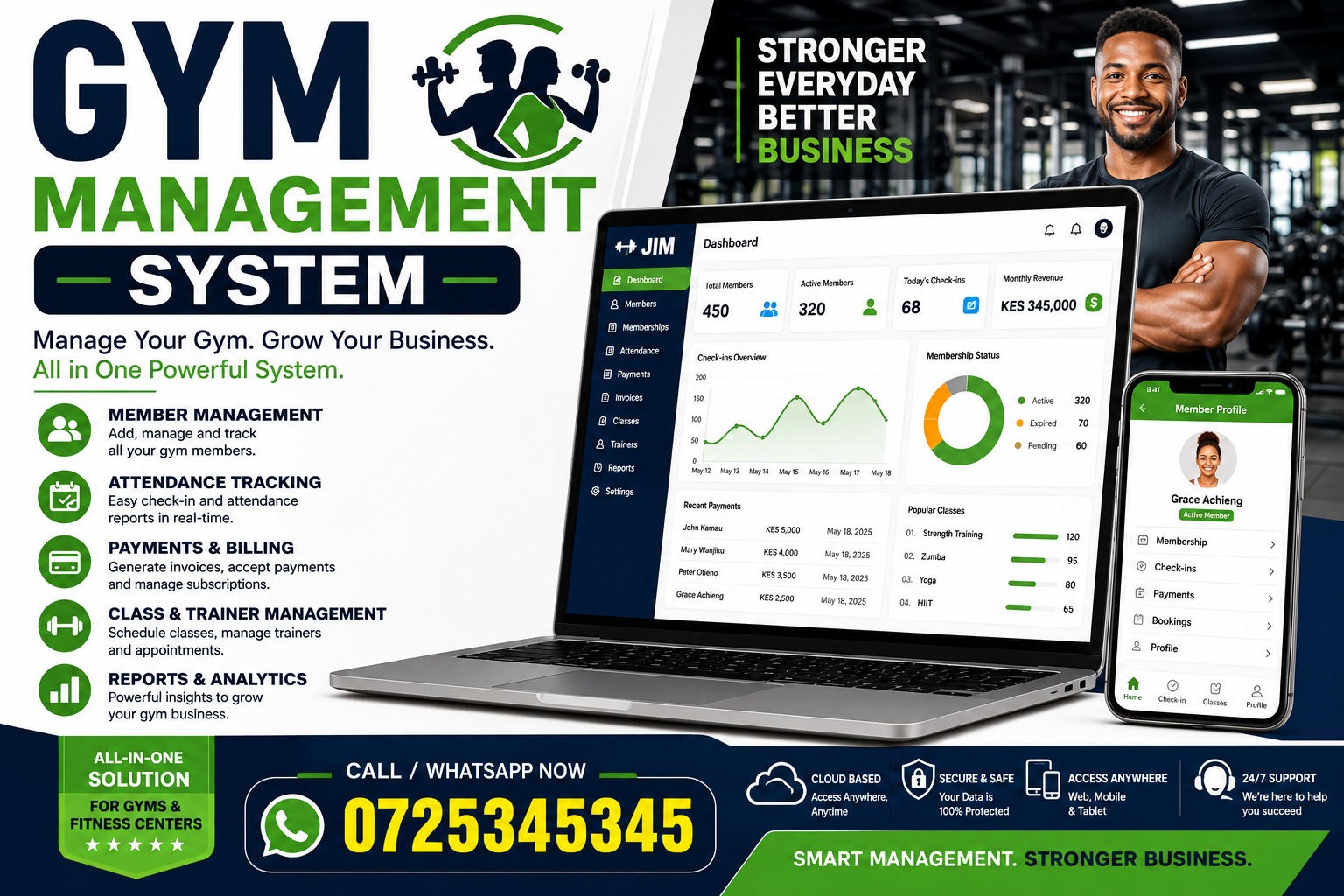 Gym management system software helps fitness businesses manage memberships, payments, class schedules, staff, customer communication, facility access, and reporting from one centralized platform. It automates routine administrative tasks, reduces errors, and gives gym owners more time to focus on members and business growth.
Running a successful gym involves much more than providing quality equipment and hiring experienced trainers. Owners must maintain accurate records, collect payments, coordinate classes, monitor attendance, and deliver a convenient member experience. Handling these responsibilities manually can be time-consuming, expensive, and prone to error.
Whether you operate a small fitness studio, a large health club, a personal training facility, or a multi-location gym chain, the right software can simplify billing, reduce paperwork, prevent missed payments, and improve business performance.
This guide explains what a gym management system is, how it works, its key features and benefits, and how to choose the right solution for your fitness business.
What Is a Gym Management System?
A gym management system is a software platform designed to help fitness businesses organize and automate their daily operations. It stores important business information in one place and provides tools for managing members, payments, bookings, staff, communication, and reporting.
Instead of using separate spreadsheets, calendars, notebooks, payment applications, and messaging tools, a gym can manage most of its operations through one integrated system.
The software usually provides an administrative dashboard for owners and employees. Members may also receive access to a website, mobile application, or self-service portal where they can update their profiles, book classes, make payments, and review their membership details.
A modern gym management system can support several types of fitness businesses, including:
- Traditional gyms and health clubs
- Boutique fitness studios
- Yoga and Pilates studios
- Cross-training facilities
- Martial arts schools
- Dance studios
- Personal training businesses
- Sports clubs
- Wellness centers
- Swimming facilities
- Corporate fitness centers
- Multi-location fitness chains
Although the exact features differ between platforms, the main purpose remains the same: to make gym operations more efficient while providing members with a convenient and professional experience.
Why Gyms Need Management Software
A growing fitness business generates large amounts of information. Every new membership creates customer records, payment schedules, attendance data, contracts, and communication requirements. Group classes add reservations, capacity limits, waiting lists, trainer assignments, and cancellation policies.
When this information is managed manually, even a small mistake can create serious problems. A missed payment may go unnoticed. A class may become overbooked. A member’s contact information may be recorded incorrectly. Staff may spend hours searching for documents or updating multiple spreadsheets.
These challenges become more difficult as the business grows. Processes that work for 50 members may become inefficient when the gym reaches 500 or 5,000 members.
A gym management system establishes a more scalable foundation. It allows owners to create consistent processes that can handle more customers without requiring an equal increase in administrative work.
It also helps management understand what is happening across the business. Rather than waiting until the end of the month to review several spreadsheets, decision-makers can access dashboards showing membership growth, revenue, attendance, retention, and other key indicators.
How a Gym Management System Works
A gym management system acts as the central database and operational platform for a fitness facility. Different users interact with the system according to their roles.
Gym owners and managers typically use the platform to review reports, configure memberships, manage pricing, monitor revenue, create schedules, and control employee permissions.
Front-desk employees may use it to register new members, process payments, check people into the facility, manage bookings, and answer account questions.
Trainers and instructors can review their schedules, manage class attendance, communicate with clients, and record training information.
Members can use a mobile application or online portal to book sessions, purchase plans, update payment methods, view schedules, and manage their accounts.
When these activities take place within one connected system, information updates automatically. For example, when a member books a class, the available capacity changes immediately. If the class is full, another member may join a waiting list. When someone cancels, the first person on the waiting list can be notified automatically.
This integration reduces duplicated work and helps everyone access accurate, up-to-date information.
Essential Features of a Gym Management System
The value of fitness management software depends heavily on its features. Not every business needs the same tools, but several capabilities are useful for most gyms and studios.
Membership Management
Membership management is the foundation of most gym software. It provides a centralized database containing member profiles, contact information, contracts, membership plans, payment status, attendance history, and account notes.
Employees can quickly find a member’s record without searching through paper files or multiple spreadsheets. They can see when the membership began, which plan the member purchased, whether payments are current, and when the agreement is scheduled to renew.
The system may also support different membership types, such as:
- Monthly memberships
- Annual agreements
- Family plans
- Student memberships
- Corporate memberships
- Limited-access packages
- Class passes
- Trial memberships
- Personal training packages
- Pay-as-you-go plans
Flexible membership management allows a fitness business to serve different customer segments without creating complicated manual processes.
Automated Billing and Payment Processing
Collecting membership fees consistently is essential for maintaining healthy cash flow. A gym management system can automate recurring billing by charging members according to their selected plans.
Depending on the platform and its payment integrations, the software may process credit cards, debit cards, bank transfers, digital wallets, or other payment methods.
Automated billing reduces the need for staff to collect payments manually. It can also identify failed transactions and begin a follow-up process. For example, the system may notify a member when a card is declined and provide a secure link for updating payment details.
Useful billing features may include:
- Recurring subscription payments
- One-time transactions
- Automated invoices and receipts
- Failed-payment notifications
- Tax calculations
- Discounts and promotional codes
- Refund management
- Prorated membership fees
- Account credits
- Financial reports
Effective billing automation helps reduce revenue leakage and gives members a more convenient way to pay.
Class Scheduling and Online Booking
Group fitness programs can become difficult to coordinate without a reliable scheduling system. A gym management platform enables managers to create class timetables, assign instructors, define capacity limits, and specify booking policies.
Members can view the current schedule and reserve places through an online portal or mobile application. The platform updates availability in real time, helping prevent overbooking.
Some systems also support waiting lists. When a class reaches capacity, members can join the queue. If a booked participant cancels, the next eligible person can receive an automated invitation or confirmation.
Booking rules may control how early members can reserve a class, how close to the start time they can cancel, and whether late cancellations result in a fee or loss of a session credit.
These features reduce front-desk calls while making it easier for members to participate in their preferred activities.
Member Check-In and Access Control
A gym management system can simplify the check-in process and help control who enters the facility.
Members may check in using:
- Membership cards
- Key tags
- QR codes
- Mobile applications
- PIN codes
- Barcode scanners
- Biometric devices
- Contactless access systems
When a member checks in, the software verifies the account and records the visit. Staff may receive an alert if the membership has expired or a payment is overdue.
Some platforms integrate with doors, gates, or turnstiles. This is especially useful for 24-hour gyms that need to provide secure access when employees are not present.
Attendance data collected through check-ins can also reveal useful patterns. Managers can identify busy periods, measure facility usage, and understand which members may be at risk of cancelling because their attendance has declined.
Customer Relationship Management
Customer relationship management tools help gyms organize sales leads and member interactions.
When someone submits an inquiry, requests a trial, or visits the facility, employees can create a prospect record. The system may track where the lead came from, what services the person is interested in, and which employee is responsible for following up.
Sales teams can schedule calls, send messages, record notes, and move prospects through different stages of the sales process.
A typical sales pipeline might include:
- New inquiry
- Contact attempted
- Consultation scheduled
- Trial activated
- Membership offered
- Membership sold
- Follow-up required
This structure helps prevent promising leads from being forgotten. It also allows gym owners to measure conversion rates and determine which marketing channels generate the most valuable customers.
Staff Management
Employees are central to the member experience, but managing their schedules and responsibilities can be complicated.
Gym software may provide tools for creating work schedules, assigning classes, monitoring attendance, recording availability, and managing staff profiles. Some platforms also support payroll data, commission calculations, and trainer compensation.
Permission settings are particularly important. A front-desk employee may need access to member bookings but should not necessarily see sensitive financial reports. A trainer may need to view assigned clients without being able to change company pricing.
Role-based access gives each employee the tools required for their job while protecting confidential information.
Personal Training Management
Gyms that offer personal training need an organized way to manage appointments, packages, and trainer availability.
A gym management system can show when each trainer is available and allow clients to book sessions. It can track how many sessions a client has purchased, attended, cancelled, or still has remaining.
Some platforms include additional coaching features, such as:
- Workout plans
- Exercise libraries
- Progress measurements
- Fitness assessments
- Goal tracking
- Nutrition notes
- Client messaging
- Progress photographs
- Performance history
These features help trainers provide a more structured service and give clients a clearer view of their progress.
Communication Tools
Consistent communication keeps members informed and engaged. Management software may include email, SMS, push notifications, or in-app messaging.
Messages can be sent manually or triggered automatically by specific events. Common automated communications include:
- Welcome messages for new members
- Booking confirmations
- Class reminders
- Payment receipts
- Failed-payment notices
- Membership renewal reminders
- Birthday messages
- Promotional offers
- Schedule changes
- Membership expiration alerts
- Re-engagement messages
Audience segmentation makes communication more relevant. Instead of sending the same promotion to every member, a gym could contact people interested in yoga, members who have not attended recently, or customers whose annual plans are about to expire.
Relevant messages are more likely to produce engagement than frequent, generic announcements.
Reporting and Analytics
Data is one of the most important advantages of using a gym management system. A well-designed reporting dashboard helps owners understand financial performance, member behavior, sales activity, and operational trends.
Common reports include:
- Total active members
- New memberships
- Membership cancellations
- Monthly recurring revenue
- Outstanding payments
- Sales conversion rates
- Class attendance
- Facility check-ins
- Trainer utilization
- Membership plan popularity
- Revenue by product or service
- Member retention
- Customer lifetime value
Reports should be easy to filter by date, membership type, location, instructor, or other relevant criteria.
Accurate analytics allow managers to identify problems earlier. For example, a decline in class attendance may indicate that the timetable needs adjustment. An increase in failed payments may suggest that the gym should improve its payment recovery process.
Mobile Application and Member Portal
Modern consumers expect to manage services from their phones. A member-facing application or responsive web portal provides convenient self-service options.
Members may be able to:
- Join the gym
- Purchase memberships
- Sign digital agreements
- Book classes
- Cancel reservations
- Join waiting lists
- Schedule personal training
- Update payment methods
- View invoices
- Track attendance
- Receive notifications
- Access workouts
- Contact the gym
Self-service tools improve convenience while reducing administrative work. Staff can spend less time answering routine booking and account questions and more time supporting customers inside the facility.
Digital Contracts and Waivers
Membership agreements, liability waivers, health declarations, and policy documents are important parts of gym administration.
A gym management system may allow customers to review and sign these documents electronically. Signed copies can then be stored in the member’s profile.
Digital document management reduces paper usage and makes records easier to retrieve. It also helps the business maintain a consistent onboarding process by ensuring that required documents are completed before a member begins using the facility.
Because legal requirements differ between jurisdictions, gyms should confirm that their digital agreement process complies with applicable local laws.
Inventory and Retail Sales
Many fitness businesses sell products such as drinks, supplements, clothing, equipment, and accessories. Some gym platforms include point-of-sale and inventory management features.
Staff can process purchases at the front desk, apply discounts, and send receipts. Inventory levels may update automatically whenever a product is sold.
Managers can review which products are performing well, identify low-stock items, and calculate retail revenue. Connecting purchases to member accounts also provides a more complete understanding of customer value.
Multi-Location Management
Fitness brands with several branches need centralized visibility without losing control over individual locations.
A multi-location gym management system can consolidate membership information, financial reports, schedules, and staff data across the organization. Administrators may configure whether members can access one branch or multiple facilities.
Managers can compare the performance of different locations and identify successful practices that should be adopted elsewhere. Centralized controls also help maintain consistent pricing, branding, and operational standards.
Benefits of Using a Gym Management System
The right platform can improve nearly every area of a fitness business. Its value goes beyond replacing paperwork.
Reduced Administrative Work
Automation can eliminate many repetitive tasks. Billing runs automatically, booking confirmations are sent without manual intervention, and attendance records update as members check in.
This reduces the administrative workload placed on employees. It may also decrease operating costs by allowing the business to serve more members without continuously adding office staff.
Employees can focus on meaningful customer interactions instead of spending much of the day entering data or processing routine requests.
Better Member Experience
Convenience strongly influences customer satisfaction. Members appreciate being able to book a class, update their card, or check their account without calling the gym.
A centralized system also helps staff provide faster service. When a member asks a question, employees can access the necessary account information immediately.
Automated reminders reduce missed appointments, while personalized communication can make members feel recognized and supported.
Technology cannot replace a welcoming fitness community, but it can remove unnecessary friction from the customer journey.
More Reliable Revenue
Recurring billing and payment recovery features can improve revenue collection. Instead of depending on manual reminders, the platform automatically charges members and identifies failed transactions.
Owners gain a clearer view of expected income, outstanding balances, refunds, discounts, and other financial activity.
Some systems can automatically restrict access when an account becomes seriously overdue, although gyms should apply such rules carefully and communicate them clearly.
Improved Member Retention
Acquiring new customers is important, but keeping existing members is often more cost-effective. A gym management system can help identify people who may be at risk of cancelling.
Reduced attendance is often an early warning sign. If a previously active member stops visiting, the system can place that person in a re-engagement campaign. The gym might send a supportive message, offer a fitness consultation, or recommend a suitable class.
Retention tools may also monitor upcoming contract expirations and trigger renewal conversations before memberships end.
The most effective retention strategies combine technology with genuine personal attention.
More Informed Decision-Making
Without reliable data, owners may make decisions based on impressions rather than evidence.
A management dashboard reveals what is actually happening. It can show which classes attract the most participants, which membership plans generate the most revenue, which times are busiest, and which sales channels produce the highest conversion rates.
This information supports better decisions about staffing, scheduling, marketing, pricing, and expansion.
Consistent Business Processes
Standardized workflows create a more reliable customer experience. Every new member can receive the same onboarding steps, required documents, welcome messages, and payment setup.
Consistency becomes especially important when a company operates several locations. A centralized system helps ensure that each branch follows the same essential procedures.
Greater Growth Potential
Manual systems usually become harder to maintain as membership increases. A gym management system allows the business to grow without creating the same level of administrative complexity.
Automation, centralized records, and scalable reporting give owners a stronger foundation for opening new locations, expanding services, or introducing additional membership options.
Signs Your Business Needs Gym Management Software
Some new fitness businesses begin with a spreadsheet and a basic payment solution. That approach may work temporarily, but several warning signs indicate that the business needs a more complete platform.
You may need a gym management system if:
- Employees enter the same information into several tools.
- Payment failures are frequently overlooked.
- Staff spend too much time answering routine booking questions.
- Classes are regularly overbooked.
- Membership records are incomplete or outdated.
- Important customer follow-ups are missed.
- Owners cannot access accurate reports quickly.
- Paper contracts are difficult to organize.
- Members complain that scheduling is inconvenient.
- It is difficult to identify inactive customers.
- Different employees follow different processes.
- Managing multiple locations has become confusing.
- The business is growing faster than its administrative systems.
The best time to implement management software is often before operational problems become severe. Migrating data and training employees is easier when records are still relatively organized.
How to Choose the Best Gym Management System
Selecting software should begin with a clear understanding of the business rather than a long comparison of feature lists.
Identify Your Operational Needs
Start by documenting how your gym currently works. List the processes used for membership registration, billing, bookings, check-ins, communication, reporting, and staff scheduling.
Identify the most time-consuming tasks and the areas where mistakes frequently occur.
A small personal training studio may prioritize appointments and client progress tracking. A 24-hour gym may place greater importance on access control. A boutique studio may need advanced class reservations and waiting lists.
Defining these needs makes it easier to separate essential features from optional extras.
Consider Ease of Use
A powerful platform provides little value if employees and members find it confusing.
The administrative interface should be clear, and common tasks should require as few steps as possible. Staff should be able to find member accounts, process payments, and manage bookings without extensive technical knowledge.
The member experience is equally important. Test the registration and booking process from a customer’s perspective. If it feels slow or complicated during a demonstration, it may create frustration after launch.
Evaluate Payment Capabilities
Ask which payment processors the platform supports and whether they are available in your country. Review transaction fees, subscription charges, payout timelines, refund procedures, and rules concerning stored payment information.
Determine whether the system supports the payment methods preferred by your customers.
You should also understand what happens after a failed payment. Strong payment recovery features can have a meaningful effect on revenue.
Review Integrations
A gym management system may need to connect with accounting software, marketing platforms, access-control hardware, analytics tools, or a company website.
Create a list of your existing technology and ask whether direct integrations are available. If not, determine whether the platform offers a documented application programming interface or another practical way to exchange data.
Too many disconnected tools can recreate the same inefficiencies the system is intended to solve.
Check Security and Privacy Protections
Gym software contains personal, financial, and sometimes health-related information. Ask vendors how information is encrypted, backed up, and protected from unauthorized access.
Important security features may include:
- Role-based access
- Multi-factor authentication
- Encryption
- Activity logs
- Secure backups
- Controlled data exports
- Incident response processes
- Payment security compliance
You should also review the provider’s privacy policies, data-processing terms, and compliance support for regulations that apply to your location.
Assess Reporting Quality
Reporting tools should provide more than attractive charts. They need to answer real business questions.
Before selecting a platform, ask the vendor to demonstrate how you would calculate monthly recurring revenue, cancellation rate, membership growth, unpaid balances, and class utilization.
Check whether reports can be filtered, scheduled, and exported. The ability to access the underlying data is important if you need to perform more detailed analysis.
Test Mobile Functionality
If a mobile application is included, review it carefully. Examine ratings where available, test the booking process, and check whether it works reliably on common devices.
The application should feel consistent with your brand and make important actions easy to complete.
Some providers offer a standard application shared by many gyms, while others provide a branded app. A branded application may offer greater control over the customer experience, but it can also cost more.
Understand Customer Support
Software problems can directly affect access, payments, and member satisfaction. Reliable support is therefore essential.
Ask about:
- Support hours
- Available contact channels
- Average response times
- Emergency assistance
- Onboarding support
- Training resources
- Data migration services
- Dedicated account management
- Additional support fees
If the gym operates outside normal office hours, limited weekday support may be insufficient.
Calculate the Total Cost
The advertised subscription price may not represent the full cost of ownership.
Additional charges may apply for setup, migration, payment processing, text messages, branded applications, access-control integrations, extra locations, or advanced reporting.
Request a complete estimate based on your expected membership and transaction volume. Compare costs over at least one year rather than focusing only on the initial monthly fee.
The cheapest product is not automatically the most economical. Poor automation or unreliable service can cost more through lost revenue and staff time.
Consider Future Growth
Choose software that can support the business you expect to operate in several years.
Ask whether the system can handle additional members, employees, services, and locations. Review how pricing changes as usage increases.
Changing platforms can be disruptive, so it is worth selecting a solution with enough flexibility to support realistic expansion plans.
Cloud-Based and On-Premises Systems
Most modern gym management platforms are cloud-based. Users access the software through a browser or mobile application, and the provider manages the underlying infrastructure.
Cloud software usually offers automatic updates, remote access, and lower initial technical requirements. It is particularly convenient for owners who want to review performance while away from the facility.
An on-premises system is installed on hardware controlled by the business. It may provide greater technical control, but the gym becomes responsible for maintenance, backups, security, and upgrades.
For many small and medium-sized fitness businesses, a cloud-based gym management system is the more practical option. However, organizations with specialized security, integration, or infrastructure requirements may consider an on-premises solution.
Implementing a Gym Management System Successfully
Choosing software is only part of the process. A careful implementation determines whether the organization receives its full value.
Prepare Your Data
Review membership records before moving them into the new platform. Remove duplicate entries, correct obvious errors, and standardize important fields.
Decide which historical information should be transferred. Current member profiles and balances are usually essential, while very old attendance data may be less important.
Maintain a secure backup of the original records until the migration has been completed and verified.
Configure Memberships and Policies
Set up membership plans, billing schedules, class capacities, cancellation rules, access permissions, taxes, and discounts.
This stage provides an opportunity to simplify outdated processes. If the gym has accumulated many nearly identical membership plans, it may be useful to consolidate them before launch.
Document key decisions so employees understand how the new configuration works.
Integrate Payments and Other Tools
Connect the system to relevant payment processors, accounting platforms, access-control equipment, websites, and marketing tools.
Test each integration using realistic scenarios. Confirm that transactions are recorded correctly, bookings update as expected, and access credentials work at the facility.
Train Employees
Training should be based on job responsibilities. Front-desk staff, trainers, managers, and finance employees may require different instructions.
Use realistic practice tasks such as registering a member, changing a booking, processing a refund, and responding to a failed payment.
Provide short reference materials for common processes and identify who will answer internal questions after launch.
Communicate With Members
Tell members what is changing and how the new platform will benefit them. Provide clear instructions for activating accounts, downloading the application, updating payment information, or creating new access credentials.
Use multiple communication channels and send reminders before the transition date.
Avoid presenting too much information at once. Focus first on the actions members must complete, then introduce optional features after the launch.
Run a Controlled Launch
If possible, test the system with employees and a small group of members before moving the entire business.
A pilot helps reveal configuration problems while they are still easy to correct. Test registration, payments, check-ins, class bookings, cancellations, waiting lists, reports, and notifications.
Keep a record of issues and confirm that critical problems are resolved before full deployment.
Measure Results
After implementation, compare performance against the goals established at the beginning of the project.
Useful measures might include:
- Time spent on administrative work
- Number of overdue payments
- Percentage of bookings completed online
- Class attendance
- Member retention
- Support requests
- New-member conversion rates
- Staff satisfaction
- Member satisfaction
Regular reviews help ensure that the organization continues using the platform effectively.
Common Implementation Mistakes
Several mistakes can prevent a gym from receiving the full benefit of its software.
Choosing Based Only on Price
A low-cost system may lack essential features, integrations, or support. Gym owners should evaluate total value rather than the monthly subscription alone.
Buying More Software Than the Business Needs
The opposite problem is choosing an overly complex enterprise platform for a small facility. Unnecessary features can increase cost and make the system harder to use.
Migrating Poor-Quality Data
Importing duplicate or outdated records creates confusion from the beginning. Data should be cleaned before migration.
Skipping Employee Training
Even intuitive software requires training. Without clear processes, employees may create inconsistent records or avoid using important features.
Ignoring the Member Experience
Administrative features matter, but the customer-facing experience also deserves close attention. Members should be able to complete common tasks without unnecessary difficulty.
Failing to Review Performance
Implementation is not the end of the project. Managers should review reports, gather feedback, and refine workflows over time.
Using Gym Software to Improve Member Retention
Retention is one of the most valuable applications of fitness management technology.
Begin by monitoring attendance. Members who stop visiting may lose their connection to the gym and become more likely to cancel. Automated workflows can identify customers whose attendance falls below a selected threshold.
However, the response should feel supportive rather than intrusive. A short message offering help can be more effective than an immediate sales promotion.
Gyms can also use data to recognize important milestones. Celebrating a member’s first month, hundredth visit, or training achievement helps build a sense of progress.
Personalization should be based on useful, appropriate information. A member who frequently attends cycling classes may appreciate information about a new cycling program. Someone who only uses open-gym access may find the same message irrelevant.
Retention also depends on resolving service problems quickly. Centralized notes and communication history help employees understand previous interactions and provide consistent assistance.
Gym Management Systems and Marketing
Management software can make fitness marketing more measurable.
Lead-tracking features show where prospects come from and how many become paying members. A gym can compare website inquiries, referrals, social campaigns, walk-ins, and corporate partnerships.
This makes it easier to invest in channels that produce profitable customers instead of judging campaigns only by impressions or clicks.
The software can also support targeted campaigns. Possible audience groups include:
- Former members
- Trial users who did not join
- Members with upcoming renewals
- Customers interested in specific classes
- Members who have not visited recently
- Personal training clients with few sessions remaining
- Customers approaching a milestone
Every campaign should have a clear purpose and provide recipients with an easy way to control their communication preferences.
Important Metrics to Track
A gym management system produces large amounts of data, but owners should focus on metrics that support action.
Membership Growth
Compare new memberships with cancellations during the same period. A gym may have strong sales while total membership remains flat because too many existing customers leave.
Retention Rate
Retention measures the percentage of members who remain with the business over a defined period. Track it consistently and investigate significant changes.
Churn Rate
Churn represents the percentage of members lost during a period. It can be analyzed by membership plan, location, joining month, or other categories to identify patterns.
Monthly Recurring Revenue
Monthly recurring revenue estimates predictable income from active subscriptions. It helps owners plan expenses and evaluate financial stability.
Average Revenue Per Member
This metric includes membership fees and may also include personal training, retail purchases, classes, and other services. It shows how much value the average customer generates.
Customer Lifetime Value
Customer lifetime value estimates how much revenue a member is expected to generate throughout the relationship. It can help determine how much the business can reasonably spend to acquire new customers.
Class Utilization
Class utilization compares attendance with available capacity. Low utilization may indicate an unsuitable time, format, instructor assignment, or promotion strategy.
Lead Conversion Rate
This measures the percentage of prospects who become paying members. Review conversion rates by employee and marketing source.
Failed-Payment Rate
A high rate of unsuccessful transactions can reduce cash flow. Monitor the causes and evaluate how much revenue is recovered through follow-up.
Facility Attendance
Check-in data helps managers identify busy and quiet periods. This information can inform staffing, cleaning, opening hours, and equipment planning.
Security Considerations
Because fitness software stores sensitive customer information, security should be treated as an ongoing responsibility.
Employees should use individual accounts rather than shared passwords. Permissions should be limited according to job requirements, and access should be removed promptly when someone leaves the business.
Multi-factor authentication should be enabled where available. Employees should also receive basic training on suspicious messages, unsafe links, and password security.
Data exports require careful handling because downloaded spreadsheets may contain personal information. Store them securely and delete them when they are no longer required, following applicable policies and laws.
The software provider should maintain backups and a documented recovery process. Gym owners should understand what data can be restored and how long recovery may take.
The Future of Gym Management Technology
Fitness management software continues to evolve as customer expectations and technology change.
Artificial intelligence may help gyms identify patterns in member behavior, forecast cancellations, recommend services, and automate routine customer support. These features should be used carefully, with appropriate attention to accuracy, privacy, and human oversight.
Wearable devices and connected fitness equipment may provide additional data about workouts and progress. With member permission, this information could support more personalized training experiences.
Mobile access will continue to play a central role. Members increasingly expect contactless check-ins, immediate bookings, digital payments, personalized programs, and communication through one convenient application.
Automation will also become more sophisticated. Instead of sending the same message after every missed visit, future systems may adjust communication according to individual behavior and preferences.
Despite these developments, technology will remain a supporting tool. Fitness is personal, and long-term success still depends on knowledgeable employees, a welcoming environment, and meaningful relationships.
Frequently Asked Questions
What does a gym management system do?
A gym management system centralizes and automates fitness business operations. It can manage memberships, billing, bookings, check-ins, employees, communication, contracts, and reports.
Who should use gym management software?
The software can benefit independent gyms, fitness studios, personal trainers, health clubs, sports facilities, wellness centers, and multi-location fitness brands.
How much does a gym management system cost?
Pricing depends on the number of members, locations, employees, and features. Providers may charge a fixed monthly fee, a price based on membership volume, transaction fees, or a combination of these methods. Additional costs may apply for setup, messaging, payment processing, mobile applications, and integrations.
Can gym software process payments?
Many systems support recurring and one-time payments through integrated payment processors. Capabilities and supported payment methods vary by provider and country.
Can members book classes online?
Yes. Online scheduling is a common feature. Members can usually view class availability, make reservations, cancel bookings, and join waiting lists through a portal or application.
Does gym software work with door access systems?
Some platforms integrate with electronic doors, turnstiles, key tags, QR scanners, or biometric devices. Compatibility should be confirmed before purchasing hardware or software.
Is a gym management system suitable for a small studio?
Yes. Small studios may benefit greatly from automated booking, payments, and communication. The system should be appropriately priced and simple enough for the size of the operation.
How long does implementation take?
The timeline depends on business size, data quality, integrations, and training needs. A small studio may launch relatively quickly, while a large multi-location organization may require a longer migration and testing process.
Can data be transferred from an existing system?
Many providers offer import or migration services. Ask which records can be transferred, how they should be formatted, and whether additional fees apply.
What reports should gym management software provide?
At minimum, the system should report on active members, sales, revenue, payments, cancellations, attendance, and membership trends. The exact requirements depend on the business model.
Can the software help reduce membership cancellations?
It can help by identifying declining attendance, automating renewal reminders, improving communication, and providing a more convenient member experience. Human engagement and service quality remain essential.
Should a gym choose cloud-based software?
Cloud-based software is suitable for many fitness businesses because it offers remote access, automatic updates, and fewer internal technical requirements. Businesses with specialized infrastructure or regulatory needs should evaluate both cloud and on-premises options.
How a Gym Management System Improves Daily Operations
A gym management system gives owners and employees a centralized place to manage daily fitness business activities. Instead of switching between spreadsheets, calendars, payment applications, and paper records, staff can access essential information through one platform. This makes common administrative tasks faster and reduces the possibility of inconsistent or missing data.
Front-desk employees can use a gym management system to register new customers, review membership details, process payments, and manage class reservations. Trainers can check their schedules and view information about assigned clients, while managers can monitor sales, revenue, attendance, and staff activity.
A cloud-based gym management system can also provide secure access from different devices and locations. This is particularly useful for owners who manage several facilities or need to review business performance while away from the gym.
By automating repetitive processes, the software gives employees more time to interact with members. Faster service at reception, accurate account information, and convenient self-service options can all contribute to a more professional customer experience.
How a Gym Management System Supports Member Retention
Member retention is essential for building stable revenue and a strong fitness community. A gym management system can support retention by helping businesses understand how frequently members visit, which services they use, and when their engagement begins to decline.
For example, the gym management system can identify members who have not checked in for several weeks. The gym can then send a friendly message, offer a fitness assessment, or recommend a suitable class. Contacting inactive members early may help them overcome challenges before they decide to cancel.
A gym management system can also automate membership renewal reminders. Members can receive notifications before their plans expire, giving them enough time to review their options and make a payment. This reduces accidental cancellations caused by missed renewal dates.
Personalized communication is another valuable retention feature. Information stored in the gym management system can help the business send relevant messages based on membership type, class preferences, attendance history, or training goals.
However, automation should support real relationships rather than replace them. The best results occur when insights from the gym management system are combined with helpful conversations, quality coaching, and excellent customer service.
Using a Gym Management System for Payments and Revenue
Reliable payment collection is critical for every fitness business. A gym management system can automate recurring membership fees and reduce the amount of time employees spend processing transactions manually.
When a payment is successful, the gym management system can update the member’s account and issue a digital receipt. If a payment fails, it may notify the customer and provide instructions for updating the payment method. Some platforms can retry unsuccessful transactions according to predefined rules.
The financial reports inside a gym management system can show revenue from memberships, personal training, group classes, retail products, and other services. Owners can compare results across different periods and identify the services that contribute most to total income.
A well-configured gym management system can also track discounts, refunds, credits, overdue balances, and promotional offers. This provides a more accurate view of financial performance and helps prevent revenue from being overlooked.
Before selecting a payment solution, gym owners should review processing fees, supported payment methods, payout schedules, and security protections. The chosen gym management system should work with payment services available in the gym’s country and preferred by its customers.
How a Gym Management System Simplifies Class Bookings
Managing group classes manually can result in overbooking, missed reservations, and unnecessary front-desk calls. A gym management system allows members to review the current timetable and reserve spaces online.
The gym management system updates availability whenever a booking or cancellation occurs. When a class reaches its capacity, members may be given the option to join a waiting list. If a space becomes available, the next eligible member can receive an automatic notification.
Managers can use the gym management system to establish booking rules, cancellation deadlines, capacity limits, and attendance requirements. These policies help the gym manage popular sessions fairly while reducing the number of empty spaces caused by late cancellations.
Class reports generated by a gym management system can reveal which sessions, instructors, and time slots receive the highest attendance. Managers can use this information to improve the timetable, adjust capacity, and make better staffing decisions.
For members, online booking provides greater convenience. They can reserve a place at any time without waiting for the facility to open or calling the reception desk.
Security Features Every Gym Management System Should Have
Fitness businesses collect personal details, contact information, payment records, and membership documents. A secure gym management system should protect this information from loss, misuse, and unauthorized access.
Role-based permissions are an important security feature. They allow the business to control what each employee can see or change inside the gym management system. A trainer may need access to assigned client information, while detailed revenue reports should remain available only to authorized managers.
Every employee should have an individual account. Shared passwords make it difficult to determine who performed a particular action. A secure gym management system should also support strong passwords, multi-factor authentication, data encryption, backups, and activity records.
Gym owners should ask where their information is stored, how often it is backed up, and what happens if the service becomes temporarily unavailable. They should also confirm that the gym management system supports relevant privacy and payment-security requirements.
Employee training remains important because software cannot prevent every security mistake. Staff should understand how to protect passwords, recognize suspicious messages, and handle exported customer information safely.
Choosing a Gym Management System for Business Growth
The best gym management system should meet the gym’s current needs while providing enough flexibility for future growth. Owners should consider expected changes in membership numbers, services, employees, and locations.
A small studio may initially need membership management, recurring billing, and appointment scheduling. As it expands, the same gym management system may need to support group classes, additional trainers, access-control equipment, marketing campaigns, and detailed financial reports.
Businesses planning to open additional branches should look for a multi-location gym management system. Centralized administration allows owners to compare branch performance, maintain consistent processes, and control whether memberships provide access to one or several locations.
Integrations are another important consideration. The gym management system may need to connect with accounting software, payment processors, marketing platforms, a website, or electronic entry equipment.
Before making a final decision, request a product demonstration and test the most important workflows. Ask employees to evaluate the administrative interface and review the booking process from a member’s perspective.
The right gym management system should be secure, scalable, easy to use, and supported by a reliable provider. Selecting carefully can prevent costly software changes and create a stronger operational foundation for long-term growth.