
How Gym supplement sales software Helps Gyms Increase Sales and Control Stock
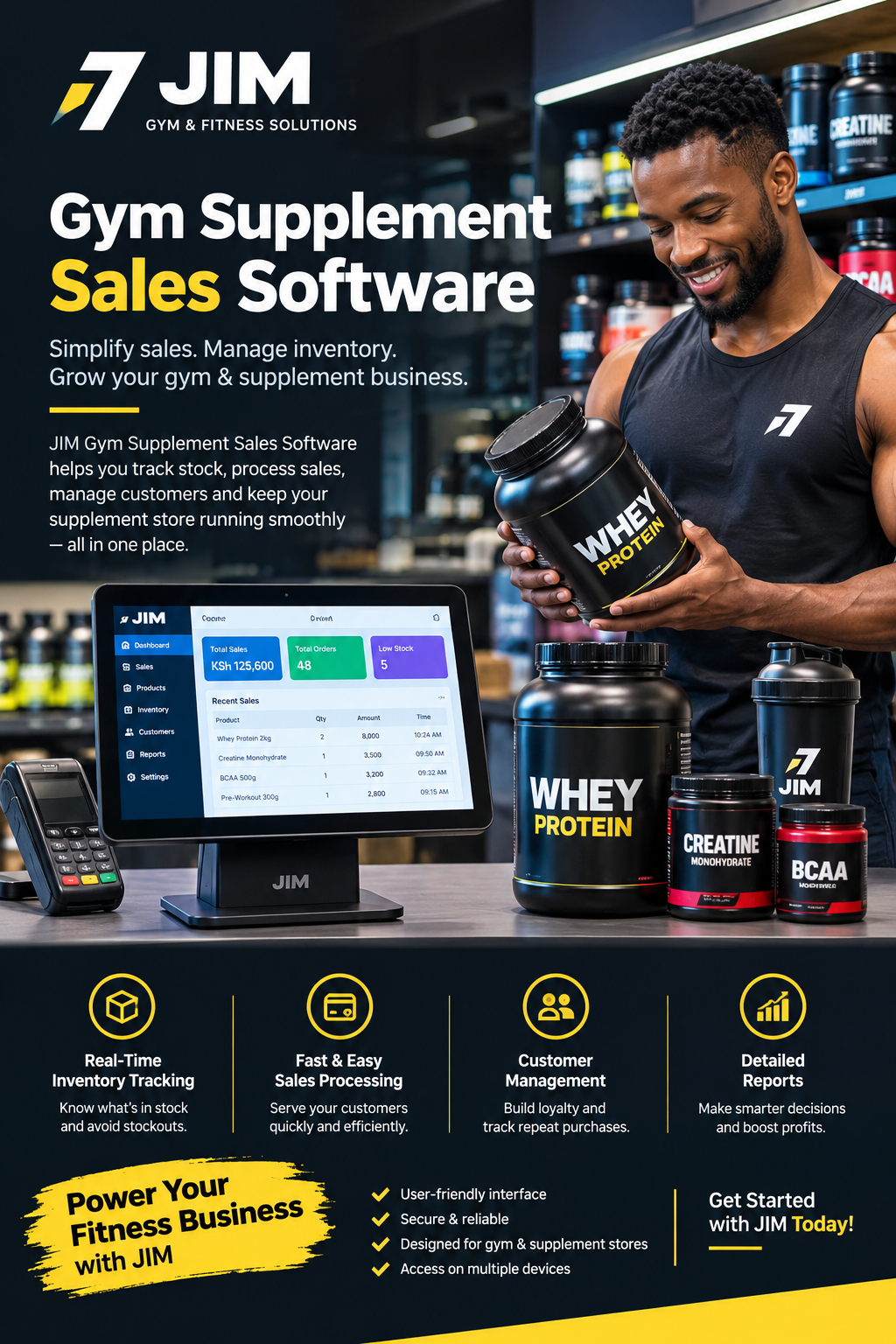
How Gym Supplement Sales Software Helps Gyms Increase Sales and Manage Inventory
Running a profitable fitness centre involves much more than providing workout equipment, personal training and membership packages. Many gyms also sell protein powder, creatine, pre-workout formulas, recovery drinks, vitamins and other fitness products. Managing these items alongside daily gym operations can become complicated when sales, stock records and payments are handled separately. Using Gym supplement sales software can help gym owners organise supplement sales, monitor inventory, improve customer service and understand which products contribute most to business revenue.
For fitness businesses in Kenya, supplement retail can create an additional source of income without requiring a completely separate shop. A gym can sell products to existing members, personal training clients and customers who visit specifically to purchase fitness nutrition products. However, this opportunity comes with practical responsibilities. Owners must record every sale, monitor expiry dates, prevent stock discrepancies, reconcile payments and make informed purchasing decisions.
A structured digital system makes these activities easier to manage. Instead of relying entirely on handwritten records, scattered spreadsheets or calculations at the end of the day, gym managers can maintain organised sales and inventory information in one place.
This guide explains how supplement retail works within a fitness business, which software features matter, how to manage inventory and payments, and how Kenyan gym owners can choose a solution that fits their operations.
1. Understanding Supplement Retail in the Fitness Industry
Fitness supplements have become an important product category for gyms that want to offer members more convenience. Customers may prefer buying products from a trusted fitness centre rather than searching for a separate retailer after a workout.
Common products sold through gym reception desks and fitness retail counters include:
-
Whey protein and other protein powders.
-
Creatine monohydrate and related sports nutrition products.
-
Pre-workout formulations.
-
Ready-to-drink protein shakes.
-
Electrolyte and hydration products.
-
Protein bars and convenient fitness snacks.
-
Recovery drinks.
-
Shakers, gym bottles and selected accessories.
-
Vitamins and minerals from reputable suppliers.
Not every gym needs to stock all these products. A small fitness studio may sell a few popular items, while a large commercial gym may maintain a dedicated retail counter with several brands, flavours and package sizes.
The challenge is ensuring that each product is recorded correctly from the moment it arrives at the gym until it is sold to a customer.
A digital system such as Gym supplement sales software provides a practical framework for connecting product records, sales transactions, stock movements and management reports.
Why supplement sales require organised management
A gym might sell the same protein powder in different flavours and package sizes. These products may have different purchase costs, selling prices, barcodes and expiry dates.
Without clear records, employees can easily confuse similar products or charge the wrong price. Managers may also struggle to determine whether a product is selling quickly enough to justify another order.
Consider a gym that purchases 20 containers of protein powder. If employees sell 12 containers, two are damaged and one is given to a trainer as an approved promotional sample, the expected remaining stock is five containers.
If the physical count shows only four, the manager needs to investigate the difference.
Accurate inventory records make that investigation easier by providing a transaction history rather than forcing staff to reconstruct events from memory.
Supplement retail is different from membership billing
Gym membership systems typically focus on recurring payments, member registration, attendance and access control. Supplement retail introduces additional requirements, including individual product pricing, stock quantities, supplier purchases and item-level sales records.
Some fitness management platforms offer retail functionality alongside membership management. Others require a separate point-of-sale solution or integration.
Before choosing a product, gym owners should establish whether their existing platform can handle supplement transactions properly or whether additional retail functionality is necessary.
2. What Is Gym Supplement Sales Software?
Gym supplement sales software is a digital solution that helps fitness businesses manage the retail side of their operations. Depending on its capabilities, it can record supplement purchases, process customer transactions, update inventory, monitor product performance and generate reports for management.
The purpose is not simply to replace a calculator or receipt book. A useful system connects daily transactions with the information owners need to make decisions.
For example, a gym manager should be able to determine how many protein bars were sold this week, how much revenue came from creatine, which products are running low and whether the expected cash or electronic payments match recorded transactions.
When this information is organised, it becomes easier to plan purchases, identify popular products and reduce avoidable losses.
Core functions to look for
A suitable retail solution may include the following capabilities:
| Feature | How it helps a gym |
|---|---|
| Product catalogue | Stores product names, brands, sizes, prices and identifiers. |
| Point of sale | Records customer purchases and calculates totals. |
| Inventory tracking | Updates stock after sales and other authorised movements. |
| Supplier records | Maintains supplier details and purchase histories. |
| Expiry monitoring | Helps staff identify products approaching their expiry dates. |
| Payment records | Tracks the payment methods used for transactions. |
| Sales reports | Shows revenue, product performance and sales trends. |
| User permissions | Limits sensitive operations to authorised employees. |
| Receipt generation | Gives customers a record of their purchases. |
| Stock adjustments | Records approved changes caused by damage, returns or discrepancies. |
Not every platform provides every feature. Some offer basic retail functions, while others support multiple branches, purchase orders, accounting exports and integrations with other business systems.
A gym should evaluate the actual functions available rather than assuming that every product marketed for fitness businesses has the same capabilities.
How it differs from an ordinary spreadsheet
A spreadsheet can work for a small gym with limited transactions. However, staff must enter data correctly, maintain formulas, update stock manually and ensure that everyone uses the latest version.
As sales increase, these responsibilities become harder to coordinate.
A dedicated platform can automate parts of the process. For example, when an employee records the sale of one shaker bottle, the system can reduce the recorded quantity for that product. Managers can then review the updated balance without manually recalculating it.
The greatest benefit comes from consistent records, appropriate permissions and reliable workflows—not from purchasing software with the largest number of features.
3. Why Kenyan Gyms Need Better Supplement Sales Management
Kenyan fitness businesses operate in different environments. A neighbourhood gym in Ruiru may have a small reception counter, while a larger fitness club in Nairobi may serve hundreds of members and sell products throughout the day.
Both businesses need to know what they sell, how much they earn and when to restock.
Implementing Gym supplement sales software can help organise these activities, especially when retail responsibilities are shared between receptionists, trainers and managers.
Managing several responsibilities at once
In many gyms, the receptionist handles membership enquiries, checks in members, answers telephone calls and processes supplement purchases. During busy evening sessions, several customers may arrive at once.
If product sales are recorded later, important details can be forgotten. A cash transaction might be missed, or an employee might update a stock sheet incorrectly.
A streamlined checkout process allows staff to record purchases while serving customers. This creates a clearer transaction history and reduces the need for end-of-day reconstruction.
Handling cash and electronic payments
Kenyan businesses commonly use cash, bank transfers, cards and mobile money, depending on their customers and payment arrangements.
A gym’s retail system should record the actual payment method used for each transaction. If an integration with a payment provider is available, the business should confirm how it handles transaction references, confirmations, refunds and reconciliation.
Recording an M-Pesa payment manually is not the same as having a verified payment integration. Gym owners should not assume that software automatically receives payment confirmations merely because employees can select mobile money as a payment method.
A reliable workflow links the sale to an appropriate payment record and allows authorised staff to investigate differences.
Supporting different business sizes
A small independent gym may need only a product catalogue, checkout, inventory tracking and basic reports. A multi-branch fitness company may require consolidated reporting, branch-level stock balances and controlled transfers between locations.
The right solution should fit the business’s current operations while allowing for reasonable growth.
Owners should avoid paying for complex functionality they will not use, but they should also consider the cost of replacing a basic system once transaction volumes increase.
4. Essential Point-of-Sale Features for Supplement Retail
A point-of-sale system is the part of a retail solution employees use to record customer purchases. Its design directly affects checkout speed, transaction accuracy and customer experience.
With Gym supplement sales software, a gym can evaluate how retail sales fit into its wider management workflow, provided the chosen platform actually offers the required retail functionality.
Fast product selection
Staff should be able to find products by name, category, barcode or another suitable identifier.
For example, a customer might ask for a particular flavour of whey protein. An employee should be able to distinguish it from other flavours and package sizes without searching through unrelated membership records.
Product names should be specific enough to prevent confusion. Records such as “Protein 1” and “Protein 2” are less useful than descriptions that identify the brand, product, flavour and size.
Accurate pricing
Each item should have a clearly defined selling price. The checkout should calculate line totals and transaction totals consistently.
If discounts are permitted, managers should define who can approve them and how they are recorded. Employees should not be able to reduce prices without an audit trail when the business requires controlled discounting.
The system should also distinguish revenue from profit. A product sold for KSh 3,500 does not generate KSh 3,500 in gross profit because the gym incurred a purchase cost and may have other expenses.
Receipts and transaction history
Customers may need receipts for personal records, workplace reimbursements or product returns.
A useful system preserves transaction details such as:
-
Date and time.
-
Items purchased.
-
Quantities.
-
Prices and discounts.
-
Total amount.
-
Payment method and relevant reference.
-
Employee who processed the sale.
-
Refund or reversal information, where applicable.
These records help managers answer questions when customers dispute a charge or when a stock balance appears incorrect.
Refunds and exchanges
Supplement returns require a clear policy. A gym should establish how it handles unopened products, damaged packaging, incorrect purchases and complaints about product quality.
Software should allow authorised employees to record legitimate returns without deleting the original transaction. Depending on the product and circumstances, a returned item may need to be quarantined rather than placed back into saleable inventory.
The system should also make the financial effect of a refund visible in sales reports.
5. Inventory Management for Protein Powder, Creatine and Other Products
Inventory management is one of the most important parts of supplement retail. Stock represents money the business has already spent, and poorly managed inventory can tie up cash or create losses.
Using Gym supplement sales software can help a gym maintain more reliable product balances and establish a repeatable process for receiving, storing, selling and counting stock.
Creating a complete product catalogue
Start by recording every product the gym intends to sell.
Each record should contain the most useful information available, including:
-
Product name and brand.
-
Category.
-
Flavour or variant.
-
Package size.
-
Barcode or internal product code.
-
Supplier.
-
Purchase cost.
-
Selling price.
-
Quantity on hand.
-
Reorder threshold.
-
Expiry date or batch information, where supported.
For products with similar packaging, descriptive names and unique codes reduce the risk of employees selecting the wrong item.
The catalogue should also distinguish different variants. Chocolate and vanilla protein powder may have the same brand and size, but they are separate stock items.
Recording stock received from suppliers
When a delivery arrives, staff should compare it with the purchase order or supplier invoice.
They should check the product, quantity, packaging condition and relevant batch or expiry details before accepting the delivery into saleable stock.
For example, if a supplier invoice lists 15 containers but only 14 arrive, the discrepancy should be resolved before the stock record is finalised.
A proper receiving process prevents the system from showing inventory that the gym never physically received.
Understanding stock movements
Inventory changes for several reasons, not only customer sales.
A gym may receive new products, sell items, approve a return, dispose of damaged stock, use samples for a promotion or transfer products between branches.
Each movement should have an appropriate reason and authorisation where necessary.
If stock is reduced without explanation, the manager loses the ability to distinguish normal business activity from errors, damage or possible theft.
Setting sensible reorder levels
A reorder threshold indicates when the gym should consider purchasing more of a product.
The threshold should reflect sales speed, supplier lead time, available cash and the consequences of running out.
A product that sells three units per day and takes several days to replenish requires a different stock plan from an item that sells twice per month.
Managers should also account for existing purchase orders so that they do not order products already on the way.
Using stock counts to verify records
Even a well-maintained digital inventory requires physical checks.
Staff should count selected products regularly and compare the results with the system. High-value or fast-moving products may need more frequent checks than inexpensive, slow-moving items.
When the count differs, investigate the cause before adjusting the balance. Common explanations include unrecorded sales, receiving mistakes, damaged goods, incorrect product selection or misplaced stock.
A documented adjustment provides a more useful audit trail than simply changing the quantity until the numbers match.
6. Expiry-Date Monitoring and Product Quality
Supplements are not ordinary gym accessories. Protein powders, ready-to-drink beverages, bars and other nutrition products may have specific storage conditions and expiry dates. Poor stock rotation can leave a business with products that cannot responsibly be sold.
A good inventory process should make expiry information easy to check. If the selected platform supports batch tracking and expiry alerts, employees can use those features to identify products that need attention.
Apply first-expiry-first-out stock rotation
First-expiry-first-out, commonly abbreviated FEFO, means selling eligible stock with the earliest expiry date first.
Suppose a gym receives two batches of the same protein powder. The first batch expires in February, while the second expires in June. If both are safe and suitable for sale, the earlier-expiring batch should generally be prioritised.
This approach is more precise than relying only on the date products arrived.
Staff should not sell an expired product merely to avoid a financial loss. Products with damaged seals, unusual odours, compromised packaging or other quality concerns should be isolated and assessed appropriately.
Build a simple expiry-checking routine
A practical routine can include:
-
Recording expiry dates when receiving products.
-
Storing products according to supplier instructions.
-
Reviewing upcoming expiries on a scheduled basis.
-
Separating damaged, expired or questionable products from saleable stock.
-
Documenting approved write-offs and disposals.
-
Reviewing purchasing patterns when products repeatedly expire before sale.
These procedures protect customers and help owners identify products that may be unsuitable for their sales volume.
Why traceability matters
When a supplier issues a product recall or a customer raises a quality concern, batch details may help the gym identify affected inventory.
If the software supports batch-level records, managers can investigate which stock was received and whether relevant quantities remain on the shelves.
Traceability is especially valuable when a gym carries several products from different suppliers. It should complement supplier verification, appropriate storage and responsible retail practices rather than replace them.
7. Managing Suppliers and Product Purchases
A profitable supplement counter depends on reliable sourcing. Purchasing products from suppliers without checking their legitimacy, documentation or commercial terms can expose a gym to financial and reputational problems.
Using Gym supplement sales software as part of a structured purchasing workflow can help a business maintain supplier records and understand its purchasing history, provided the solution supports those features.
Keep supplier information organised
For each supplier, record relevant details such as business name, contact information, products supplied, agreed payment terms and previous orders.
Keep copies of invoices, delivery notes and other relevant documentation.
This makes it easier to confirm purchase costs, resolve delivery disputes and identify the supplier responsible for a particular product batch.
Compare suppliers beyond headline prices
A low quoted price is not necessarily the best commercial option.
Gym owners should consider:
-
Product authenticity and supplier credibility.
-
Product condition and expiry dates.
-
Minimum order quantities.
-
Delivery fees.
-
Lead times.
-
Payment terms.
-
Return and replacement policies.
-
Consistency of supply.
An apparently cheap order can become expensive if the products arrive late, have insufficient remaining shelf life or cannot be verified as authentic.
Create a repeatable purchase-order process
A controlled purchasing process can follow these steps:
-
Review current inventory and recent sales.
-
Identify products approaching their reorder thresholds.
-
Check existing orders and expected delivery dates.
-
Obtain quotations where appropriate.
-
Confirm quantities, costs and delivery terms.
-
Approve the purchase according to the gym’s authority rules.
-
Match delivered goods against the order and invoice.
-
Update inventory after the goods have been checked and accepted.
This process makes purchasing more predictable and reduces the chance of duplicate orders.
Use sales history to improve buying decisions
Suppose a gym sells 45 protein bars per month but only five containers of a specialist supplement during the same period. The owner should not automatically order equal quantities of both.
The purchasing decision should reflect demand, shelf life, supplier lead times, margins and available working capital.
Historical reports can inform these decisions, but they should not be treated as guarantees. Demand can change because of membership growth, seasonal activity, pricing or the introduction of competing products.
8. Understanding Sales Revenue, Costs and Profit
High sales revenue does not always mean a supplement counter is profitable. Owners need to distinguish the money collected from customers from the cost of the products sold and the expenses associated with running the business.
A reporting solution built around Gym supplement sales software can help organise transaction information, but owners must ensure that their reports use correct costs and account for discounts, refunds and inventory losses.
Calculate gross profit per product
Gross profit is generally calculated by subtracting the cost of goods sold from sales revenue.
For example, assume a gym buys a supplement container for KSh 2,400 and sells it for KSh 3,200.
The gross profit per unit is:
KSh 3,200 − KSh 2,400 = KSh 800.
The gross margin is:
The gym earns KSh 800 in gross profit on that sale, before other business expenses.
Those expenses may include employee wages, payment-processing fees, transport, rent allocation, damaged stock and other operating costs. Therefore, the KSh 800 is not necessarily the final net profit.
Compare products using meaningful measures
Different products can have different margins and turnover rates. A product with a high margin may sell slowly, while a lower-margin item may sell consistently.
Managers should examine several measures together:
| Measure | What it reveals |
|---|---|
| Sales revenue | The value of products sold over a period. |
| Units sold | How quickly customers purchase each product. |
| Gross profit | Sales revenue less the cost of goods sold. |
| Gross margin | Gross profit expressed as a percentage of revenue. |
| Stock on hand | Quantity currently recorded as available. |
| Stock turnover | How frequently inventory is sold and replenished. |
| Refund value | The financial effect of returned transactions. |
| Write-offs | Recorded losses from damaged, expired or unusable products. |
Reviewing these measures together helps owners avoid making decisions based on sales revenue alone.
Example of a monthly performance review
Imagine that a gym sells protein powder, creatine and protein bars over one month.
The manager discovers that protein powder contributes the largest share of revenue, creatine generates a stronger gross margin, and protein bars sell quickly but require frequent replenishment.
The next step is not necessarily to discontinue the lowest-revenue item. The manager should assess its profitability, customer demand, shelf life and contribution to the overall product range.
A monthly review can identify which products deserve more attention, which need revised pricing and which should be purchased in smaller quantities.
9. Payment Reconciliation for Kenyan Gyms
A supplement counter may accept several payment methods, especially when it serves members with different preferences.
Cash, mobile money, card payments and bank transfers each create different reconciliation requirements. A business should record the actual method and confirm that the payment has been received according to its procedures.
With Gym supplement sales software, gym owners can assess whether the available payment records and reporting features suit their reconciliation process.
Record payments accurately
Every completed transaction should have a corresponding payment record.
Where a customer pays through M-Pesa, staff should follow the gym’s approved verification process and record the appropriate transaction reference when required.
A screenshot or customer claim alone should not automatically be treated as proof of a completed payment. Staff should verify payment through the authorised channel available to the business.
The same principle applies to card payments and bank transfers.
Reconcile sales against received payments
At the end of a shift or business day, the responsible employee should compare recorded transactions with the relevant payment records.
For cash, this may involve counting the cash drawer and comparing the balance with the expected amount after accounting for authorised cash movements.
For electronic payments, the employee should compare transaction records with the available provider statements or confirmations.
Any difference should be investigated and documented instead of being silently corrected.
Handle failed, pending and duplicate transactions
A customer may experience a delayed payment confirmation or an unsuccessful transaction. Employees should follow a clear procedure rather than immediately processing the same payment again.
A suitable workflow distinguishes pending payments from completed transactions and records refunds or reversals appropriately.
If the software offers a payment integration, confirm whether it supports these states and how exceptions are handled.
Understand the limits of integration
Selecting mobile money from a payment-method menu does not necessarily mean that a system is integrated with M-Pesa.
Before purchasing a platform, ask whether the provider supports direct payment confirmation, transaction references, automated reconciliation and refunds. Verify the specific integration, any fees and the setup requirements.
The gym should also protect customer payment information and limit access to sensitive transaction records.
10. Integrating Supplement Retail With Gym Memberships
A gym already holds useful operational information, such as membership status, attendance patterns and customer enquiries. Connecting retail and membership processes can make everyday service more convenient when implemented appropriately.
A platform offering Gym supplement sales software should be assessed on whether it can work alongside membership management, rather than assuming that all retail tools share customer records automatically.
A smoother reception experience
Imagine that a member finishes a training session and wants to purchase a bottle of water and a protein bar.
The receptionist should be able to record the products, accept payment and issue a receipt without leaving the checkout process to update several unrelated documents.
If the gym uses a unified platform, it may be possible to manage retail and membership activities through a shared interface. If the systems are separate, a documented workflow can still keep the records consistent.
Member discounts and promotions
Some gyms offer discounted products to active members, personal training clients or customers who purchase multiple items.
The business should define the eligibility rules clearly. For example, a discount might apply only to selected products or to a specific membership category.
The system should record the original price, the discount applied and the final amount charged. Authorised employees should be able to explain why a discount was given.
Promotions should also be evaluated financially. A discount that increases the number of units sold may still reduce total gross profit if the reduced price is too low.
Retail bundles and personal training packages
A gym may offer a training package that includes a consultation, a workout programme and selected retail products. These arrangements need clear accounting so the business can distinguish service revenue from product sales.
If the software supports bundles, owners should check how it handles component inventory, taxes where applicable, discounts and refunds.
Where bundles are not supported, separate but linked transaction records may be more appropriate than forcing unrelated items into one product category.
Respect member privacy
Customer information should be collected and used only for legitimate business purposes, with suitable access controls and privacy safeguards.
Buying a supplement should not automatically give a gym permission to disclose a customer’s purchase history to trainers, suppliers or outside marketers.
Where customer data is shared between systems, owners should establish what information is transferred, why it is needed and how it is protected.
11. Using Sales Reports to Understand Customer Demand
Sales reports turn daily transactions into information that management can use. Without them, a gym owner may rely on memory or occasional stock counts to decide which products to purchase.
A reporting workflow supported by Gym supplement sales software can help a business identify purchasing patterns, compare product performance and monitor changes over time, provided the selected solution offers the relevant reports.
Identify best-selling products
A best-seller report shows which products generate the most sales by quantity or value.
These measures answer different questions. A product with many low-value transactions may sell more units than an expensive product, while the expensive product may generate more revenue.
Review both figures before deciding how much stock to purchase.
Identify slow-moving inventory
Slow-moving products can tie up money that could otherwise support more productive business activities.
A manager should review the quantity held, sales history, remaining shelf life and supplier terms before ordering more.
Some products may sell slowly because customers do not know they are available. Others may be priced incorrectly, poorly displayed or unsuitable for the gym’s customer base.
Reports help identify the problem, but the manager must investigate its cause before making changes.
Compare weekly and monthly performance
Weekly reports can reveal immediate issues, such as a popular product running low. Monthly reports provide a broader view of revenue, costs, purchasing and profitability.
Useful questions include:
-
Which products performed better this month?
-
Did sales increase because more units were sold or because prices changed?
-
How much stock remains in slow-moving categories?
-
Were discounts associated with increased sales?
-
Did refunds or write-offs affect profitability?
-
Are purchasing costs rising?
-
Which products should be reordered?
Reviewing the same measures consistently helps owners identify genuine trends instead of reacting to isolated transactions.
Make reports understandable
Managers do not need complicated dashboards to make useful decisions. A clear report that shows quantities, revenue, costs and stock balances may be more valuable than a visually impressive dashboard with unclear definitions.
Before relying on a report, verify the reporting period, product costs, treatment of returns and completeness of recorded transactions.
12. Improving Customer Service at the Supplement Counter
Customer experience influences whether members return to purchase products. Customers appreciate accurate prices, short waiting times, clear product information and professional assistance.
When Gym supplement sales software supports an efficient checkout process, employees can spend less time searching through records and more time helping customers.
Keep the product range easy to understand
A supplement counter should have clear product labels and organised categories. Customers should be able to distinguish protein powders, bars, hydration products and accessories without confusion.
Product descriptions should match the actual item. Flavour, package size and brand are particularly important when similar products have different prices.
Employees should also know when to refer questions to a qualified professional rather than offering unsupported advice.
Avoid making medical promises
Gym staff should not promise that a supplement will cure a disease, guarantee muscle growth or produce a particular result for every customer.
Nutrition needs vary, and supplements may not be appropriate for everyone. Customers with medical conditions, those taking medication and people who are pregnant or breastfeeding may need advice from a qualified healthcare professional.
Retail employees should provide accurate product information and follow the manufacturer’s directions. They should not present general sales advice as medical guidance.
Make availability information reliable
Few things frustrate customers more than being told a product is available when it is actually out of stock.
Updated inventory records help employees confirm availability before accepting a purchase. If the gym allows reservations or pre-orders, those commitments should be reflected in the stock process.
Managers should also establish what happens when a customer has paid for an item that cannot be supplied. Clear refund and communication procedures protect trust.
Collect feedback responsibly
Customer feedback can help the gym understand which products members prefer and what improvements they want.
Feedback may be collected through short surveys, conversations or an approved customer-service channel. Any use of personal information should follow the business’s privacy practices and applicable requirements.
The purpose is to improve service, not to pressure customers into buying unnecessary products.
13. Security, Permissions and Accountability
Sales and inventory records have financial value. If every employee can change prices, delete transactions or adjust stock without oversight, the business becomes harder to control.
A well-designed workflow using Gym supplement sales software should support appropriate access permissions and an auditable record of important actions, if those capabilities are included in the chosen product.
Assign roles according to responsibility
Different employees need different levels of access.
A receptionist may need to process sales and issue receipts. A stock assistant may need to record deliveries and perform inventory counts. A manager may need to approve discounts, refunds, stock adjustments and purchasing decisions.
Restricting sensitive actions helps prevent accidental changes and makes responsibility clearer.
Keep an audit trail
An audit trail records important actions and changes.
For example, if the recorded quantity of creatine changes from 12 units to 10, the manager should be able to establish why the adjustment occurred and who approved it.
A history of changes is more useful than a system that simply displays the current quantity without explaining how it was reached.
Protect accounts and business data
Gym owners should consider the following safeguards:
-
Give each employee an individual account where supported.
-
Use strong passwords and multi-factor authentication where available.
-
Remove access when an employee leaves.
-
Limit access to financial reports and sensitive records.
-
Review permissions periodically.
-
Maintain appropriate backups.
-
Understand the provider’s data-export and recovery options.
-
Train employees to recognise suspicious messages and requests.
Backups should be tested periodically. A backup that cannot be restored provides little protection during a disruption.
Consider internet and system outages
A cloud-based system may depend on a stable internet connection. Before selecting one, ask what happens if the connection fails.
Can sales be recorded offline? If so, how are transactions synchronised later, and how does the system prevent duplicates? If offline selling is unavailable, what is the approved temporary procedure?
The answers matter for gyms that need to keep serving customers during connectivity problems.
14. Choosing the Right Software for Your Gym
Selecting a system should begin with the gym’s actual requirements rather than a long list of advertised features.
A small gym selling a handful of products has different needs from a fitness club operating several branches. Both can benefit from organised retail records, but their budgets, workflows and reporting needs may differ.
When comparing Gym supplement sales software, evaluate how well the product fits your daily operations, whether it is easy for employees to learn and whether the provider can demonstrate the features you need.
Step 1: Assess your current process
Document how the gym currently handles product purchases, deliveries, sales, returns, payments and stock counts.
Identify the biggest problems. Are employees frequently unsure about available stock? Are cash and mobile-money records difficult to reconcile? Does the owner struggle to calculate margins? Are expiry dates being overlooked?
A clear problem statement makes it easier to judge whether a software solution will provide meaningful value.
Step 2: Define essential and optional features
Separate must-have functions from features that would be useful later.
For example, a small gym might require:
-
Product catalogue and pricing.
-
Point-of-sale transactions.
-
Inventory tracking.
-
Basic sales reports.
-
Supplier and purchase records.
-
User permissions.
-
Data export.
Expiry alerts, multiple branches, loyalty programmes and automated payment integrations may be essential for some businesses but optional for others.
Step 3: Request a practical demonstration
Ask the provider to demonstrate real tasks rather than showing only a general dashboard.
A useful demonstration should include adding a product, receiving stock, selling an item, processing an authorised return, checking inventory and generating a sales report.
If the gym needs M-Pesa integration, ask to see the specific payment workflow. If it needs expiry monitoring, request a demonstration of the relevant batch or alert functionality.
Step 4: Evaluate ease of use
Employees should be able to complete common tasks without unnecessary steps.
During the demonstration, consider how easily staff can search for a product, correct an authorised mistake and issue a receipt. Ask whether the interface works well on the devices the gym already owns.
A complicated system may create additional work even when its feature list appears impressive.
Step 5: Check support and training
Ask whether the provider offers onboarding, user guides, troubleshooting and ongoing support.
Clarify support hours, response expectations and whether training costs extra. Also ask how software updates are communicated and whether they affect existing records or workflows.
A reliable provider should explain the system’s capabilities and limitations clearly.
Step 6: Review data ownership and portability
Before committing, understand how the gym can export its products, sales history, supplier records and other business data.
Ask what happens if the subscription ends, the business changes providers or the service becomes unavailable.
The ability to retrieve records in a usable format reduces dependence on a single provider.
15. Understanding Software Costs and Return on Investment
The cheapest software is not always the most economical choice. A gym should evaluate the total cost of operating the system and compare it with the practical benefits it provides.
Pricing varies by provider, product features, number of users, transaction volume and deployment model. Rather than relying on unverified price estimates, request a current quotation that explains all applicable charges.
Costs to consider
A software budget may include:
-
Initial setup or implementation fees.
-
Monthly or annual subscription charges.
-
Additional user or branch fees.
-
Hardware such as a computer, tablet, barcode scanner or receipt printer.
-
Payment integration charges.
-
Staff training.
-
Internet connectivity.
-
Technical support.
-
Data migration.
-
Backup or storage services, where charged separately.
Some businesses already own suitable devices and may not need to buy additional hardware. Others may need to invest in equipment to create an efficient checkout counter.
Compare quotations using the same requirements so that the apparent cheapest option is not missing important functionality.
Estimate the potential benefit
Suppose a gym spends several hours each week reconciling stock records and investigating missing sales information. A more structured system may reduce that administrative burden.
It may also help the gym identify slow-moving inventory, avoid some expiry-related losses and reorder popular products more reliably.
These are potential benefits, not guaranteed financial results. The actual effect depends on employee adoption, the accuracy of the records and the quality of the business’s purchasing decisions.
Calculate a simple break-even point
Imagine that a gym expects its retail software to cost KSh 6,000 per month. If the system saves KSh 2,000 in avoidable losses and reduces administrative costs by an estimated KSh 2,500, the measurable monthly benefit would be KSh 4,500.
In that example, the quantified benefits would not yet cover the subscription cost.
The gym would need to assess whether additional benefits are realistic or whether a less expensive system would be more suitable.
The calculation should use evidence from the business wherever possible. Owners can compare performance before and after implementation instead of assuming that every advertised benefit will materialise.
16. Practical Implementation: Moving From Manual Records to Digital Retail
Buying software is only the beginning. The system becomes valuable when employees use it consistently and the underlying records are accurate.
A phased rollout helps a gym make the change without disrupting normal business activities.
Phase one: Prepare the data
Start by counting existing products and recording their correct names, quantities, prices and relevant expiry information.
Verify purchase costs against supplier invoices where possible. Remove duplicate entries and resolve obvious discrepancies before importing the records.
Poor data can produce misleading reports even when the software itself works correctly.
Phase two: Configure the workflow
Set up product categories, user roles, discount rules, payment methods and receipt preferences.
Establish procedures for deliveries, refunds, damaged stock, stock adjustments and end-of-day reconciliation.
Assign responsibility for approving sensitive actions. Employees should know who to contact when a transaction or inventory record appears incorrect.
Phase three: Train employees
Training should cover the tasks each employee performs.
Reception staff may need checkout and receipt training, while stock assistants may need guidance on receiving deliveries and recording inventory adjustments.
Managers should learn how to review reports, investigate discrepancies and manage user permissions.
Use practical examples and allow staff to practise before relying on the system during busy periods.
Phase four: Test the process
Before full implementation, test several scenarios:
-
Receive a delivery from a supplier.
-
Sell one product using each supported payment method.
-
Apply an authorised discount.
-
Record a permitted return.
-
Correct an inventory discrepancy.
-
Review the sales report.
-
Reconcile the day’s transactions.
-
Export a report or back up the relevant records.
Check that each action produces the expected result.
Phase five: Review the first month
During the first month, monitor transaction completeness, stock discrepancies, checkout speed and employee feedback.
Identify tasks that staff find confusing. Update procedures and provide additional training where needed.
A successful rollout is not simply one in which the software has been installed. It is one in which the business’s records become more accurate and its routine work becomes easier to manage.
17. Common Mistakes Gyms Should Avoid
Even a capable system cannot compensate for poor processes. Gym owners should address the following problems before they become expensive habits.
Recording sales after the shift
Employees who postpone recording transactions may forget sales or enter incorrect quantities.
Record each transaction when it happens. If a temporary outage makes that impossible, use a controlled fallback procedure and enter the missing records as soon as the system is available.
Ignoring stock counts
Digital quantities can become inaccurate when deliveries, damage, returns or internal use are not recorded correctly.
Schedule physical counts and investigate differences. Do not assume that the displayed quantity must be correct simply because it comes from software.
Ordering products based on guesswork
Large purchases may appear economical because suppliers offer discounts, but excess stock can consume working capital and increase expiry risks.
Use demand history, lead times, stock on hand and product shelf life to guide purchasing.
Focusing on revenue instead of profit
A product that generates substantial revenue may have a low margin or significant associated costs.
Track purchase costs and review gross profit alongside sales revenue. Make sure product costs are updated when supplier prices change.
Allowing uncontrolled discounts
Frequent unauthorised discounts can erode margins and create inconsistent pricing.
Define discount limits, restrict sensitive permissions and review reports for unusual activity.
Choosing a system without testing it
A demonstration may look impressive while leaving practical questions unanswered.
Test actual sales, inventory, returns and reporting workflows. Verify that the system supports the gym’s real requirements before signing a long-term agreement.
Failing to back up or export records
A gym should not discover during a technical problem that it cannot retrieve its historical sales data.
Understand the provider’s backup arrangements, recovery process and export options. Maintain an appropriate recovery plan for important business information.
Neglecting employee training
Employees may avoid a system they find confusing, leading to incomplete records or inconsistent workarounds.
Training should be practical, role-specific and repeated when processes change.
18. A Practical Example: Managing a Gym Supplement Counter in Nairobi
Consider a hypothetical fitness centre in Nairobi that sells protein powder, creatine, protein bars and ready-to-drink beverages.
The business has three reception employees and one manager. Before introducing a digital retail process, the team records sales in a notebook and updates stock in a spreadsheet at the end of each day.
The approach works when sales are limited, but problems appear as transactions increase.
One employee forgets to record two protein-bar sales. A delivery contains fewer containers than expected, but the discrepancy is noticed only after the invoice has been paid. The manager also discovers several products approaching expiry and cannot easily determine how quickly they sell.
The gym decides to implement Gym supplement sales software that meets its retail requirements.
Step one: Establish accurate opening stock
The manager counts each product, verifies purchase costs and records expiry details where available.
The team agrees on clear product names and unique identifiers so that different flavours and sizes cannot be confused.
Step two: Standardise sales recording
Employees are trained to record each purchase at checkout. Every sale includes the correct items, quantities and payment method.
The manager establishes a daily reconciliation routine and a procedure for handling failed payments and refunds.
Step three: Improve delivery checks
When a supplier delivers new products, an employee checks the quantities against the order and invoice before accepting them into inventory.
Discrepancies are documented and investigated promptly.
Step four: Review product performance
After several weeks, the manager reviews sales by quantity, revenue and gross profit.
The reports reveal that protein bars sell frequently, one flavour of protein powder is popular, and a specialist product sells slowly.
The gym adjusts reorder quantities according to observed demand rather than ordering every product in equal amounts.
Step five: Introduce expiry checks
The team reviews products approaching expiry and applies an appropriate stock-rotation process.
Questionable or expired items are removed from saleable stock, and the manager examines whether previous purchasing decisions contributed to the problem.
The expected operational improvement
The system does not guarantee higher profits, eliminate every discrepancy or make every product sell faster. However, the gym now has a consistent method for recording sales, reviewing inventory and investigating problems.
The manager can make purchasing decisions using recorded information rather than relying exclusively on memory.
This is the practical value of structured retail management: better visibility, clearer accountability and a more reliable basis for everyday decisions.
19. Supporting Multiple Gym Branches
Fitness businesses that operate more than one location face additional inventory challenges. Products may sell quickly at one branch but remain on the shelf at another. Managers must also know where stock is held, who approved transfers and whether each location is recording transactions consistently.
A multi-branch solution using Gym supplement sales software should be assessed for branch-level inventory, consolidated reporting and controlled stock transfers if these functions are necessary.
Maintain separate branch stock balances
Each location should have an accurate record of the products physically available there.
A central report can help management compare stock levels and sales performance across branches. However, the report is useful only when employees record transactions and deliveries promptly.
Managers should be able to distinguish stock available at one location from stock available elsewhere.
Record transfers between locations
Suppose one gym branch has 20 protein bars but another has only three. The business may decide to transfer some products rather than immediately place a new supplier order.
The transfer should record the source branch, receiving branch, products, quantities, date and responsible employees.
A controlled transfer process prevents the same products from appearing available at both locations while in transit.
Compare performance fairly
A branch with more members may naturally sell more products than a smaller location.
Management should consider sales relative to factors such as active membership, operating hours and product availability. This produces a more useful comparison than simply ranking branches by total revenue.
20. Marketing Supplements Without Misleading Customers
Retail performance depends partly on whether customers understand what is available. A gym can promote products through its reception area, member communications and other appropriate marketing channels.
A retail system supported by Gym supplement sales software may help management identify popular products and plan stock for promotions, provided it offers suitable reporting capabilities.
Promote products relevant to customers
A gym might display protein bars near the checkout or provide accurate information about the products it stocks.
Promotional materials should use clear prices, genuine product images and claims that can be supported. Avoid suggesting that a particular supplement is essential for every member or that it guarantees a specific physique.
Plan promotions around available inventory
Before launching a promotion, confirm that sufficient stock is available and that the supplier can replenish it if demand exceeds expectations.
Promoting an item that is already nearly out of stock can create avoidable disappointment.
After the promotion, review units sold, discounts applied and gross profit to determine whether the campaign delivered a worthwhile result.
Measure results
Compare the performance of promoted products with an appropriate baseline. Consider whether the increase in sales justified the discount and marketing cost.
A successful promotion should be evaluated using more than the number of units sold.
21. Legal, Tax and Consumer Responsibilities
Supplement retail involves responsibilities beyond recording transactions. Kenyan gym owners should understand their obligations regarding business records, consumer protection, product safety, taxation and personal data.
A software platform can support recordkeeping, but installing it does not automatically make a business compliant with every applicable requirement.
Maintain appropriate business records
Keep supplier invoices, purchase documentation, sales records and other relevant financial information.
Owners should confirm the current requirements that apply to their business and ensure that the selected system supports the records their accountant or tax adviser needs.
If the software exports reports, verify that the information is complete, consistent and usable for the intended purpose.
Confirm tax and invoicing requirements
Tax obligations depend on the business’s circumstances and the rules in force. Gym owners should consult the Kenya Revenue Authority or a qualified tax professional to establish which registration, invoicing and reporting requirements apply.
Do not assume that a standard receipt automatically satisfies every tax-related obligation.
If electronic invoicing or a particular integration is required, confirm that the solution supports the applicable process and that it has been configured correctly.
Sell genuine products from responsible sources
Gym owners should evaluate suppliers and retain appropriate documentation for products purchased for resale.
Products should be stored according to their requirements, and employees should follow established procedures for handling damaged, recalled or expired goods.
Avoid unsupported health claims. Customers should receive accurate information about product contents, directions and relevant warnings.
Protect customer information
Where the business stores member names, contact details or purchase histories, it should apply suitable safeguards and follow applicable data-protection requirements.
Collect only information needed for legitimate purposes, restrict access appropriately and explain relevant uses to customers.
Seek qualified advice when the business’s circumstances raise questions about its legal obligations.
22. The Future of Supplement Retail in Fitness Businesses
As fitness businesses expand, owners may look for ways to connect retail activity with purchasing, financial reporting, membership management and customer service.
The useful direction is not necessarily greater technological complexity. It is more reliable information and simpler workflows.
A suitable Gym supplement sales software solution can provide a foundation for these improvements when its functions match the gym’s needs.
Better forecasting
Historical sales information can help estimate future demand. A gym might use previous sales, upcoming promotions and supplier lead times to plan replenishment.
Forecasts remain estimates. Unusual events, changing customer preferences and supplier disruptions can affect actual demand.
Managers should use forecasts as decision-support tools and revise them when new information becomes available.
More connected business operations
Some gyms may benefit from connecting retail records with accounting, membership or payment systems.
Before adopting integrations, confirm which data is shared, how errors are handled and which system is considered the authoritative record for each type of information.
Poorly configured integrations can introduce duplicate transactions or inconsistent records. Testing and monitoring remain necessary.
Appropriate use of automation
Automation can reduce repetitive work, such as generating low-stock notifications or preparing regular reports.
However, sensitive activities should still have suitable approval controls. A notification that stock is low is different from automatically placing a large purchase order without human review.
The best automation removes unnecessary administration while preserving accountability.
23. Measuring Whether the System Is Working
After implementation, gym owners should assess whether the new process is actually improving retail operations. The review should focus on measurable outcomes rather than the number of features installed.
A manager using Gym supplement sales software can establish a baseline and compare later results if the system captures reliable transaction and inventory information.
Establish a baseline
Before implementation, record relevant measures such as:
-
Time spent reconciling daily transactions.
-
Number of stock discrepancies identified.
-
Value of damaged or expired inventory.
-
Frequency of stockouts for popular products.
-
Time required to prepare a monthly sales report.
-
Gross profit by product category.
-
Frequency of missing or incomplete sales records.
Use consistent definitions so that later comparisons remain meaningful.
Review results after implementation
After four to eight weeks, compare the new results with the baseline. The appropriate review period depends on transaction volume and the type of problem being addressed.
If sales records are more complete but inventory discrepancies remain high, the gym may need to improve its delivery checks or staff training.
If reports are accurate but popular products continue to run out, the manager may need to revise reorder thresholds or examine supplier lead times.
The point of measurement is to identify the next improvement, not to assume that software alone resolves every operational challenge.
Involve the employees using the system
Receptionists and stock assistants often notice workflow problems before managers do.
Ask which tasks take too long, which product records are confusing and which procedures need clarification. Review this feedback alongside the reports.
Small improvements to product naming, permissions or checkout steps can make a substantial difference to everyday usability.
24. Frequently Asked Questions About Supplement Retail Software
What is Gym supplement sales software?
Gym supplement sales software is a digital retail management solution designed to help a fitness business record supplement transactions and organise related inventory information. Depending on the product, it may also support supplier records, purchase orders, expiry tracking, receipts, payment reconciliation and sales reports. Gym owners should confirm the specific features offered before selecting a platform.
Can a small gym benefit from supplement sales software?
Yes. A small gym may benefit if it sells enough products for manual records to become inconvenient or unreliable. The most useful starting features are usually product records, checkout, stock tracking and basic reporting. A business with very few transactions should compare the subscription and setup costs with the time and losses the system could realistically save.
Does supplement retail software support M-Pesa payments in Kenya?
Some systems may support mobile-money recording or integration, but capabilities vary. Ask whether the platform offers direct payment confirmation, transaction references, reconciliation and refund handling. A manual payment-method option is not the same as an automated integration. Confirm any setup requirements and transaction charges before purchasing.
How does the software help prevent stock shortages?
Inventory tracking helps managers monitor recorded quantities and establish reorder thresholds. Some platforms can generate low-stock notifications or purchase suggestions. These features work best when staff record sales, deliveries, returns and stock adjustments consistently. They cannot reliably predict demand if the underlying records are incomplete or inaccurate.
Can the system track supplement expiry dates?
Some inventory platforms support expiry-date or batch tracking, while others only record total quantities. Ask the provider to demonstrate the specific feature if it is important to your business. Even when alerts are available, employees must verify physical stock, follow appropriate storage requirements and remove expired or unsuitable products from sale.
How much does supplement sales software cost in Kenya?
There is no single price that applies to every product. Costs depend on the provider, features, number of users, branches, integrations and support arrangements. Request an itemised quotation that includes recurring fees, implementation, training and any required hardware. Compare the total cost against the features your gym will actually use.
Can supplement sales software work with an existing gym management system?
It may, depending on the systems involved and the integrations available. Ask whether the products can share relevant retail, membership and payment information, and confirm how duplicate records or failed synchronisations are handled. If direct integration is unavailable, a controlled export-and-import process may be an alternative.
How can a gym calculate supplement profit accurately?
Calculate gross profit by subtracting the cost of goods sold from sales revenue. For an accurate assessment, account for the actual quantities sold, purchase costs, discounts and returns. Also review expenses such as payment fees, transport, damaged stock and other operating costs when estimating overall profitability. Revenue alone does not reveal how much the gym earns.
Is cloud-based software suitable for a Kenyan gym?
Cloud-based software can make records accessible to authorised users across supported devices and locations. However, suitability depends on connectivity, security, provider reliability, backup arrangements and offline capabilities. Ask how the business can continue operating during an internet outage and how records can be recovered or exported if the service becomes unavailable.
How long does implementation take?
Implementation time depends on the number of products, the quality of existing records, the system’s complexity and the training required. A small retail counter may need less preparation than a multi-branch business. Allow time to verify opening stock, configure permissions, test transactions and train employees before relying fully on the new workflow.
25. Building a Strong Supplement Retail Strategy
Software works best when it supports a clear retail strategy. A gym should understand its customers, select products carefully and maintain a purchasing process that reflects real demand.
A business implementing Gym supplement sales software should consider the following practical steps when developing its retail strategy.
Choose products based on customer needs
Start with the products that are relevant to the gym’s membership and the space available for retail.
A strength-training gym may receive frequent enquiries about protein products and creatine, while a fitness studio may prefer a smaller selection of hydration products, protein snacks and accessories.
Customer interest can inform product selection, but purchasing decisions should also consider supplier credibility, costs, storage requirements and shelf life.
Set prices deliberately
Prices should account for purchase costs, delivery expenses and the margin required to cover operating costs.
Review competitor pricing where appropriate, but do not assume that matching the lowest advertised price is sustainable.
If supplier costs change, update the product records and review the effect on profitability. Employees should have a clear process for confirming that displayed prices match the prices charged at checkout.
Make restocking predictable
Create a routine for reviewing stock levels and placing supplier orders.
For fast-moving items, the review may need to happen frequently. Slow-moving products may require a different purchasing approach, especially when their shelf life is limited.
The objective is to maintain a suitable product range without tying up excessive cash in inventory.
Review the strategy regularly
Customer preferences change. A product that performs well during one period may sell more slowly later.
Review sales, stock levels, customer feedback and supplier performance. Adjust the range when evidence supports a change rather than allowing purchasing habits to continue without evaluation.
26. Preparing Your Gym for Sustainable Growth
As a fitness business grows, retail management can become more demanding. More members may mean more transactions, additional staff and greater pressure on the reception counter.
A system built around Gym supplement sales software can help establish consistent retail procedures before the business expands, provided its functionality supports the gym’s growth plans.
Standardise procedures before adding locations
Write down how employees should receive stock, record sales, process returns and reconcile payments.
A consistent process reduces the risk that each branch will develop its own incompatible method of recordkeeping.
Managers should document responsibilities, approval limits and reporting schedules so employees know what is expected.
Train new employees consistently
New employees should receive training before handling transactions independently.
Training materials should cover product selection, payment verification, receipt issuance, stock procedures and the handling of unusual situations.
Refresher training is also useful when the system or the business’s procedures change.
Review whether the system still fits
A platform that works well for one retail counter may become less suitable when the gym adds branches or substantially increases its product range.
Review performance, support quality, reporting needs and total cost periodically. Consider whether the current system can accommodate the next stage of growth without unnecessary complexity.
27. A Final Checklist Before Selecting a Solution
Before making a purchase, use this checklist to compare potential providers.
A provider should be able to explain each relevant capability clearly. Where a feature is essential, test it rather than relying on a general marketing statement.
28. Practical Questions to Ask a Software Provider
The sales process is an opportunity to confirm whether a platform can handle the gym’s daily work. Before signing an agreement, ask the provider questions that relate directly to your operating requirements.
Questions about stock
Ask how the platform handles stock received from suppliers, product variants, damaged goods, returns and stock adjustments. If expiry management matters to your business, ask how the system records batches and identifies products approaching expiry.
Questions about transactions
Ask whether employees can correct mistakes without deleting the original transaction history. Confirm how refunds, discounts, payment failures and end-of-day reconciliation are recorded.
Questions about reporting
Ask whether reports show units sold, sales revenue, costs, gross profit and current inventory. Find out whether reports can be filtered by product, employee, branch and date where needed.
Questions about support
Confirm the provider’s support arrangements, training options, data-export process and approach to service interruptions.
A useful demonstration should answer these questions through actual workflows rather than relying entirely on verbal assurances.
Conclusion: Make Supplement Retail Easier to Manage
Supplement retail can complement gym memberships and training services, but it requires disciplined purchasing, reliable inventory records, accurate payments and responsible customer service.
The right Gym supplement sales software can help a fitness business organise its retail activities, understand product performance and establish clearer procedures for employees. The most important benefits come from matching the software to the gym’s real requirements and using it consistently.
For Kenyan fitness centres, a sensible starting point is to assess the current process, identify recurring problems and compare solutions against a practical list of essential features. Verify payment functionality, inventory controls, reporting, security, support and total cost before committing.
Start with accurate product records, a reliable checkout process and regular stock reconciliation. Once those foundations are in place, the gym can use sales information to improve purchasing decisions, manage expiry risks and plan promotions more effectively.
A well-managed supplement counter is not simply about selling more products. It is about serving customers responsibly, protecting working capital and making retail operations easier to understand as the fitness business grows.
Additional Operational Scenarios for Gym Supplement Retail
The following examples can help gym managers turn the recommendations in this guide into repeatable daily procedures.
Managing product availability
A gym using Gym supplement sales software should establish a routine for checking fast-moving products before peak training hours. Reception staff can review available quantities and flag items that need replenishment.
When the business introduces a new product, Gym supplement sales software can be evaluated for its ability to maintain separate records for each flavour, size and variant.
Improving daily checkout
A consistent checkout procedure supported by Gym supplement sales software helps employees record purchases while customers are present. This reduces dependence on handwritten notes that must be entered later.
Managers can assess whether Gym supplement sales software supports the receipts, transaction history and refund procedures required by the business.
Strengthening stock control
A gym can use Gym supplement sales software to assess whether its inventory records provide sufficient visibility into stock movements.
Where accountability is important, Gym supplement sales software should be assessed for the availability of user permissions and audit trails.
For businesses that sell several product categories, Gym supplement sales software may be evaluated for its reporting and catalogue-management capabilities.
Making better purchasing decisions
Purchasing decisions should reflect observed demand rather than guesswork. A manager reviewing Gym supplement sales software should check whether the available reports can help identify fast-moving and slow-moving products.
A clear product catalogue maintained through Gym supplement sales software can also help employees distinguish similar products during ordering and checkout.
Reviewing performance
Managers can assess whether Gym supplement sales software provides useful information about sales trends and stock availability.
A gym evaluating Gym supplement sales software should also establish whether reports can be exported for further analysis.
For a business with a small product range, Gym supplement sales software may be assessed against a basic list of requirements covering sales, stock and receipts.
A larger fitness business evaluating Gym supplement sales software should consider branch-level reporting and the ability to compare performance across locations, where these features are needed.
Protecting inventory value
A reliable receiving process remains important when implementing Gym supplement sales software. Employees should verify deliveries before adding quantities to saleable stock.
For gyms with frequent supplier orders, Gym supplement sales software should be evaluated for purchase-record management and stock-receiving workflows.
A business that sells supplements alongside memberships can review Gym supplement sales software for compatibility with its existing operating procedures.
Managing payments and reporting
When comparing Gym supplement sales software, confirm how the system records different payment methods and supports daily reconciliation.
A gym considering Gym supplement sales software should ask how transaction records can be reviewed when a customer reports a payment problem.
Management should also establish whether Gym supplement sales software provides the reporting detail required to evaluate sales revenue and gross profit.
Supporting day-to-day decisions
A gym can assess whether Gym supplement sales software makes product performance easy to understand.
When considering Gym supplement sales software, owners should verify that the system supports their preferred stock-counting and adjustment procedures.
For a fitness business with several product suppliers, Gym supplement sales software should be evaluated against its purchasing and supplier-record requirements.
Managers comparing Gym supplement sales software should consider implementation costs, staff training and ongoing support alongside the advertised features.
Planning for future growth
A business assessing Gym supplement sales software should consider whether the solution can accommodate its anticipated transaction volume and product range.
Before adding another location, a gym should evaluate whether Gym supplement sales software supports the stock transfers and reporting needed for multi-branch operations.
For a business with increasingly complex retail needs, Gym supplement sales software should be tested against realistic daily workflows.
Owners can compare Gym supplement sales software with alternatives by using the same product catalogue, sales scenarios and reporting requirements during demonstrations.
A gym should assess whether Gym supplement sales software offers the controls necessary to maintain accurate financial and inventory records.
If multiple employees share retail responsibilities, Gym supplement sales software should be reviewed for user-access controls and transaction accountability.
Where detailed transaction history is essential, Gym supplement sales software should be tested for its ability to preserve the history of relevant changes.
For a gym with several product categories, Gym supplement sales software can be assessed for its ability to organise stock and generate useful summaries.
Businesses with changing customer demand should evaluate whether Gym supplement sales software provides sufficiently detailed sales history to guide purchasing decisions.
A gym should also determine whether Gym supplement sales software is straightforward enough for employees to use consistently during busy periods.
Before committing to a subscription, ask whether Gym supplement sales software supports data export and offers an appropriate backup and recovery process.
Finally, evaluate Gym supplement sales software against the gym’s actual budget, staffing arrangements, reporting needs and plans for sustainable growth.
Gym supplement sales software
Gym supplement sales software
Gym supplement sales software
Gym supplement sales software
Gym supplement sales software
Gym supplement sales software
Gym supplement sales software
Gym supplement sales software
Gym supplement sales software
Gym supplement sales software
Gym supplement sales software
Gym supplement sales software
Gym supplement sales software
Gym supplement sales software
Gym supplement sales software
Gym supplement sales software
Gym supplement sales software
Gym supplement sales software
Gym supplement sales software
Gym supplement sales software
Gym supplement sales software
Gym supplement sales software
Gym supplement sales software
Gym supplement sales software
Gym supplement sales software
Gym supplement sales software
Gym supplement sales software
Gym supplement sales software